
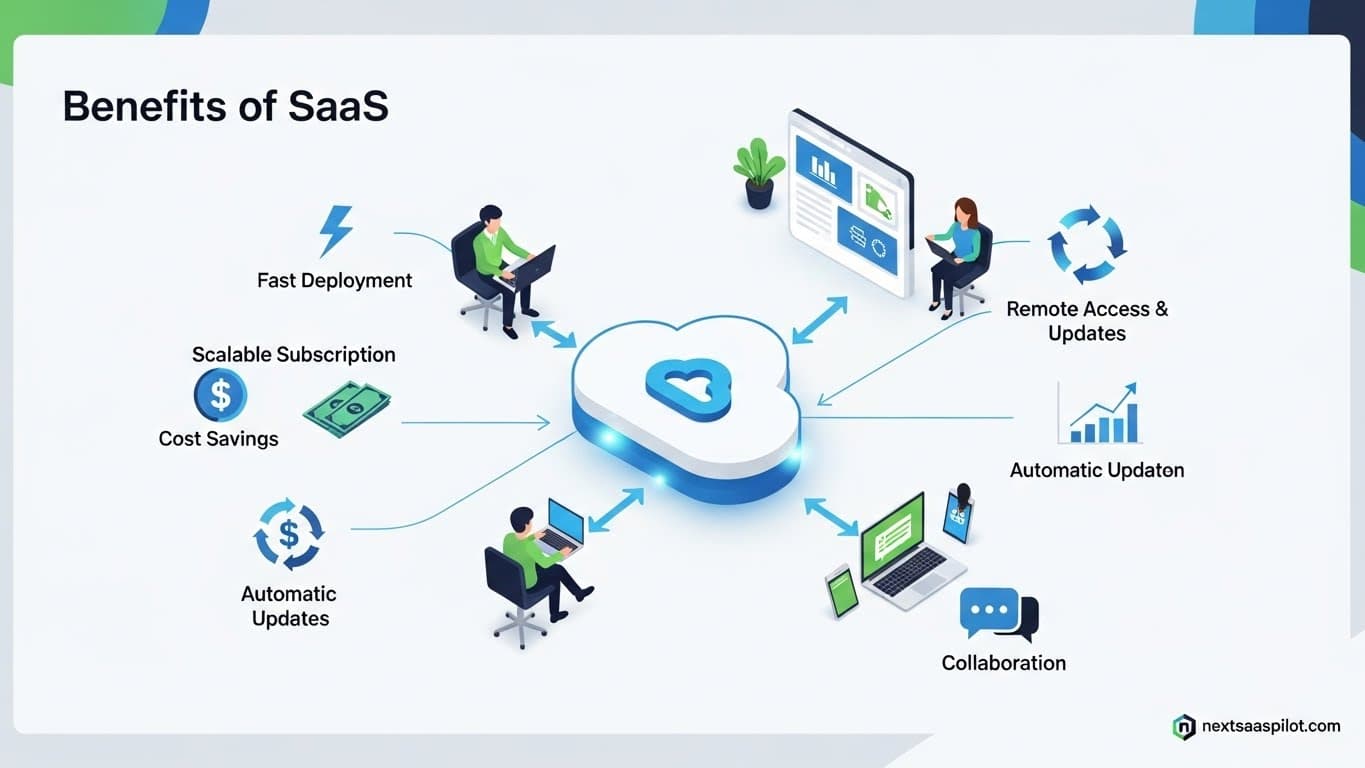
Understanding the benefits of saas is no longer optional for business leaders; it is a strategic necessity. Software as a Service (SaaS) has fundamentally shifted the technological landscape from a capital-heavy investment model to an agile, operational expense model. In 2025, organizations that fail to leverage SaaS agility often find themselves outpaced by competitors who can deploy, scale, and pivot faster.
I have consulted for dozens of enterprises transitioning from legacy on-premise systems to cloud-based architectures. The pattern is consistent: those who embrace SaaS not only reduce their Total Cost of Ownership (TCO) but also unlock a velocity of innovation that was previously impossible. This guide dissects the tangible advantages of SaaS, backed by architectural realities and economic logic.
What Are the Core Financial Benefits of SaaS?
The primary financial benefit of SaaS is the shift from Capital Expenditure (CapEx) to Operational Expenditure (OpEx), allowing businesses to eliminate massive upfront hardware and licensing costs in favor of predictable, pay-as-you-go subscription models.
In the traditional on-premise model, you would spend $50,000 upfront for servers and perpetual licenses before a single user logged in. With SaaS, that cost might be $500 a month. This lowers the barrier to entry and frees up cash flow for other critical growth areas like marketing or R&D.
From my experience auditing IT budgets, the hidden savings are even more significant. You aren’t just saving on the software license; you are eliminating the cost of electricity, cooling, physical security, and the salary of the sysadmin needed to patch the server at 2 AM.
How Does SaaS Enable Rapid Scalability?
SaaS platforms offer “elastic scalability,” allowing businesses to instantly add or remove user seats and feature sets based on current demand without purchasing new physical servers or installing new software.
Imagine you are running a seasonal retail business. In November, you need 500 customer support seats. In January, you only need 50.
- On-Premise: You buy hardware for 500 users. In January, 90% of that hardware sits idle, depreciating.
- SaaS: You click a button to upgrade in November and downgrade in January. You pay only for what you use.
This flexibility is critical for high-growth startups. You can start with a basic plan and seamlessly migrate to enterprise tiers as your needs evolve. For a deeper look at the major players driving this ecosystem, review our analysis of public saas companies that define these scalability standards.
Why Is Accessibility a Game Changer for Remote Teams?
SaaS applications are accessible via any web browser, enabling employees to work securely from any location or device, which is the foundational requirement for modern remote and hybrid workforce models.
The “work from anywhere” revolution was powered almost entirely by SaaS. If your CRM is on-premise behind a corporate firewall, your sales team is tethered to the office or a clunky VPN. If your CRM is Salesforce or HubSpot, they can close deals from a coffee shop in Tokyo.
This accessibility extends beyond just geography; it includes device independence. Whether a user is on a MacBook, a Windows desktop, or an iPad, the experience is uniform. This universality reduces the burden on IT to procure specific hardware for employees.
How Does SaaS Handle Security and Data Protection?
SaaS providers invest millions in enterprise-grade security protocols, including end-to-end encryption, automated backups, and SOC 2 compliance, often providing a higher level of security than small-to-mid-sized businesses could afford independently.
A common misconception is that on-premise data is safer because “it’s in my building.” In reality, most internal IT teams cannot compete with the security budgets of AWS, Google, or Microsoft.
- Physical Security: SaaS data centers have biometric locks and 24/7 armed guards.
- Redundancy: Your data is replicated across multiple geographic zones. If one data center burns down, your business keeps running.
However, security is a shared responsibility. While the vendor secures the cloud, you must secure access to it.
What Is the Impact of Automatic Updates?
SaaS platforms perform automatic, centralized updates, ensuring all users instantly have access to the latest features and security patches without downtime or manual installation processes.
I once worked with a client using a legacy ERP system that hadn’t been updated in four years because the upgrade process required shutting down the factory for a weekend. With SaaS, updates happen continuously in the background.
This “Continuous Delivery” model means you are not buying a static product; you are subscribing to a service that improves over time. New features simply appear. There is no “Version 2.0” to buy. This differs significantly from saap software (Software as a Product), where versioning often fragments the user base.
How Does SaaS Integrate with Other Tools?
Modern SaaS applications are built with API-first architectures, allowing seamless integration with other tools to create a unified “best-of-breed” tech stack rather than relying on a clunky all-in-one monolith.
In the past, you bought a “suite” from IBM or Oracle and used whatever they gave you. Today, you build a custom ecosystem:
- Slack for communication.
- Salesforce for CRM.
- Zendesk for support.
These tools talk to each other. When a support ticket closes in Zendesk, it can automatically update the customer record in Salesforce and notify the account manager in Slack. This interoperability is a hallmark of paas services, which often serve as the glue between these distinct SaaS applications.
Is SaaS Deployment Faster than Traditional Software?
SaaS deployment is near-instantaneous because the software is already installed and configured in the cloud; users simply provision credentials and log in, reducing implementation time from months to minutes.
Traditional enterprise software implementation is a nightmare of procurement cycles, server shipping, and installation wizards. A complex SAP installation could take 12 months. A SaaS equivalent like NetSuite can be provisioned in days.
This “Time to Value” is a critical metric. The sooner your team uses the software, the sooner you see ROI. For examples of platforms that exemplify this speed, check out our curated list of saas examples.
Potential Downsides: What Should You Watch Out For?
While beneficial, SaaS introduces risks such as “Vendor Lock-in,” where moving data to a new provider is difficult, and “Shadow IT,” where employees purchase unauthorized subscriptions that create security blind spots.
- Connectivity Dependence: If the internet goes down, your business goes down. However, with 5G and fiber, this is becoming less of a bottleneck.
- Data Sovereignty: For regulated industries, knowing exactly where your data resides (e.g., GDPR requirements) is crucial.
You must weigh these risks against the benefits. Smart organizations mitigate “Shadow IT” by using SaaS Management Platforms (SMPs) to track and control subscription spending across the company.
How Does SaaS Support Collaborative Workflows?
SaaS tools enable real-time, multiplayer collaboration where multiple users can edit documents, update databases, and manage projects simultaneously without version control conflicts.
We take this for granted now, but remember emailing a file named Budget_Final_v3_EDITED_bob.xls? SaaS killed that problem. Tools like Google Workspace or Figma allow dozens of people to work on the same asset at once. This “Single Source of Truth” eliminates data silos and dramatically speeds up decision-making cycles.
Conclusion
The benefits of saas extend far beyond cost savings. It is about agility. In a world where market dynamics shift overnight, the ability to scale your technology stack up or down instantly is a massive competitive advantage.
Whether you are building a partner ecosystem through market through partners, saas strategies, or simply trying to streamline your internal operations, SaaS is the engine of modern business. It allows you to focus on your core competency—serving your customers—while leaving the software management to the experts.
For more technical details on the underlying infrastructure, see Cloud Computing.