
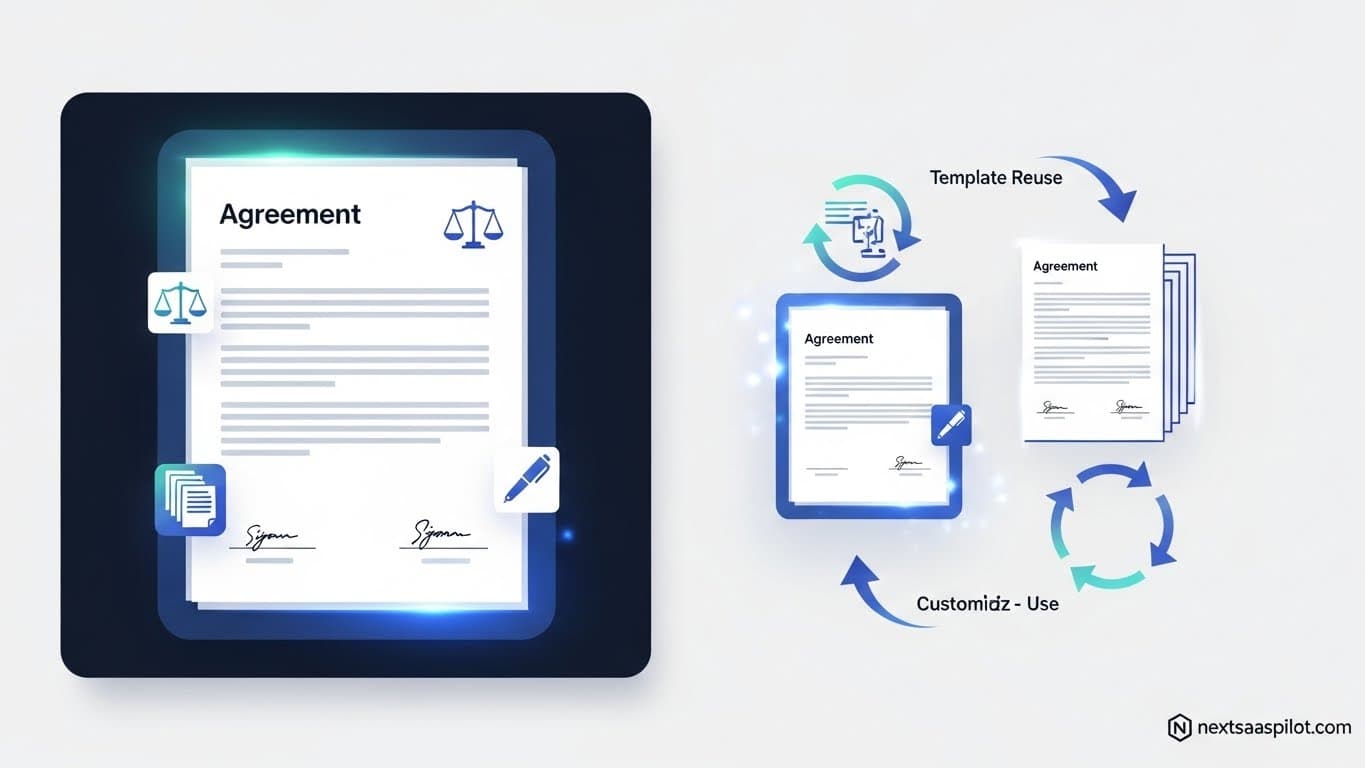
A solid boilerplate agreement template is a foundational legal asset for any Next.js SaaS application, providing a standardized framework for user rights, responsibilities, and service terms. Without one, developers expose their projects to unnecessary legal risks, operational friction, and scalability challenges. This guide offers a complete walkthrough for creating, managing, and implementing a robust legal template for your Next.js project.
We will cover the essential components, from terms of service to privacy policies, and explore how to build these agreements directly into your application. You will learn the best practices for legal compliance, common mistakes to avoid, and how to structure your agreements for clarity and enforceability. By the end, you will have a clear roadmap for protecting your SaaS business.
What Is a Boilerplate Agreement Template?
A boilerplate agreement template is a pre-written, standardized legal document containing non-negotiable clauses that are used repeatedly across different contexts. In SaaS, this includes terms of service, privacy policies, and user agreements. These templates ensure consistency, reduce legal drafting time, and establish a clear legal framework for all users of a platform.
The term “boilerplate” comes from the 19th-century steel industry, where thin steel plates used for making boilers were also used to print syndicated text for newspapers. The name stuck, and today it refers to any standardized text. While the term can sometimes suggest generic or unimportant language, in legal documents, these clauses are critical. They cover essential areas like limitations of liability, governing law, and dispute resolution. For a SaaS business, a well-crafted boilerplate meaning it is the backbone of its legal structure, defining the relationship between the service provider and its customers.
Common Use Cases in SaaS
Boilerplate agreements are fundamental to the operation of any SaaS platform. They appear in several key areas:
- User Onboarding: When a new user signs up, they typically must agree to the Terms of Service and Privacy Policy.
- Subscription Renewals: The terms governing subscription fees, renewals, and cancellations are outlined in a boilerplate agreement.
- Feature Updates: When you update your service, your terms may need to reflect new functionalities or data usage policies.
- API Usage: If you offer an API, a specific agreement will dictate how third-party developers can interact with your service.
- Dispute Resolution: These agreements specify the procedures for handling disagreements between the user and the company.
Why Do Next.js SaaS Projects Need Boilerplate Agreements?
Next.js SaaS projects need boilerplate agreements to establish clear legal boundaries, mitigate liability, and ensure operational consistency. These documents protect your intellectual property, define user responsibilities, and provide a scalable framework for growth. Without them, your business is vulnerable to legal disputes, regulatory fines, and customer misunderstandings that can hinder success.
The benefits of implementing a comprehensive boilerplate agreement extend across legal, operational, and business development functions.
Legal Protection and Risk Mitigation
At its core, a boilerplate agreement is a risk management tool. It sets the rules of engagement for your platform.
- Limitation of Liability: This is perhaps the most crucial function. Your agreement can cap the financial damages you might be liable for in case of service failures, data breaches, or other issues.
- Intellectual Property Rights: The agreement clarifies who owns the content. It specifies that your company owns the software, brand, and platform content, while the user owns their data.
- Governing Law and Jurisdiction: It determines which state or country’s laws will govern the agreement and where any legal disputes will be handled. This prevents you from being sued in a foreign or unfavorable jurisdiction.
- Indemnification: This clause requires the user to cover legal costs if their actions on your platform (like uploading illegal content) lead to a lawsuit against your company.
Operational Efficiency and Clarity
Clear agreements prevent confusion and streamline customer management.
- Sets Clear Expectations: Users know exactly what they are agreeing to. This includes rules of conduct, payment terms, and what happens if they violate the terms.
- Reduces Support Overhead: Many common customer questions can be answered by referring them to the terms of service. This frees up your support team to handle more complex issues.
- Standardizes the User Relationship: Every user is bound by the same set of rules. This creates a fair and consistent environment for everyone on the platform.
Scalability and Professionalism
As your SaaS grows, you cannot negotiate terms with every new customer. Boilerplate agreements are essential for scaling your user base.
- Enables Growth: Standardized agreements allow you to onboard thousands or millions of users without individual legal review.
- Builds Trust: A professional, well-written agreement shows that you are a serious business. It gives potential customers and investors confidence in your operations.
- Facilitates Partnerships: When partnering with other businesses or integrating third-party services, having your legal framework in order is often a prerequisite. A solid Next.js development company will always prioritize this from the start.
How to Create a Boilerplate Agreement Template for Next.js SaaS
Creating a boilerplate agreement for a Next.js SaaS involves identifying necessary legal clauses, drafting the content, and integrating it into your application. This process ensures your legal documents are both legally sound and seamlessly integrated with your user experience, from sign-up to account management.
Here is a step-by-step guide to building your own.
Step 1: Identify Key Legal Components
Before writing a single line of code, you must determine what agreements your SaaS needs. For most platforms, this includes:
- Terms of Service (ToS): The main contract between you and your users.
- Privacy Policy: Explains how you collect, use, and protect user data. This is legally required in most jurisdictions.
- Acceptable Use Policy (AUP): Defines what users can and cannot do on your platform.
- Service Level Agreement (SLA): If you serve enterprise clients, this defines uptime guarantees and performance metrics.
- Refund Policy: Outlines the terms for refunds and cancellations.
Consult with a legal professional who specializes in technology and SaaS to ensure you have identified all necessary documents and clauses for your specific business model and target markets.
Step 2: Draft the Content with Clarity in Mind
Once you know what you need, it’s time to draft the content. Avoid dense legalese wherever possible. Use plain language to make your agreements understandable to the average user.
- Use Clear Headings: Break down the document into logical sections like “User Accounts,” “Payment and Fees,” and “Termination.”
- Write in Plain English: Instead of “Hereinunder, the party of the first part…”, try “We…” and “You…”
- Summarize Key Points: Many companies now include a short, non-binding summary at the top of each major section to improve readability.
Step 3: Integrate Agreements into Your Next.js Application
Next.js provides powerful features that make managing and displaying legal documents straightforward. You can create a Next application that handles these documents dynamically.
Using Markdown or MDX for Content
Storing your legal documents in Markdown (.md) or MDX (.mdx) files within your project is a common practice. This approach separates your legal content from your code, making it easy for non-developers (like lawyers) to review and edit.
- Create a
legalDirectory: Inside your project, create a folder like/legalor/content/legal. - Add Markdown Files: Create files like
terms-of-service.mdandprivacy-policy.md. - Render the Content: Use a library like
gray-matterandmarkedornext-mdx-remoteto parse and render these files on dedicated pages (e.g.,/legal/terms).
With this setup, updating your terms is as simple as editing a text file and redeploying your Next build.
Dynamic Content with API Routes
For more complex needs, such as versioning agreements or pulling content from a headless CMS, Next API routes are a perfect solution.
- You could create an endpoint like
/api/legal/termsthat fetches the latest version of your terms from a database or CMS. - Your front-end page (
/legal/terms) would then call this API to get the content to display. - This approach is useful for logging which version of the terms a user agreed to, a key requirement for legal compliance.
Step 4: Implement User Consent Mechanisms
Your agreements are only enforceable if users have actively consented to them.
- Clickwrap Agreements: The most common method is a checkbox during sign-up that says “I have read and agree to the Terms of Service and Privacy Policy.” The text should link directly to the full documents.
- Logging Consent: Your Next.js backend should log the user ID, the timestamp of their agreement, and the specific version of the document they agreed to. This is crucial evidence if a dispute arises. Proper Next authentication flows are essential for this.
Step 5: Handle Agreement Updates
Legal documents are not static. You will need to update them to reflect changes in your service or new regulations.
- Notification: Your terms should include a clause stating how you will notify users of changes (e.g., via email or an in-app banner). Major changes often require users to re-accept the terms.
- Versioning: Keep a history of all previous versions of your agreements. When a user agrees to the terms, link their account to that specific version.
Summary of Key Components and Implementation
| Component | Purpose | Next.js Implementation |
|---|---|---|
| Terms of Service | Defines rules, user rights, and liability. | Rendered from a Markdown file on a static page (e.g., /terms). |
| Privacy Policy | Explains data collection and usage practices. | Rendered from a Markdown file, linked from footer and sign-up. |
| User Agreement | Confirms user acceptance of terms. | A checkbox in the sign-up form that logs consent via an API route. |
| Refund Policy | Details terms for subscription cancellations. | Section within the Terms of Service or a separate static page. |
| Acceptable Use | Lists prohibited activities on the platform. | A dedicated section within the Terms of Service. |
| Agreement Updates | Manages changes to legal documents. | In-app notifications and a system for logging re-acceptance. |
Key Components of a Boilerplate Agreement Template
A comprehensive boilerplate agreement is not a single document but a collection of clauses and policies that work together. Each component serves a distinct purpose, from outlining service rules to ensuring data privacy. Here’s a breakdown of the essential sections you’ll need for your Next.js SaaS.
1. Terms of Service (ToS)
The Terms of Service (also known as Terms of Use or Terms and Conditions) is the primary contract between you and your users. It governs their use of your service.
- Introduction: A brief overview of the agreement and the parties involved (your company and the user).
- User Accounts: Requirements for creating an account, user responsibilities for securing credentials, and your right to suspend or terminate accounts.
- Scope of Service: A description of the service you provide. Be clear about what is included and what is not.
- Payment, Fees, and Subscriptions: Details on pricing, billing cycles, payment methods, and consequences of non-payment. This is critical for any Next.js ecommerce feature.
- Intellectual Property Rights: A clause stating that you own your service, logo, and platform content, while users retain ownership of the data they upload.
- Limitation of Liability: This clause limits your financial responsibility for damages arising from the use of your service. It is one of the most important protective clauses.
- Disclaimer of Warranties: A statement that your service is provided “as-is” without any guarantees of being error-free or uninterrupted.
- Termination: Conditions under which you or the user can terminate the agreement.
- Governing Law and Jurisdiction: Specifies which laws apply to the agreement and where legal disputes will be heard.
- Changes to Terms: A clause explaining how you will notify users of updates to the ToS.
2. Privacy Policy
A Privacy Policy is a legal requirement in many parts of the world (including Europe under GDPR and California under CCPA). It must be transparent about how you handle personal data.
- Information We Collect: Specify what data you collect (e.g., name, email, IP address, payment information, usage data).
- How We Use Information: Explain the purpose of collecting the data (e.g., to provide the service, for billing, for marketing communications).
- Data Sharing and Disclosure: List any third parties with whom you share data (e.g., payment processors like Stripe, analytics services like Google Analytics).
- Data Security: Describe the measures you take to protect user data, such as encryption. This is especially important when setting up Next.js HTTPS.
- User Rights: Inform users of their rights regarding their data, such as the right to access, correct, or delete their information.
- Data Retention: State how long you keep user data after an account is closed.
- Cookies and Tracking Technologies: Disclose your use of cookies and how users can manage their preferences.
- Contact Information: Provide a way for users to contact you with privacy-related questions.
3. User Agreement and Consent
This is less a separate document and more the mechanism by which users agree to your terms. It needs to be clear and unambiguous.
- Affirmative Consent: Users must take an active step to agree, such as ticking a box. Pre-ticked boxes are not considered valid consent under regulations like GDPR.
- Clear Language: The text next to the checkbox should be unambiguous, for example: “By creating an account, you agree to our Terms of Service and Privacy Policy.”
- Record of Consent: Your system must log who consented, when they consented, and to which version of the documents they consented. This can be handled by your Prisma Next.js backend.
4. Refund Policy
A clear Refund Policy reduces disputes and chargebacks. It can be a section within your ToS or a standalone document.
- Eligibility for Refunds: Define the conditions under which a user can request a refund (e.g., within 14 days of purchase, if the service is non-functional).
- Process for Requesting a Refund: Provide clear instructions on how users can initiate a refund request (e.g., by contacting support).
- Non-Refundable Items: Clearly state what is not eligible for a refund, such as one-time setup fees or usage-based charges.
- Prorated Refunds: Specify if you offer prorated refunds for annual plans that are cancelled mid-term.
Creating a dedicated Next.js landing page for your pricing and refund policy can improve transparency.
Best Practices for Drafting Boilerplate Agreements
Drafting a boilerplate agreement isn’t just about filling in a template. It’s about creating a document that is fair, clear, and legally compliant. Following best practices ensures your agreements protect your business while building trust with your users.
Ensure Compliance with Key Regulations
Your SaaS is global by nature, so your agreements must comply with major data privacy and consumer protection laws.
- GDPR (General Data Protection Regulation): If you have users in the European Union, you must comply with GDPR. This includes obtaining explicit consent for data collection, providing users with rights over their data, and having a clear Privacy Policy.
- CCPA/CPRA (California Consumer Privacy Act/California Privacy Rights Act): If you do business in California, you must provide consumers with rights to know, delete, and opt-out of the sale or sharing of their personal information.
- Keep it Updated: Regulations change. Schedule regular reviews (at least annually) of your legal documents with a qualified attorney to ensure ongoing compliance.
Write for Humans, Not Just Lawyers
Legal documents are often intimidating. Making them readable is a competitive advantage.
- Use Plain Language: Avoid legal jargon. Write in a way that a non-lawyer can understand. The Flesch reading-ease test is a good metric to aim for a score of 60 or higher.
- Structure for Scannability: Use short paragraphs, headings, bullet points, and bold text to break up the text and highlight key information. A good Next.js UI library can help format these pages cleanly.
- Provide Summaries: Consider adding a “plain English” summary at the top of your Terms of Service. This shows goodwill and helps users quickly grasp the most important points.
Be Fair and Reasonable
Overly aggressive or one-sided terms can be legally unenforceable and will damage your brand’s reputation.
- Balanced Liability Clauses: While you should limit your liability, a clause that removes all liability whatsoever may not hold up in court. Make it reasonable.
- Fair Termination Clauses: Allow users to terminate their accounts easily. Your terms should also clearly state the specific reasons why you might suspend or terminate a user’s account.
- Clear Data Ownership: Reassure users that they own their data. This is a major concern for many SaaS customers. Your Privacy Policy should explicitly state this.
Make Agreements Easily Accessible
Users should be able to find your legal documents at any time.
- Footer Links: Include links to your Terms of Service and Privacy Policy in the footer of every page of your website and application.
- Links at Key Touchpoints: Link to your agreements during sign-up, at checkout, and in account settings.
- No Hidden Clauses: Don’t bury important terms in fine print. Use clear formatting to ensure all clauses are visible. Using a good Next.js website template can provide a good starting structure for this.
Common Mistakes to Avoid
Creating and managing boilerplate agreements can be tricky. Many SaaS companies, especially early-stage startups, make preventable mistakes that expose them to legal and financial risks. Here are some of the most common pitfalls and how to steer clear of them.
1. Copying and Pasting from Another Company
The Mistake: Finding a competitor’s Terms of Service and simply replacing their name with yours.
Why It’s a Problem: Every business is unique. Another company’s agreement was tailored to their specific services, business model, target audience, and jurisdiction. It might not cover your specific risks or data practices. Worse, you might accidentally leave their company name in the document, which immediately signals a lack of professionalism and could invalidate the agreement.
The Solution: Use other companies’ agreements for inspiration and to understand industry standards, but never copy them directly. Draft your own agreements based on your unique business operations. Use a legal template from a reputable source as a starting point, and always have it reviewed by a lawyer.
2. Using Vague or Ambiguous Language
The Mistake: Using unclear terms like “reasonable efforts,” “inappropriate content,” or “promptly” without defining what they mean in the context of your service.
Why It’s a Problem: Ambiguity leads to disputes. If a clause is open to interpretation, a court will often interpret it in favor of the party that did not draft the agreement—your user. For example, if you terminate an account for “inappropriate content” without defining what that means, the user could successfully challenge the termination.
The Solution: Be as specific as possible. Instead of “inappropriate content,” list prohibited categories like “hate speech, illegal materials, or content that infringes on third-party copyrights.” Define key terms in a dedicated “Definitions” section of your agreement.
3. Hiding or Obscuring Agreements
The Mistake: Burying links to your Terms of Service in the footer or using a pre-checked consent box during sign-up.
Why It’s a Problem: For an agreement to be legally binding, the user must have had a clear opportunity to read it and affirmatively agree to it (this is known as “assent”). If you make it difficult for users to find or read your terms, a court may rule that no valid contract was formed.
The Solution: Implement a “clickwrap” agreement. This involves requiring users to actively check a box next to a statement like, “I have read and agree to the Terms of Service.” The words “Terms of Service” should be a clear hyperlink to the document itself. This creates a clear record of consent. A well-structured Next.js starter project often includes a good example of this flow.
4. Forgetting to Include Key Clauses
The Mistake: Launching with a bare-bones agreement that omits critical protections.
Why It’s a Problem: Missing clauses leave you exposed. Forgetting a “Limitation of Liability” clause means you could be sued for unlimited damages. Forgetting a “Governing Law” clause could mean you have to defend a lawsuit in a different state or country.
The Solution: Use a comprehensive checklist to ensure all essential clauses are included. Key clauses to never forget include:
- Limitation of Liability
- Disclaimer of Warranties
- Intellectual Property Rights
- Governing Law and Jurisdiction
- Termination
- Payment Terms
5. Not Planning for Updates
The Mistake: Treating your legal documents as a “set it and forget it” task.
Why It’s a Problem: Your business will evolve, and so will the law. Your agreements need to keep pace. An outdated Privacy Policy could violate new regulations like GDPR or CCPA, leading to heavy fines. An outdated ToS might not cover your new features.
The Solution: Schedule a review of your legal documents at least once a year, or whenever you make significant changes to your business (like launching a major new feature or expanding into a new market). Your ToS should include a clause that specifies how you will notify users of changes. For material changes, it is best practice to require users to re-accept the new terms.
FAQs About Boilerplate Agreement Templates for Next.js SaaS
Here are answers to some frequently asked questions about creating and managing legal agreements for a SaaS business.
Can I use a generic template for my SaaS?
Yes, you can use a generic template as a starting point, but it should never be your final document. Generic templates provide a solid foundation and ensure you don’t miss key clauses. However, they must be customized by a qualified lawyer to fit your specific business model, services, data handling practices, and the jurisdictions you operate in.
How often should I update my agreement?
You should review and potentially update your agreements at least once a year. You should also update them whenever there is a significant change to your business or the law. This includes:
- Introducing new features or services.
- Changing your pricing or business model.
- Expanding into new geographical markets.
- New major privacy or consumer protection laws being enacted.
What’s the difference between Terms of Service and a Privacy Policy?
A Terms of Service is the contract that governs the use of your service. It sets the rules, defines rights and responsibilities, and limits your liability. A Privacy Policy is a legally required document that explains how you collect, use, store, and share personal user data. They are separate documents, but both are essential and are usually agreed to at the same time.
Do I really need a lawyer to draft these agreements?
While it is technically possible to draft these yourself using templates, it is highly inadvisable. The law surrounding SaaS, data privacy, and intellectual property is complex and varies by location. An experienced technology lawyer will be able to spot risks you might miss, ensure your agreements are enforceable, and tailor them to your specific business needs. The cost of hiring a lawyer is a small investment compared to the potential cost of a lawsuit or regulatory fine.
What happens if I don’t have a Terms of Service agreement?
Operating a SaaS without a Terms of Service agreement is extremely risky. You have no legal framework to govern user behavior, no limitation on your liability, no protection for your intellectual property, and no defined process for handling disputes. You are essentially leaving your entire business exposed to legal challenges from users and regulatory scrutiny.
Conclusion
A well-crafted boilerplate agreement template is not just a legal formality; it is a critical business asset that protects your Next.js SaaS from liability, builds trust with users, and creates a stable foundation for growth. By understanding the key components, following best practices, and avoiding common mistakes, you can establish a legal framework that is clear, fair, and enforceable.
Start by identifying the essential documents for your business, such as the Terms of Service and Privacy Policy. Draft them with clarity and transparency in mind, and integrate them seamlessly into your Next.js application using modern development practices. Most importantly, invest in professional legal advice to ensure your agreements are tailored to your unique needs and compliant with all relevant regulations. Taking these steps today will safeguard your business for years to come.