
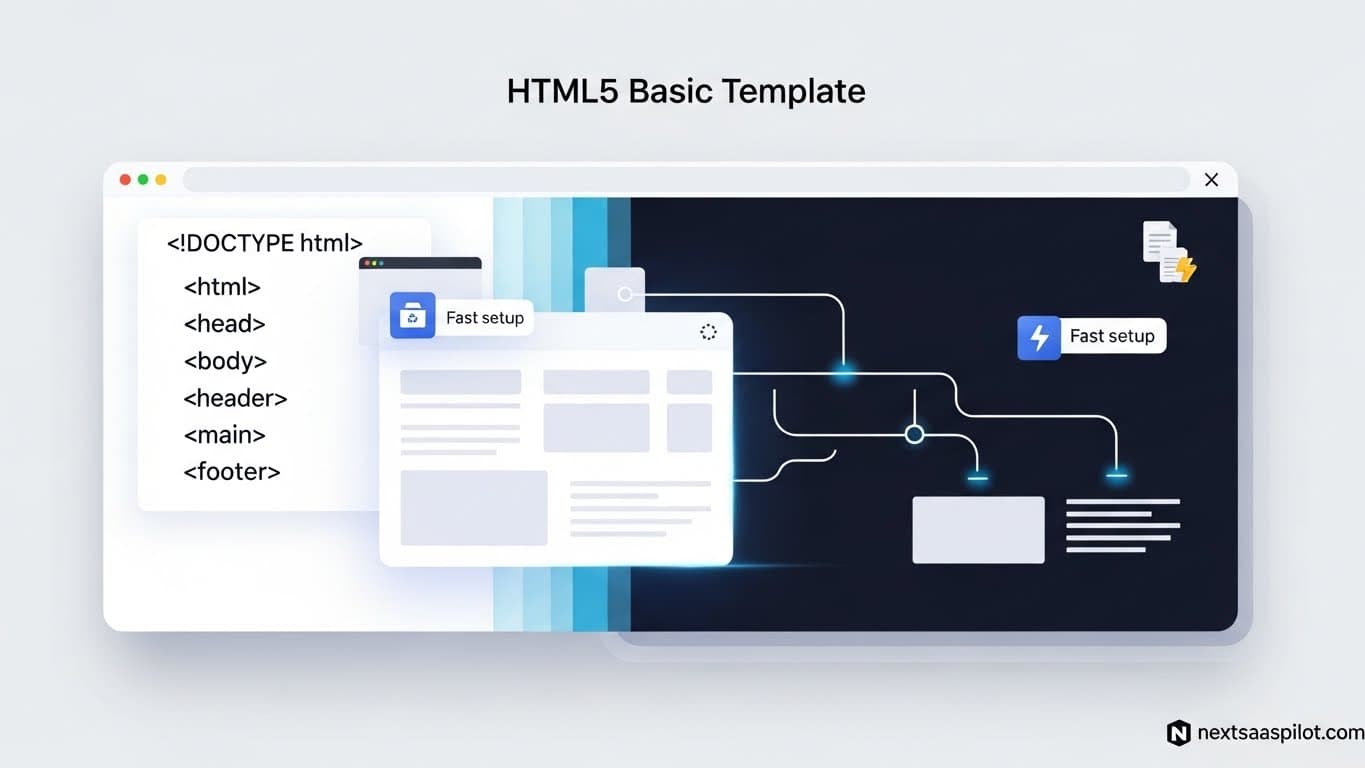
Using a free html5 basic template is often the smartest architectural decision a founder can make to validate a SaaS idea quickly. Instead of wrestling with complex rendering frameworks for a simple marketing site, you get a lightweight, fast-loading foundation that can be deployed to a CDN in seconds.
I have advised dozens of startups that burned weeks of engineering time “over-optimizing” their landing pages with heavy JavaScript frameworks, only to realize their value proposition was wrong. The most successful launches I’ve seen often start with a clean, semantic HTML5 template. It separates your marketing concerns from your application logic, ensuring your “front door” is always open, fast, and SEO-friendly.
What Exactly Is an HTML5 Basic Template?
An HTML5 basic template is a pre-written website structure containing semantic HTML, CSS for styling, and minimal JavaScript for interactivity. It provides the essential skeleton—headers, navigation, and content sections—allowing developers to focus entirely on copywriting and branding rather than coding the layout from scratch.
Unlike a full web application, these templates do not require a build step or a server-side language. They are “static,” meaning the file you edit is the file the user sees. This simplicity makes them incredibly resilient; they cannot “crash” like a database-backed application might.
Why Choose HTML5 Over React for SaaS Landing Pages?
HTML5 templates offer superior initial load speeds (First Contentful Paint) and easier hosting compared to complex React applications because they require no client-side hydration or heavy JavaScript bundles. They are ideal for the “top of funnel” marketing pages where SEO performance and low maintenance costs are the primary goals.
While modern react frameworks like Next.js are powerful, they introduce complexity. For a landing page, you rarely need complex state management.
The “Hybrid Architecture” Strategy: Smart SaaS companies often use a hybrid approach:
- Marketing Site: HTML5 (Hosted on Netlify/Vercel). fast, cheap, SEO-perfect.
- App Dashboard: React (Hosted on a subdomain like
app.yoursaas.com). Dynamic, state-heavy.
This separation protects your marketing site. Even if your app goes down during a deployment, your marketing site stays up, collecting emails.
Key Features to Look for in a Free SaaS Template
A conversion-focused SaaS template must include a clear hero section with call-to-action buttons, feature grids to explain benefits, social proof areas for logos, and a tiered pricing table. These elements are the non-negotiable infrastructure of modern software marketing.
When evaluating a saas website template, inspect the code for “Semantic HTML.”
- Bad: soup (everything is a div).
- Good: Uses
,, and.Semantic HTML is not just code cleanliness; it is critical for accessibility and helps Google Bots understand the hierarchy of your content.
Top Sources for High-Quality Free HTML5 Templates
You can find professional-grade free templates on curated repositories like HTML5 UP, UIdeck, and GrayGrids, which often offer “freemium” models where the basic version is free for personal and commercial use.
- HTML5 UP: Famous for sleek, minimalist designs that are extremely lightweight.
- UIdeck: Specializes in SaaS and Startup landing pages. Look for templates like “Spark” or “Play”.
- Cruip: Offers high-quality, Tailwind-based HTML templates.
Note: Always verify the license. Some require attribution (a link back to the creator in the footer). For a professional SaaS, it is usually worth paying the small fee (often $20-$50) to remove this attribution if the license requires it.
Customizing Your Template: A Step-by-Step Guide
Customize a basic template by first updating the CSS variables (or root styles) to match your brand colors and typography, then replace placeholder images with high-quality product screenshots before modifying the structural layout.
Avoid the temptation to rewrite the layout immediately. Trust the designer’s spacing.
- Color Swap: Open
style.css. Look for:rootvariables. Change the--primary-colorto your brand’s hex code. - Typography: Import your font from Google Fonts and update the
bodyfont-family. - Imagery: Nothing screams “template” like stock photos of people shaking hands. Replace these with screenshots of your actual product interface.
If the template uses a css framework for react style utility (like Tailwind CSS), customization is even faster, as you can simply change classes directly in the HTML without touching the CSS file.
SEO Optimization for HTML5 Templates
Optimize your template by ensuring proper use of meta tags, compressing all images to WebP format, and minifying your CSS/JS files to ensure your site scores 90+ on Google PageSpeed Insights.
HTML5 templates are naturally fast, but you can make them instant.
- Meta Tags: Ensure
</code> and <code><meta name="description"></code> are unique for every page.</li> <li><strong>Open Graph:</strong> Add <code>og:image</code> tags so your link looks good when shared on Twitter/LinkedIn.</li> <li><strong>Lazy Loading:</strong> Add <code>loading="lazy"</code> to images below the fold.</li> </ul> <h2 class="wp-block-heading">Can You Migrate an HTML5 Template to React Later?</h2> <p class="wp-block-paragraph">Yes, migrating an HTML5 template to React is a common workflow; you simply break the HTML <code>sections</code> into reusable JSX components and import the CSS, allowing you to validate quickly with static code and scale into a dynamic architecture later.</p> <p class="wp-block-paragraph">This is a classic growth path. You launch with HTML5 to test the market. Once you have traction and need dynamic features (like a login state in the navbar), you port the HTML into a <a href="https://blog.nextsaaspilot.com/react-js-library/" target="_blank" rel="noreferrer noopener">react js library</a>.</p> <p class="wp-block-paragraph">You effectively “componentize” your static site. The <code><div class="pricing-card"></code> becomes a <code><PricingCard /></code> component.</p> <h3 class="wp-block-heading">Common Pitfalls to Avoid</h3> <p class="wp-block-paragraph">Avoid templates that rely heavily on jQuery plugins or outdated layout methods like “floats,” as these will be difficult to maintain and migrate to modern frameworks in the future.</p> <ul class="wp-block-list"> <li><strong>Bloat:</strong> Check the <code>scripts</code> folder. If you see 10 different <code>.js</code> files for simple animations, run away.</li> <li><strong>Non-Responsive:</strong> Always test the demo on your phone. If you have to “pinch to zoom,” it is not a viable template for 2025.</li> <li><strong>Spaghetti CSS:</strong> If the CSS file is 5,000 lines long and has no comments, customization will be a nightmare.</li> </ul> <h3 class="wp-block-heading">Enhancing Your Template with Modern UI Libraries</h3> <p class="wp-block-paragraph">Even with a static HTML5 template, you can integrate lightweight <a href="https://blog.nextsaaspilot.com/ui-libraries/" target="_blank" rel="noreferrer noopener">ui libraries</a> for specific interactive elements like modal windows or toast notifications without needing a full build step.</p> <p class="wp-block-paragraph">For example, you can drop in a CDN link for a library like <em>Alpine.js</em> to handle mobile menu toggles or simple state (like switching between Monthly/Yearly pricing) directly in your HTML. This gives you “React-like” interactivity with the simplicity of an HTML file.</p> <h3 class="wp-block-heading">The Foundation of Modern Templates</h3> <p class="wp-block-paragraph">Most robust HTML5 templates today are built upon established standards that ensure cross-browser compatibility and performance, effectively handling the browser inconsistencies that used to plague web developers.</p> <p class="wp-block-paragraph">These standards, often derived from projects like the <a target="_blank" rel="noreferrer noopener" href="https://en.wikipedia.org/wiki/HTML5_Boilerplate">HTML5 Boilerplate</a>, provide a baseline ensuring that your marketing site looks consistent whether the investor views it on an iPhone, a Windows desktop, or a legacy enterprise browser. Leveraging these standards is what makes a basic template “production-ready” from day one.</p> <h3 class="wp-block-heading">Conclusion</h3> <p class="wp-block-paragraph">A html5 basic template removes the technical barrier to entry. It allows you to deploy a professional-looking SaaS website in an afternoon.</p> <p class="wp-block-paragraph">Don’t let technology choices paralyze your launch. Your customers don’t care if your landing page is built with the latest experimental framework or simple HTML. They care about the value you promise. Grab a template, fill it with compelling copy, and ship it.</p> </div></div></article></main><!--$--><!--/$--><footer class="bg-muted/10 dark:bg-muted/20 pt-12 pb-8 md:pt-20"><div class="container mx-auto max-w-7xl"><div class="flex flex-col"><div class="flex flex-col gap-6 md:flex-row md:justify-between"><div class="w-full md:max-w-lg"><div class="space-y-2"><a class="flex items-center" href="/"><svg class="text-primary me-2 size-6" width="24" height="24" viewBox="0 0 24 24" fill="none" xmlns="http://www.w3.org/2000/svg"><rect x="2" y="14" width="20" height="6" rx="1" fill="currentColor" opacity="0.9"></rect><rect x="4" y="9" width="16" height="6" rx="1" fill="currentColor" opacity="0.7"></rect><rect x="6" y="4" width="12" height="6" rx="1" fill="currentColor" opacity="0.5"></rect><rect x="2" y="16" width="20" height="0.5" fill="currentColor" opacity="0.3"></rect><rect x="4" y="11" width="16" height="0.5" fill="currentColor" opacity="0.3"></rect><rect x="6" y="6" width="12" height="0.5" fill="currentColor" opacity="0.3"></rect><circle cx="7" cy="17" r="0.8" fill="white" opacity="0.6"></circle><circle cx="17" cy="17" r="0.8" fill="white" opacity="0.6"></circle><path d="M12 2L14 4H13V6H11V4H10L12 2Z" fill="currentColor" opacity="0.8"></path></svg><span class="text-[22px] font-extrabold">NextSaasPilot</span></a><p class="text-muted-foreground">This SaaS starter kit provides a modern foundation for building scalable web applications, featuring best practices, intuitive UI, and essential integrations.</p></div></div><div class="flex gap-36"><div class="max-w-30"><div class="space-y-4"><p class="text-base font-semibold">Product</p><ul class="space-y-2"><li><a class="text-muted-foreground hover:text-foreground" href="/">Overview</a></li><li><a class="text-muted-foreground hover:text-foreground" href="#pricing">Pricing</a></li><li><a class="text-muted-foreground hover:text-foreground" href="#features">Features</a></li><li><a class="text-muted-foreground hover:text-foreground" href="#faq">FAQ</a></li><li><a class="text-muted-foreground hover:text-foreground" href="/blogs">Blog</a></li></ul></div></div><div class="space-y-4"><p class="text-base font-semibold">Resources</p><ul class="space-y-2"><li><a class="text-muted-foreground hover:text-foreground" href="https://nextsaaspilot.lemonsqueezy.com/affiliates"><p>Affiliates <span class="text-primary underline">(Earn up to 40%)</span></p></a></li><li><a class="text-muted-foreground hover:text-foreground" href="mailto:nextsaaspilot@gmail.com">Contact</a></li><li><a class="text-muted-foreground hover:text-foreground" href="/privacy-policy">Privacy Policy</a></li><li><a class="text-muted-foreground hover:text-foreground" href="/terms">Terms & Conditions</a></li><li><a class="text-muted-foreground hover:text-foreground" href="/license">License Agreement</a></li></ul></div></div></div><div data-orientation="horizontal" role="none" data-slot="separator-root" class="bg-border shrink-0 data-[orientation=horizontal]:h-px data-[orientation=horizontal]:w-full data-[orientation=vertical]:h-full data-[orientation=vertical]:w-px dark:bg-accent my-8"></div><p class="text-center">Copyright © <!-- -->2026<!-- --> - All rights reserved by NextSaasPilot</p></div></div></footer><section aria-label="Notifications alt+T" tabindex="-1" aria-live="polite" aria-relevant="additions text" aria-atomic="false"></section><style>#nprogress{pointer-events:none}#nprogress .bar{background:#6366f1;position:fixed;z-index:1600;top: 0;left:0;width:100%;height:2px}#nprogress .peg{display:block;position:absolute;right:0;width:100px;height:100%;;opacity:1;-webkit-transform:rotate(3deg) translate(0px,-4px);-ms-transform:rotate(3deg) translate(0px,-4px);transform:rotate(3deg) translate(0px,-4px)}#nprogress .spinner{display:block;position:fixed;z-index:1600;top: 15px;right:15px}#nprogress .spinner-icon{width:18px;height:18px;box-sizing:border-box;border:2px solid transparent;border-top-color:#6366f1;border-left-color:#6366f1;border-radius:50%;-webkit-animation:nprogress-spinner 400ms linear infinite;animation:nprogress-spinner 400ms linear infinite}.nprogress-custom-parent{overflow:hidden;position:relative}.nprogress-custom-parent #nprogress .bar,.nprogress-custom-parent #nprogress .spinner{position:absolute}@-webkit-keyframes nprogress-spinner{0%{-webkit-transform:rotate(0deg)}100%{-webkit-transform:rotate(360deg)}}@keyframes nprogress-spinner{0%{transform:rotate(0deg)}100%{transform:rotate(360deg)}}</style><!--$!--><template data-dgst="BAILOUT_TO_CLIENT_SIDE_RENDERING"></template><!--/$--><script src="/_next/static/chunks/webpack-26edaf81ec553564.js" id="_R_" async=""></script><script>(self.__next_f=self.__next_f||[]).push([0])</script><script>self.__next_f.push([1,"1:\"$Sreact.fragment\"\nb:I[7150,[],\"\"]\n:HL[\"/_next/static/media/22a5144ee8d83bca-s.p.woff2\",\"font\",{\"crossOrigin\":\"\",\"type\":\"font/woff2\"}]\n:HL[\"/_next/static/media/7d4881bb7e1bf84d-s.p.woff2\",\"font\",{\"crossOrigin\":\"\",\"type\":\"font/woff2\"}]\n:HL[\"/_next/static/css/b496025c9cd768cc.css\",\"style\"]\n:HL[\"/_next/static/css/00940b3b53e6d611.css\",\"style\"]\n2:Td47,"])</script><script>self.__next_f.push([1,"{\"@context\":\"https://schema.org\",\"@type\":\"SoftwareApplication\",\"@id\":\"https://www.nextsaaspilot.com/#software\",\"url\":\"https://www.nextsaaspilot.com/\",\"name\":\"NextSaasPilot\",\"alternateName\":\"NextSaasPilot\",\"description\":\"A comprehensive Next.js SaaS boilerplate with authentication, payments, and modern UI components. Build scalable web applications faster with pre-configured features including Stripe payments, Resend email service, social login, and more.\",\"abstract\":\"A comprehensive Next.js SaaS boilerplate with authentication, payments, and modern UI components. Build scalable web applications faster with pre-configured features including Stripe payments, Resend email service, social login, and more.\",\"applicationCategory\":\"DeveloperApplication\",\"applicationSubCategory\":\"Web Development Framework\",\"applicationSuite\":\"Next.js Ecosystem\",\"image\":[\"https://www.nextsaaspilot.com/og-image.png\",\"https://www.nextsaaspilot.com/og-image.png\"],\"screenshot\":[{\"@type\":\"ImageObject\",\"url\":\"https://www.nextsaaspilot.com/og-image.png\",\"description\":\"NextSaasPilot dashboard interface showing modern SaaS boilerplate features\"}],\"operatingSystem\":\"Cross-platform\",\"softwareRequirements\":\"Node.js 20+, npm, Modern web browser\",\"memoryRequirements\":\"4GB RAM minimum, 8GB recommended\",\"storageRequirements\":\"500MB disk space\",\"featureList\":[\"Next.js 15 with App Router\",\"TypeScript with strict type checking\",\"Tailwind CSS v4 with shadcn/ui components\",\"Authentication system with session management\",\"Stripe and LemonSqueezy payment integration\",\"Prisma ORM with MongoDB and PostgreSQL support\",\"AWS S3 and Cloudinary image storage integration\",\"AI assistant integration\",\"Resend email service integration\",\"SEO optimization built-in\",\"Mobile-responsive design\",\"Dark/Light theme support\",\"Production-ready deployment configuration\"],\"softwareVersion\":\"1.0.0\",\"datePublished\":\"2024-08-04\",\"dateCreated\":\"2024-08-04\",\"author\":{\"@type\":\"Person\",\"name\":\"Nabed Khan\",\"url\":\"https://github.com/nabedkhan\"},\"creator\":{\"@type\":\"Organization\",\"name\":\"NextSaasPilot\",\"url\":\"https://www.nextsaaspilot.com\",\"contactPoint\":{\"@type\":\"ContactPoint\",\"email\":\"nextsaaspilot@gmail.com\",\"contactType\":\"customer support\"}},\"aggregateRating\":{\"@type\":\"AggregateRating\",\"ratingValue\":\"4.9\",\"ratingCount\":10,\"bestRating\":\"5\",\"worstRating\":\"1\"},\"offers\":[{\"@type\":\"Offer\",\"name\":\"NextSaasPilot Complete Package\",\"description\":\"Full access to NextSaasPilot boilerplate with lifetime updates\",\"price\":\"9.99\",\"priceCurrency\":\"USD\",\"availability\":\"https://schema.org/InStock\",\"url\":\"https://www.nextsaaspilot.com/#pricing\",\"seller\":{\"@type\":\"Organization\",\"name\":\"NextSaasPilot\"},\"category\":\"Software License\"}],\"softwareHelp\":{\"@type\":\"CreativeWork\",\"url\":\"https://www.nextsaaspilot.com/docs\",\"name\":\"NextSaasPilot Documentation\"},\"keywords\":\"Next.js SaaS boilerplate, React SaaS starter kit, TypeScript SaaS template, Next.js 15 boilerplate, SaaS development framework, Stripe payment integration, Prisma ORM template, Modern web application starter, Production-ready SaaS kit\",\"license\":\"https://www.nextsaaspilot.com/license\",\"copyrightHolder\":{\"@type\":\"Organization\",\"name\":\"NextSaasPilot\"},\"copyrightYear\":2024,\"installUrl\":\"https://www.nextsaaspilot.com/#pricing\",\"downloadUrl\":\"https://www.nextsaaspilot.com/access\",\"audience\":{\"@type\":\"Audience\",\"audienceType\":\"Developers, SaaS Entrepreneurs, Web Development Teams\"}}"])</script><script>self.__next_f.push([1,"0:{\"P\":null,\"b\":\"jG0Kkolh5a0ib4oe3NTlU\",\"p\":\"\",\"c\":[\"\",\"blogs\",\"html5-basic-template\"],\"i\":false,\"f\":[[[\"\",{\"children\":[\"(main)\",{\"children\":[\"blogs\",{\"children\":[[\"slug\",\"html5-basic-template\",\"d\"],{\"children\":[\"__PAGE__\",{}]}]}]}]},\"$undefined\",\"$undefined\",true],[\"\",[\"$\",\"$1\",\"c\",{\"children\":[[[\"$\",\"link\",\"0\",{\"rel\":\"stylesheet\",\"href\":\"/_next/static/css/b496025c9cd768cc.css\",\"precedence\":\"next\",\"crossOrigin\":\"$undefined\",\"nonce\":\"$undefined\"}],[\"$\",\"link\",\"1\",{\"rel\":\"stylesheet\",\"href\":\"/_next/static/css/00940b3b53e6d611.css\",\"precedence\":\"next\",\"crossOrigin\":\"$undefined\",\"nonce\":\"$undefined\"}]],[\"$\",\"html\",null,{\"lang\":\"en\",\"suppressHydrationWarning\":true,\"children\":[[\"$\",\"head\",null,{\"children\":[[\"$\",\"script\",null,{\"type\":\"application/ld+json\",\"dangerouslySetInnerHTML\":{\"__html\":\"$2\"}}],\"$L3\",\"$L4\"]}],\"$L5\"]}]]}],{\"children\":[\"(main)\",\"$L6\",{\"children\":[\"blogs\",\"$L7\",{\"children\":[[\"slug\",\"html5-basic-template\",\"d\"],\"$L8\",{\"children\":[\"__PAGE__\",\"$L9\",{},null,false]},null,false]},null,false]},null,false]},null,false],\"$La\",false]],\"m\":\"$undefined\",\"G\":[\"$b\",[]],\"s\":false,\"S\":true}\n"])</script><script>self.__next_f.push([1,"c:I[5379,[\"720\",\"static/chunks/720-af5e501aefffcc6d.js\",\"115\",\"static/chunks/115-2658e04d835d3d68.js\",\"177\",\"static/chunks/app/layout-6a1e086fae972003.js\"],\"ThemeProvider\"]\nd:I[9766,[],\"\"]\ne:I[9387,[\"367\",\"static/chunks/367-071db3ed3ab74a6b.js\",\"0\",\"static/chunks/0-662476c4b7ee794e.js\",\"39\",\"static/chunks/app/error-52b326bf3f6d6725.js\"],\"default\"]\nf:I[8924,[],\"\"]\n10:I[3486,[\"367\",\"static/chunks/367-071db3ed3ab74a6b.js\",\"0\",\"static/chunks/0-662476c4b7ee794e.js\",\"345\",\"static/chunks/app/not-found-2bc4cef5633315eb.js\"],\"default\"]\n11:I[4249,[\"720\",\"static/chunks/720-af5e501aefffcc6d.js\",\"115\",\"static/chunks/115-2658e04d835d3d68.js\",\"177\",\"static/chunks/app/layout-6a1e086fae972003.js\"],\"Toaster\"]\n12:I[1887,[\"720\",\"static/chunks/720-af5e501aefffcc6d.js\",\"115\",\"static/chunks/115-2658e04d835d3d68.js\",\"177\",\"static/chunks/app/layout-6a1e086fae972003.js\"],\"\"]\n13:I[8332,[\"720\",\"static/chunks/720-af5e501aefffcc6d.js\",\"115\",\"static/chunks/115-2658e04d835d3d68.js\",\"177\",\"static/chunks/app/layout-6a1e086fae972003.js\"],\"GoogleAnalytics\"]\n14:I[6613,[\"720\",\"static/chunks/720-af5e501aefffcc6d.js\",\"115\",\"static/chunks/115-2658e04d835d3d68.js\",\"177\",\"static/chunks/app/layout-6a1e086fae972003.js\"],\"Analytics\"]\n16:I[2619,[\"367\",\"static/chunks/367-071db3ed3ab74a6b.js\",\"0\",\"static/chunks/0-662476c4b7ee794e.js\",\"356\",\"static/chunks/356-1143d17a0ca27254.js\",\"267\",\"static/chunks/app/(main)/blogs/%5Bslug%5D/page-ecf83c0c9dd7c110.js\"],\"\"]\n17:I[6259,[\"367\",\"static/chunks/367-071db3ed3ab74a6b.js\",\"0\",\"static/chunks/0-662476c4b7ee794e.js\",\"720\",\"static/chunks/720-af5e501aefffcc6d.js\",\"394\",\"static/chunks/394-8fc73be985d55c8c.js\",\"966\",\"static/chunks/966-f304fe09113e9c39.js\",\"76\",\"static/chunks/app/(main)/layout-52d8a8abeabd293e.js\"],\"Separator\"]\n19:I[4431,[],\"OutletBoundary\"]\n1b:I[5278,[],\"AsyncMetadataOutlet\"]\n1d:I[4431,[],\"ViewportBoundary\"]\n1f:I[4431,[],\"MetadataBoundary\"]\n20:\"$Sreact.suspense\"\n3:[\"$\",\"script\",null,{\"dangerouslySetInnerHTML\":{\"__html\":\"window.lemonSqueezyAffiliateConfig = { store: \\\"nextsaaspilot\\\" }\"}}]\n4:[\"$\",\"script\",null,"])</script><script>self.__next_f.push([1,"{\"src\":\"https://lmsqueezy.com/affiliate.js\",\"defer\":true}]\n"])</script><script>self.__next_f.push([1,"5:[\"$\",\"body\",null,{\"className\":\"__className_246ccd __variable_c29908 antialiased\",\"children\":[\"$\",\"$Lc\",null,{\"enableSystem\":true,\"attribute\":\"class\",\"defaultTheme\":\"dark\",\"disableTransitionOnChange\":true,\"children\":[[\"$\",\"$Ld\",null,{\"parallelRouterKey\":\"children\",\"error\":\"$e\",\"errorStyles\":[],\"errorScripts\":[],\"template\":[\"$\",\"$Lf\",null,{}],\"templateStyles\":\"$undefined\",\"templateScripts\":\"$undefined\",\"notFound\":[[\"$\",\"$L10\",null,{}],[]],\"forbidden\":\"$undefined\",\"unauthorized\":\"$undefined\"}],[\"$\",\"$L11\",null,{\"richColors\":true,\"toastOptions\":{\"classNames\":{\"title\":\"truncate\",\"content\":\"truncate\",\"description\":\"truncate\",\"icon\":\"!flex !size-8 !items-center !justify-center\",\"success\":\"!border-green-200 !bg-green-50 dark:!border-green-800 dark:!bg-green-950\",\"error\":\"!border-red-200 !bg-red-100 dark:!border-red-800 dark:!bg-red-950\"}}}],[\"$\",\"$L12\",null,{\"height\":2,\"shadow\":false,\"showSpinner\":false,\"color\":\"#6366f1\"}],[\"$\",\"$L13\",null,{\"gaId\":\"G-MYH8H53JX8\"}],[\"$\",\"$L14\",null,{}]]}]}]\n"])</script><script>self.__next_f.push([1,"6:[\"$\",\"$1\",\"c\",{\"children\":[null,[\"$L15\",[\"$\",\"$Ld\",null,{\"parallelRouterKey\":\"children\",\"error\":\"$undefined\",\"errorStyles\":\"$undefined\",\"errorScripts\":\"$undefined\",\"template\":[\"$\",\"$Lf\",null,{}],\"templateStyles\":\"$undefined\",\"templateScripts\":\"$undefined\",\"notFound\":\"$undefined\",\"forbidden\":\"$undefined\",\"unauthorized\":\"$undefined\"}],[\"$\",\"footer\",null,{\"className\":\"bg-muted/10 dark:bg-muted/20 pt-12 pb-8 md:pt-20\",\"children\":[\"$\",\"div\",null,{\"className\":\"container mx-auto max-w-7xl\",\"children\":[\"$\",\"div\",null,{\"className\":\"flex flex-col\",\"children\":[[\"$\",\"div\",null,{\"className\":\"flex flex-col gap-6 md:flex-row md:justify-between\",\"children\":[[\"$\",\"div\",null,{\"className\":\"w-full md:max-w-lg\",\"children\":[\"$\",\"div\",null,{\"className\":\"space-y-2\",\"children\":[[\"$\",\"$L16\",null,{\"href\":\"/\",\"className\":\"flex items-center\",\"children\":[[\"$\",\"svg\",null,{\"className\":\"text-primary me-2 size-6\",\"width\":24,\"height\":24,\"viewBox\":\"0 0 24 24\",\"fill\":\"none\",\"xmlns\":\"http://www.w3.org/2000/svg\",\"children\":[[\"$\",\"rect\",null,{\"x\":\"2\",\"y\":\"14\",\"width\":\"20\",\"height\":\"6\",\"rx\":\"1\",\"fill\":\"currentColor\",\"opacity\":\"0.9\"}],[\"$\",\"rect\",null,{\"x\":\"4\",\"y\":\"9\",\"width\":\"16\",\"height\":\"6\",\"rx\":\"1\",\"fill\":\"currentColor\",\"opacity\":\"0.7\"}],[\"$\",\"rect\",null,{\"x\":\"6\",\"y\":\"4\",\"width\":\"12\",\"height\":\"6\",\"rx\":\"1\",\"fill\":\"currentColor\",\"opacity\":\"0.5\"}],[\"$\",\"rect\",null,{\"x\":\"2\",\"y\":\"16\",\"width\":\"20\",\"height\":\"0.5\",\"fill\":\"currentColor\",\"opacity\":\"0.3\"}],[\"$\",\"rect\",null,{\"x\":\"4\",\"y\":\"11\",\"width\":\"16\",\"height\":\"0.5\",\"fill\":\"currentColor\",\"opacity\":\"0.3\"}],[\"$\",\"rect\",null,{\"x\":\"6\",\"y\":\"6\",\"width\":\"12\",\"height\":\"0.5\",\"fill\":\"currentColor\",\"opacity\":\"0.3\"}],[\"$\",\"circle\",null,{\"cx\":\"7\",\"cy\":\"17\",\"r\":\"0.8\",\"fill\":\"white\",\"opacity\":\"0.6\"}],[\"$\",\"circle\",null,{\"cx\":\"17\",\"cy\":\"17\",\"r\":\"0.8\",\"fill\":\"white\",\"opacity\":\"0.6\"}],[\"$\",\"path\",null,{\"d\":\"M12 2L14 4H13V6H11V4H10L12 2Z\",\"fill\":\"currentColor\",\"opacity\":\"0.8\"}]]}],[\"$\",\"span\",null,{\"className\":\"text-[22px] font-extrabold\",\"children\":\"NextSaasPilot\"}]]}],[\"$\",\"p\",null,{\"className\":\"text-muted-foreground\",\"children\":\"This SaaS starter kit provides a modern foundation for building scalable web applications, featuring best practices, intuitive UI, and essential integrations.\"}]]}]}],[\"$\",\"div\",null,{\"className\":\"flex gap-36\",\"children\":[[\"$\",\"div\",null,{\"className\":\"max-w-30\",\"children\":[\"$\",\"div\",null,{\"className\":\"space-y-4\",\"children\":[[\"$\",\"p\",null,{\"className\":\"text-base font-semibold\",\"children\":\"Product\"}],[\"$\",\"ul\",null,{\"className\":\"space-y-2\",\"children\":[[\"$\",\"li\",\"0\",{\"children\":[\"$\",\"$L16\",null,{\"href\":\"/\",\"className\":\"text-muted-foreground hover:text-foreground\",\"children\":\"Overview\"}]}],[\"$\",\"li\",\"1\",{\"children\":[\"$\",\"$L16\",null,{\"href\":\"#pricing\",\"className\":\"text-muted-foreground hover:text-foreground\",\"children\":\"Pricing\"}]}],[\"$\",\"li\",\"2\",{\"children\":[\"$\",\"$L16\",null,{\"href\":\"#features\",\"className\":\"text-muted-foreground hover:text-foreground\",\"children\":\"Features\"}]}],[\"$\",\"li\",\"3\",{\"children\":[\"$\",\"$L16\",null,{\"href\":\"#faq\",\"className\":\"text-muted-foreground hover:text-foreground\",\"children\":\"FAQ\"}]}],[\"$\",\"li\",\"4\",{\"children\":[\"$\",\"$L16\",null,{\"href\":\"/blogs\",\"className\":\"text-muted-foreground hover:text-foreground\",\"children\":\"Blog\"}]}]]}]]}]}],[\"$\",\"div\",null,{\"className\":\"space-y-4\",\"children\":[[\"$\",\"p\",null,{\"className\":\"text-base font-semibold\",\"children\":\"Resources\"}],[\"$\",\"ul\",null,{\"className\":\"space-y-2\",\"children\":[[\"$\",\"li\",\"0\",{\"children\":[\"$\",\"$L16\",null,{\"href\":\"https://nextsaaspilot.lemonsqueezy.com/affiliates\",\"className\":\"text-muted-foreground hover:text-foreground\",\"children\":[\"$\",\"p\",null,{\"children\":[\"Affiliates \",[\"$\",\"span\",null,{\"className\":\"text-primary underline\",\"children\":\"(Earn up to 40%)\"}]]}]}]}],[\"$\",\"li\",\"1\",{\"children\":[\"$\",\"$L16\",null,{\"href\":\"mailto:nextsaaspilot@gmail.com\",\"className\":\"text-muted-foreground hover:text-foreground\",\"children\":\"Contact\"}]}],[\"$\",\"li\",\"2\",{\"children\":[\"$\",\"$L16\",null,{\"href\":\"/privacy-policy\",\"className\":\"text-muted-foreground hover:text-foreground\",\"children\":\"Privacy Policy\"}]}],[\"$\",\"li\",\"3\",{\"children\":[\"$\",\"$L16\",null,{\"href\":\"/terms\",\"className\":\"text-muted-foreground hover:text-foreground\",\"children\":\"Terms \u0026 Conditions\"}]}],[\"$\",\"li\",\"4\",{\"children\":[\"$\",\"$L16\",null,{\"href\":\"/license\",\"className\":\"text-muted-foreground hover:text-foreground\",\"children\":\"License Agreement\"}]}]]}]]}]]}]]}],[\"$\",\"$L17\",null,{\"className\":\"dark:bg-accent my-8\"}],[\"$\",\"p\",null,{\"className\":\"text-center\",\"children\":[\"Copyright © \",2026,\" - All rights reserved by NextSaasPilot\"]}]]}]}]}]]]}]\n"])</script><script>self.__next_f.push([1,"7:[\"$\",\"$1\",\"c\",{\"children\":[null,[\"$\",\"$Ld\",null,{\"parallelRouterKey\":\"children\",\"error\":\"$undefined\",\"errorStyles\":\"$undefined\",\"errorScripts\":\"$undefined\",\"template\":[\"$\",\"$Lf\",null,{}],\"templateStyles\":\"$undefined\",\"templateScripts\":\"$undefined\",\"notFound\":\"$undefined\",\"forbidden\":\"$undefined\",\"unauthorized\":\"$undefined\"}]]}]\n"])</script><script>self.__next_f.push([1,"8:[\"$\",\"$1\",\"c\",{\"children\":[null,[\"$\",\"$Ld\",null,{\"parallelRouterKey\":\"children\",\"error\":\"$undefined\",\"errorStyles\":\"$undefined\",\"errorScripts\":\"$undefined\",\"template\":[\"$\",\"$Lf\",null,{}],\"templateStyles\":\"$undefined\",\"templateScripts\":\"$undefined\",\"notFound\":[[\"$\",\"main\",null,{\"className\":\"container mx-auto flex min-h-[calc(100vh-4rem)] max-w-4xl flex-col items-center justify-center px-4 py-16\",\"children\":[\"$\",\"div\",null,{\"className\":\"text-center\",\"children\":[[\"$\",\"div\",null,{\"className\":\"mb-8 flex justify-center\",\"children\":[\"$\",\"div\",null,{\"className\":\"bg-muted text-muted-foreground flex size-24 items-center justify-center rounded-md\",\"children\":[\"$\",\"svg\",null,{\"ref\":\"$undefined\",\"xmlns\":\"http://www.w3.org/2000/svg\",\"width\":24,\"height\":24,\"viewBox\":\"0 0 24 24\",\"fill\":\"none\",\"stroke\":\"currentColor\",\"strokeWidth\":2,\"strokeLinecap\":\"round\",\"strokeLinejoin\":\"round\",\"className\":\"lucide lucide-file-question-mark size-12\",\"aria-hidden\":\"true\",\"children\":[[\"$\",\"path\",\"p32p05\",{\"d\":\"M12 17h.01\"}],[\"$\",\"path\",\"1mlx9k\",{\"d\":\"M15 2H6a2 2 0 0 0-2 2v16a2 2 0 0 0 2 2h12a2 2 0 0 0 2-2V7z\"}],[\"$\",\"path\",\"mhlwft\",{\"d\":\"M9.1 9a3 3 0 0 1 5.82 1c0 2-3 3-3 3\"}],\"$undefined\"]}]}]}],[\"$\",\"h1\",null,{\"className\":\"text-foreground mb-4 text-4xl font-bold md:text-5xl\",\"children\":\"Blog Post Not Found\"}],[\"$\",\"p\",null,{\"className\":\"text-muted-foreground mb-8 max-w-md text-lg\",\"children\":\"Sorry, we couldn't find the blog post you're looking for. It may have been moved or deleted.\"}],[\"$\",\"$L16\",null,{\"href\":\"/blogs\",\"className\":\"bg-primary text-primary-foreground hover:bg-primary/90 inline-flex items-center gap-2 rounded-lg px-6 py-3 font-medium transition-colors\",\"children\":[[\"$\",\"svg\",null,{\"ref\":\"$undefined\",\"xmlns\":\"http://www.w3.org/2000/svg\",\"width\":24,\"height\":24,\"viewBox\":\"0 0 24 24\",\"fill\":\"none\",\"stroke\":\"currentColor\",\"strokeWidth\":2,\"strokeLinecap\":\"round\",\"strokeLinejoin\":\"round\",\"className\":\"lucide lucide-arrow-left size-4\",\"aria-hidden\":\"true\",\"children\":[[\"$\",\"path\",\"1l729n\",{\"d\":\"m12 19-7-7 7-7\"}],[\"$\",\"path\",\"x3x0zl\",{\"d\":\"M19 12H5\"}],\"$undefined\"]}],\"Back to All Blogs\"]}]]}]}],[]],\"forbidden\":\"$undefined\",\"unauthorized\":\"$undefined\"}]]}]\n"])</script><script>self.__next_f.push([1,"9:[\"$\",\"$1\",\"c\",{\"children\":[\"$L18\",null,[\"$\",\"$L19\",null,{\"children\":[\"$L1a\",[\"$\",\"$L1b\",null,{\"promise\":\"$@1c\"}]]}]]}]\na:[\"$\",\"$1\",\"h\",{\"children\":[null,[[\"$\",\"$L1d\",null,{\"children\":\"$L1e\"}],[\"$\",\"meta\",null,{\"name\":\"next-size-adjust\",\"content\":\"\"}]],[\"$\",\"$L1f\",null,{\"children\":[\"$\",\"div\",null,{\"hidden\":true,\"children\":[\"$\",\"$20\",null,{\"fallback\":null,\"children\":\"$L21\"}]}]}]]}]\n"])</script><script>self.__next_f.push([1,"22:I[7806,[\"367\",\"static/chunks/367-071db3ed3ab74a6b.js\",\"0\",\"static/chunks/0-662476c4b7ee794e.js\",\"720\",\"static/chunks/720-af5e501aefffcc6d.js\",\"394\",\"static/chunks/394-8fc73be985d55c8c.js\",\"966\",\"static/chunks/966-f304fe09113e9c39.js\",\"76\",\"static/chunks/app/(main)/layout-52d8a8abeabd293e.js\"],\"Root\"]\n23:I[7806,[\"367\",\"static/chunks/367-071db3ed3ab74a6b.js\",\"0\",\"static/chunks/0-662476c4b7ee794e.js\",\"720\",\"static/chunks/720-af5e501aefffcc6d.js\",\"394\",\"static/chunks/394-8fc73be985d55c8c.js\",\"966\",\"static/chunks/966-f304fe09113e9c39.js\",\"76\",\"static/chunks/app/(main)/layout-52d8a8abeabd293e.js\"],\"List\"]\n24:I[7806,[\"367\",\"static/chunks/367-071db3ed3ab74a6b.js\",\"0\",\"static/chunks/0-662476c4b7ee794e.js\",\"720\",\"static/chunks/720-af5e501aefffcc6d.js\",\"394\",\"static/chunks/394-8fc73be985d55c8c.js\",\"966\",\"static/chunks/966-f304fe09113e9c39.js\",\"76\",\"static/chunks/app/(main)/layout-52d8a8abeabd293e.js\"],\"Item\"]\n"])</script><script>self.__next_f.push([1,"15:[\"$\",\"header\",null,{\"className\":\"sticky top-0 z-50 w-full py-4 backdrop-blur-md\",\"children\":[\"$\",\"div\",null,{\"className\":\"container mx-auto max-w-7xl\",\"children\":[[\"$\",\"nav\",null,{\"className\":\"hidden justify-between lg:flex\",\"children\":[[\"$\",\"$L16\",null,{\"href\":\"/\",\"className\":\"flex items-center\",\"children\":[[\"$\",\"svg\",null,{\"className\":\"text-primary me-2 size-6\",\"width\":24,\"height\":24,\"viewBox\":\"0 0 24 24\",\"fill\":\"none\",\"xmlns\":\"http://www.w3.org/2000/svg\",\"children\":[[\"$\",\"rect\",null,{\"x\":\"2\",\"y\":\"14\",\"width\":\"20\",\"height\":\"6\",\"rx\":\"1\",\"fill\":\"currentColor\",\"opacity\":\"0.9\"}],[\"$\",\"rect\",null,{\"x\":\"4\",\"y\":\"9\",\"width\":\"16\",\"height\":\"6\",\"rx\":\"1\",\"fill\":\"currentColor\",\"opacity\":\"0.7\"}],[\"$\",\"rect\",null,{\"x\":\"6\",\"y\":\"4\",\"width\":\"12\",\"height\":\"6\",\"rx\":\"1\",\"fill\":\"currentColor\",\"opacity\":\"0.5\"}],[\"$\",\"rect\",null,{\"x\":\"2\",\"y\":\"16\",\"width\":\"20\",\"height\":\"0.5\",\"fill\":\"currentColor\",\"opacity\":\"0.3\"}],[\"$\",\"rect\",null,{\"x\":\"4\",\"y\":\"11\",\"width\":\"16\",\"height\":\"0.5\",\"fill\":\"currentColor\",\"opacity\":\"0.3\"}],[\"$\",\"rect\",null,{\"x\":\"6\",\"y\":\"6\",\"width\":\"12\",\"height\":\"0.5\",\"fill\":\"currentColor\",\"opacity\":\"0.3\"}],[\"$\",\"circle\",null,{\"cx\":\"7\",\"cy\":\"17\",\"r\":\"0.8\",\"fill\":\"white\",\"opacity\":\"0.6\"}],[\"$\",\"circle\",null,{\"cx\":\"17\",\"cy\":\"17\",\"r\":\"0.8\",\"fill\":\"white\",\"opacity\":\"0.6\"}],[\"$\",\"path\",null,{\"d\":\"M12 2L14 4H13V6H11V4H10L12 2Z\",\"fill\":\"currentColor\",\"opacity\":\"0.8\"}]]}],[\"$\",\"span\",null,{\"className\":\"text-[22px] font-extrabold\",\"children\":\"NextSaasPilot\"}]]}],[\"$\",\"div\",null,{\"className\":\"flex grow items-center justify-center gap-6\",\"children\":[\"$\",\"div\",null,{\"className\":\"flex items-center\",\"children\":[\"$\",\"$L22\",null,{\"data-slot\":\"navigation-menu\",\"data-viewport\":true,\"className\":\"group/navigation-menu flex max-w-max flex-1 items-center justify-center relative z-[100]\",\"children\":[[\"$\",\"$L23\",null,{\"data-slot\":\"navigation-menu-list\",\"className\":\"group flex flex-1 list-none items-center justify-center gap-1\",\"children\":[[\"$\",\"$L24\",\"1\",{\"data-slot\":\"navigation-menu-item\",\"className\":\"relative\",\"children\":[\"$\",\"$L16\",null,{\"href\":\"#pricing\",\"className\":\"group inline-flex h-9 w-max items-center justify-center rounded-md px-4 py-2 text-sm font-medium hover:bg-accent hover:text-accent-foreground focus:bg-accent focus:text-accent-foreground disabled:pointer-events-none disabled:opacity-50 data-[state=open]:hover:bg-accent data-[state=open]:text-accent-foreground data-[state=open]:focus:bg-accent data-[state=open]:bg-accent/50 ring-ring/10 dark:ring-ring/20 dark:outline-ring/40 outline-ring/50 transition-[color,box-shadow] focus-visible:ring-4 focus-visible:outline-1 bg-transparent\",\"target\":\"$undefined\",\"rel\":\"$undefined\",\"children\":\"Pricing\"}]}],[\"$\",\"$L24\",\"2\",{\"data-slot\":\"navigation-menu-item\",\"className\":\"relative\",\"children\":[\"$\",\"$L16\",null,{\"href\":\"https://demo.nextsaaspilot.com\",\"className\":\"group inline-flex h-9 w-max items-center justify-center rounded-md px-4 py-2 text-sm font-medium hover:bg-accent hover:text-accent-foreground focus:bg-accent focus:text-accent-foreground disabled:pointer-events-none disabled:opacity-50 data-[state=open]:hover:bg-accent data-[state=open]:text-accent-foreground data-[state=open]:focus:bg-accent data-[state=open]:bg-accent/50 ring-ring/10 dark:ring-ring/20 dark:outline-ring/40 outline-ring/50 transition-[color,box-shadow] focus-visible:ring-4 focus-visible:outline-1 bg-transparent\",\"target\":\"_blank\",\"rel\":\"noopener noreferrer\",\"children\":\"Demo\"}]}],[\"$\",\"$L24\",\"3\",{\"data-slot\":\"navigation-menu-item\",\"className\":\"relative\",\"children\":[\"$\",\"$L16\",null,{\"href\":\"https://docs.nextsaaspilot.com\",\"className\":\"group inline-flex h-9 w-max items-center justify-center rounded-md px-4 py-2 text-sm font-medium hover:bg-accent hover:text-accent-foreground focus:bg-accent focus:text-accent-foreground disabled:pointer-events-none disabled:opacity-50 data-[state=open]:hover:bg-accent data-[state=open]:text-accent-foreground data-[state=open]:focus:bg-accent data-[state=open]:bg-accent/50 ring-ring/10 dark:ring-ring/20 dark:outline-ring/40 outline-ring/50 transition-[color,box-shadow] focus-visible:ring-4 focus-visible:outline-1 bg-transparent\",\"target\":\"_blank\",\"rel\":\"noopener noreferrer\",\"children\":\"Documentation\"}]}],\"$L25\",\"$L26\"]}],\"$L27\"]}]}]}],\"$L28\"]}],\"$L29\"]}]}]\n"])</script><script>self.__next_f.push([1,"2a:I[7806,[\"367\",\"static/chunks/367-071db3ed3ab74a6b.js\",\"0\",\"static/chunks/0-662476c4b7ee794e.js\",\"720\",\"static/chunks/720-af5e501aefffcc6d.js\",\"394\",\"static/chunks/394-8fc73be985d55c8c.js\",\"966\",\"static/chunks/966-f304fe09113e9c39.js\",\"76\",\"static/chunks/app/(main)/layout-52d8a8abeabd293e.js\"],\"Viewport\"]\n2b:I[5608,[\"367\",\"static/chunks/367-071db3ed3ab74a6b.js\",\"0\",\"static/chunks/0-662476c4b7ee794e.js\",\"720\",\"static/chunks/720-af5e501aefffcc6d.js\",\"394\",\"static/chunks/394-8fc73be985d55c8c.js\",\"966\",\"static/chunks/966-f304fe09113e9c39.js\",\"76\",\"static/chunks/app/(main)/layout-52d8a8abeabd293e.js\"],\"GetNowButton\"]\n2c:I[7063,[\"367\",\"static/chunks/367-071db3ed3ab74a6b.js\",\"0\",\"static/chunks/0-662476c4b7ee794e.js\",\"720\",\"static/chunks/720-af5e501aefffcc6d.js\",\"394\",\"static/chunks/394-8fc73be985d55c8c.js\",\"966\",\"static/chunks/966-f304fe09113e9c39.js\",\"76\",\"static/chunks/app/(main)/layout-52d8a8abeabd293e.js\"],\"Sheet\"]\n2d:I[7063,[\"367\",\"static/chunks/367-071db3ed3ab74a6b.js\",\"0\",\"static/chunks/0-662476c4b7ee794e.js\",\"720\",\"static/chunks/720-af5e501aefffcc6d.js\",\"394\",\"static/chunks/394-8fc73be985d55c8c.js\",\"966\",\"static/chunks/966-f304fe09113e9c39.js\",\"76\",\"static/chunks/app/(main)/layout-52d8a8abeabd293e.js\"],\"SheetTrigger\"]\n2e:I[7063,[\"367\",\"static/chunks/367-071db3ed3ab74a6b.js\",\"0\",\"static/chunks/0-662476c4b7ee794e.js\",\"720\",\"static/chunks/720-af5e501aefffcc6d.js\",\"394\",\"static/chunks/394-8fc73be985d55c8c.js\",\"966\",\"static/chunks/966-f304fe09113e9c39.js\",\"76\",\"static/chunks/app/(main)/layout-52d8a8abeabd293e.js\"],\"SheetContent\"]\n2f:I[7063,[\"367\",\"static/chunks/367-071db3ed3ab74a6b.js\",\"0\",\"static/chunks/0-662476c4b7ee794e.js\",\"720\",\"static/chunks/720-af5e501aefffcc6d.js\",\"394\",\"static/chunks/394-8fc73be985d55c8c.js\",\"966\",\"static/chunks/966-f304fe09113e9c39.js\",\"76\",\"static/chunks/app/(main)/layout-52d8a8abeabd293e.js\"],\"SheetHeader\"]\n30:I[7063,[\"367\",\"static/chunks/367-071db3ed3ab74a6b.js\",\"0\",\"static/chunks/0-662476c4b7ee794e.js\",\"720\",\"static/chunks/720-af5e501aefffcc6d.js\",\"394\",\"static/chunks/394-8fc73be985d5"])</script><script>self.__next_f.push([1,"5c8c.js\",\"966\",\"static/chunks/966-f304fe09113e9c39.js\",\"76\",\"static/chunks/app/(main)/layout-52d8a8abeabd293e.js\"],\"SheetTitle\"]\n"])</script><script>self.__next_f.push([1,"25:[\"$\",\"$L24\",\"4\",{\"data-slot\":\"navigation-menu-item\",\"className\":\"relative\",\"children\":[\"$\",\"$L16\",null,{\"href\":\"#faq\",\"className\":\"group inline-flex h-9 w-max items-center justify-center rounded-md px-4 py-2 text-sm font-medium hover:bg-accent hover:text-accent-foreground focus:bg-accent focus:text-accent-foreground disabled:pointer-events-none disabled:opacity-50 data-[state=open]:hover:bg-accent data-[state=open]:text-accent-foreground data-[state=open]:focus:bg-accent data-[state=open]:bg-accent/50 ring-ring/10 dark:ring-ring/20 dark:outline-ring/40 outline-ring/50 transition-[color,box-shadow] focus-visible:ring-4 focus-visible:outline-1 bg-transparent\",\"target\":\"$undefined\",\"rel\":\"$undefined\",\"children\":\"FAQ\"}]}]\n"])</script><script>self.__next_f.push([1,"26:[\"$\",\"$L24\",\"5\",{\"data-slot\":\"navigation-menu-item\",\"className\":\"relative\",\"children\":[\"$\",\"$L16\",null,{\"href\":\"/blogs\",\"className\":\"group inline-flex h-9 w-max items-center justify-center rounded-md px-4 py-2 text-sm font-medium hover:bg-accent hover:text-accent-foreground focus:bg-accent focus:text-accent-foreground disabled:pointer-events-none disabled:opacity-50 data-[state=open]:hover:bg-accent data-[state=open]:text-accent-foreground data-[state=open]:focus:bg-accent data-[state=open]:bg-accent/50 ring-ring/10 dark:ring-ring/20 dark:outline-ring/40 outline-ring/50 transition-[color,box-shadow] focus-visible:ring-4 focus-visible:outline-1 bg-transparent\",\"target\":\"$undefined\",\"rel\":\"$undefined\",\"children\":\"Blogs\"}]}]\n"])</script><script>self.__next_f.push([1,"27:[\"$\",\"div\",null,{\"className\":\"absolute top-full left-0 isolate z-50 flex justify-center\",\"children\":[\"$\",\"$L2a\",null,{\"data-slot\":\"navigation-menu-viewport\",\"className\":\"origin-top-center bg-popover text-popover-foreground data-[state=open]:animate-in data-[state=closed]:animate-out data-[state=closed]:zoom-out-95 data-[state=open]:zoom-in-90 relative mt-1.5 h-[var(--radix-navigation-menu-viewport-height)] w-full overflow-hidden rounded-md border shadow md:w-[var(--radix-navigation-menu-viewport-width)]\"}]}]\n28:[\"$\",\"div\",null,{\"children\":[\"$\",\"$L2b\",null,{}]}]\n"])</script><script>self.__next_f.push([1,"29:[\"$\",\"div\",null,{\"className\":\"block lg:hidden\",\"children\":[\"$\",\"div\",null,{\"className\":\"flex items-center justify-between\",\"children\":[[\"$\",\"div\",null,{\"className\":\"flex items-center gap-2\",\"children\":[\"$\",\"$L16\",null,{\"href\":\"/\",\"className\":\"flex items-center\",\"children\":[[\"$\",\"svg\",null,{\"className\":\"text-primary me-2 size-6\",\"width\":24,\"height\":24,\"viewBox\":\"0 0 24 24\",\"fill\":\"none\",\"xmlns\":\"http://www.w3.org/2000/svg\",\"children\":[[\"$\",\"rect\",null,{\"x\":\"2\",\"y\":\"14\",\"width\":\"20\",\"height\":\"6\",\"rx\":\"1\",\"fill\":\"currentColor\",\"opacity\":\"0.9\"}],[\"$\",\"rect\",null,{\"x\":\"4\",\"y\":\"9\",\"width\":\"16\",\"height\":\"6\",\"rx\":\"1\",\"fill\":\"currentColor\",\"opacity\":\"0.7\"}],[\"$\",\"rect\",null,{\"x\":\"6\",\"y\":\"4\",\"width\":\"12\",\"height\":\"6\",\"rx\":\"1\",\"fill\":\"currentColor\",\"opacity\":\"0.5\"}],[\"$\",\"rect\",null,{\"x\":\"2\",\"y\":\"16\",\"width\":\"20\",\"height\":\"0.5\",\"fill\":\"currentColor\",\"opacity\":\"0.3\"}],[\"$\",\"rect\",null,{\"x\":\"4\",\"y\":\"11\",\"width\":\"16\",\"height\":\"0.5\",\"fill\":\"currentColor\",\"opacity\":\"0.3\"}],[\"$\",\"rect\",null,{\"x\":\"6\",\"y\":\"6\",\"width\":\"12\",\"height\":\"0.5\",\"fill\":\"currentColor\",\"opacity\":\"0.3\"}],[\"$\",\"circle\",null,{\"cx\":\"7\",\"cy\":\"17\",\"r\":\"0.8\",\"fill\":\"white\",\"opacity\":\"0.6\"}],[\"$\",\"circle\",null,{\"cx\":\"17\",\"cy\":\"17\",\"r\":\"0.8\",\"fill\":\"white\",\"opacity\":\"0.6\"}],[\"$\",\"path\",null,{\"d\":\"M12 2L14 4H13V6H11V4H10L12 2Z\",\"fill\":\"currentColor\",\"opacity\":\"0.8\"}]]}],[\"$\",\"span\",null,{\"className\":\"text-[22px] font-extrabold\",\"children\":\"NextSaasPilot\"}]]}]}],[\"$\",\"$L2c\",null,{\"children\":[[\"$\",\"$L2d\",null,{\"asChild\":true,\"children\":[\"$\",\"button\",null,{\"data-slot\":\"button\",\"className\":\"inline-flex items-center justify-center gap-2 whitespace-nowrap rounded-md text-sm font-medium transition-all disabled:pointer-events-none disabled:opacity-50 [\u0026_svg]:pointer-events-none [\u0026_svg:not([class*='size-'])]:size-4 shrink-0 [\u0026_svg]:shrink-0 outline-none focus-visible:border-ring focus-visible:ring-ring/50 focus-visible:ring-[3px] aria-invalid:ring-destructive/20 dark:aria-invalid:ring-destructive/40 aria-invalid:border-destructive border bg-background hover:bg-accent hover:text-accent-foreground dark:bg-input/30 dark:border-input dark:hover:bg-input/50 size-9 shadow-none\",\"children\":[\"$\",\"svg\",null,{\"ref\":\"$undefined\",\"xmlns\":\"http://www.w3.org/2000/svg\",\"width\":24,\"height\":24,\"viewBox\":\"0 0 24 24\",\"fill\":\"none\",\"stroke\":\"currentColor\",\"strokeWidth\":2,\"strokeLinecap\":\"round\",\"strokeLinejoin\":\"round\",\"className\":\"lucide lucide-menu size-4\",\"aria-hidden\":\"true\",\"children\":[[\"$\",\"path\",\"1lakjw\",{\"d\":\"M4 12h16\"}],[\"$\",\"path\",\"19g7jn\",{\"d\":\"M4 18h16\"}],[\"$\",\"path\",\"1o0s65\",{\"d\":\"M4 6h16\"}],\"$undefined\"]}]}]}],[\"$\",\"$L2e\",null,{\"className\":\"max-w-72 overflow-y-auto px-4\",\"children\":[[\"$\",\"$L2f\",null,{\"className\":\"border-b px-0 pb-4\",\"children\":[\"$\",\"$L30\",null,{\"children\":[\"$\",\"$L16\",null,{\"href\":\"/\",\"className\":\"flex items-center\",\"children\":[[\"$\",\"svg\",null,{\"className\":\"text-primary me-2 size-6\",\"width\":24,\"height\":24,\"viewBox\":\"0 0 24 24\",\"fill\":\"none\",\"xmlns\":\"http://www.w3.org/2000/svg\",\"children\":[[\"$\",\"rect\",null,{\"x\":\"2\",\"y\":\"14\",\"width\":\"20\",\"height\":\"6\",\"rx\":\"1\",\"fill\":\"currentColor\",\"opacity\":\"0.9\"}],[\"$\",\"rect\",null,{\"x\":\"4\",\"y\":\"9\",\"width\":\"16\",\"height\":\"6\",\"rx\":\"1\",\"fill\":\"currentColor\",\"opacity\":\"0.7\"}],[\"$\",\"rect\",null,{\"x\":\"6\",\"y\":\"4\",\"width\":\"12\",\"height\":\"6\",\"rx\":\"1\",\"fill\":\"currentColor\",\"opacity\":\"0.5\"}],[\"$\",\"rect\",null,{\"x\":\"2\",\"y\":\"16\",\"width\":\"20\",\"height\":\"0.5\",\"fill\":\"currentColor\",\"opacity\":\"0.3\"}],[\"$\",\"rect\",null,{\"x\":\"4\",\"y\":\"11\",\"width\":\"16\",\"height\":\"0.5\",\"fill\":\"currentColor\",\"opacity\":\"0.3\"}],[\"$\",\"rect\",null,{\"x\":\"6\",\"y\":\"6\",\"width\":\"12\",\"height\":\"0.5\",\"fill\":\"currentColor\",\"opacity\":\"0.3\"}],[\"$\",\"circle\",null,{\"cx\":\"7\",\"cy\":\"17\",\"r\":\"0.8\",\"fill\":\"white\",\"opacity\":\"0.6\"}],[\"$\",\"circle\",null,{\"cx\":\"17\",\"cy\":\"17\",\"r\":\"0.8\",\"fill\":\"white\",\"opacity\":\"0.6\"}],[\"$\",\"path\",null,{\"d\":\"M12 2L14 4H13V6H11V4H10L12 2Z\",\"fill\":\"currentColor\",\"opacity\":\"0.8\"}]]}],[\"$\",\"span\",null,{\"className\":\"text-[22px] font-extrabold\",\"children\":\"NextSaasPilot\"}]]}]}]}],[\"$\",\"div\",null,{\"className\":\"flex flex-col\",\"children\":[[\"$\",\"$L16\",\"1\",{\"href\":\"#pricing\",\"className\":\"border-border/40 flex items-center border-b px-1 py-3 text-base font-medium\",\"children\":\"Pricing\"}],[\"$\",\"$L16\",\"2\",{\"href\":\"https://demo.nextsaaspilot.com\",\"className\":\"border-border/40 flex items-center border-b px-1 py-3 text-base font-medium\",\"children\":\"Demo\"}],[\"$\",\"$L16\",\"3\",{\"href\":\"https://docs.nextsaaspilot.com\",\"className\":\"border-border/40 flex items-center border-b px-1 py-3 text-base font-medium\",\"children\":\"Documentation\"}],[\"$\",\"$L16\",\"4\",{\"href\":\"#faq\",\"className\":\"border-border/40 flex items-center border-b px-1 py-3 text-base font-medium\",\"children\":\"FAQ\"}],[\"$\",\"$L16\",\"5\",{\"href\":\"/blogs\",\"className\":\"border-border/40 flex items-center border-b px-1 py-3 text-base font-medium\",\"children\":\"Blogs\"}]]}]]}]]}]]}]}]\n"])</script><script>self.__next_f.push([1,"1e:[[\"$\",\"meta\",\"0\",{\"charSet\":\"utf-8\"}],[\"$\",\"meta\",\"1\",{\"name\":\"viewport\",\"content\":\"width=device-width, initial-scale=1, viewport-fit=cover, user-scalable=yes\"}],[\"$\",\"meta\",\"2\",{\"name\":\"theme-color\",\"media\":\"(prefers-color-scheme: light)\",\"content\":\"#6366f1\"}],[\"$\",\"meta\",\"3\",{\"name\":\"theme-color\",\"media\":\"(prefers-color-scheme: dark)\",\"content\":\"#6366f1\"}],[\"$\",\"meta\",\"4\",{\"name\":\"color-scheme\",\"content\":\"light dark\"}]]\n1a:null\n"])</script><script>self.__next_f.push([1,"35:I[622,[],\"IconMark\"]\n31:T24b4,"])</script><script>self.__next_f.push([1,"{\"@context\":\"https://schema.org\",\"@type\":\"Article\",\"@id\":\"https://www.nextsaaspilot.com/#blog-html5-basic-template\",\"url\":\"https://www.nextsaaspilot.com/blogs/html5-basic-template\",\"name\":\"Free HTML5 Basic Templates for SaaS Websites: The MVP Launchpad\",\"description\":\"Using a free html5 basic template is often the smartest architectural decision a founder can make to validate a SaaS idea quickly. Instead of wrestling with complex rendering frameworks for a simple marketing site, you get a lightweight, fast-loading foundation that can be deployed to a CDN in seconds. I have advised dozens of startups […]\\n\",\"datePublished\":\"2025-12-02T07:33:05\",\"dateModified\":\"2025-12-02T07:33:05\",\"articleBody\":\"\\nUsing a free html5 basic template is often the smartest architectural decision a founder can make to validate a SaaS idea quickly. Instead of wrestling with complex rendering frameworks for a simple marketing site, you get a lightweight, fast-loading foundation that can be deployed to a CDN in seconds.\\n\\n\\n\\nI have advised dozens of startups that burned weeks of engineering time “over-optimizing” their landing pages with heavy JavaScript frameworks, only to realize their value proposition was wrong. The most successful launches I’ve seen often start with a clean, semantic HTML5 template. It separates your marketing concerns from your application logic, ensuring your “front door” is always open, fast, and SEO-friendly.\\n\\n\\n\\nWhat Exactly Is an HTML5 Basic Template?\\n\\n\\n\\nAn HTML5 basic template is a pre-written website structure containing semantic HTML, CSS for styling, and minimal JavaScript for interactivity. It provides the essential skeleton—headers, navigation, and content sections—allowing developers to focus entirely on copywriting and branding rather than coding the layout from scratch.\\n\\n\\n\\nUnlike a full web application, these templates do not require a build step or a server-side language. They are “static,” meaning the file you edit is the file the user sees. This simplicity makes them incredibly resilient; they cannot “crash” like a database-backed application might.\\n\\n\\n\\nWhy Choose HTML5 Over React for SaaS Landing Pages?\\n\\n\\n\\nHTML5 templates offer superior initial load speeds (First Contentful Paint) and easier hosting compared to complex React applications because they require no client-side hydration or heavy JavaScript bundles. They are ideal for the “top of funnel” marketing pages where SEO performance and low maintenance costs are the primary goals.\\n\\n\\n\\nWhile modern react frameworks like Next.js are powerful, they introduce complexity. For a landing page, you rarely need complex state management.\\n\\n\\n\\nThe “Hybrid Architecture” Strategy: Smart SaaS companies often use a hybrid approach:\\n\\n\\n\\n\\nMarketing Site: HTML5 (Hosted on Netlify/Vercel). fast, cheap, SEO-perfect.\\n\\n\\n\\nApp Dashboard: React (Hosted on a subdomain like app.yoursaas.com). Dynamic, state-heavy.\\n\\n\\n\\n\\nThis separation protects your marketing site. Even if your app goes down during a deployment, your marketing site stays up, collecting emails.\\n\\n\\n\\nKey Features to Look for in a Free SaaS Template\\n\\n\\n\\nA conversion-focused SaaS template must include a clear hero section with call-to-action buttons, feature grids to explain benefits, social proof areas for logos, and a tiered pricing table. These elements are the non-negotiable infrastructure of modern software marketing.\\n\\n\\n\\nWhen evaluating a saas website template, inspect the code for “Semantic HTML.”\\n\\n\\n\\n\\nBad: soup (everything is a div).\\n\\n\\n\\nGood: Uses , , , and .\\n\\n\\n\\n\\nSemantic HTML is not just code cleanliness; it is critical for accessibility and helps Google Bots understand the hierarchy of your content.\\n\\n\\n\\nTop Sources for High-Quality Free HTML5 Templates\\n\\n\\n\\nYou can find professional-grade free templates on curated repositories like HTML5 UP, UIdeck, and GrayGrids, which often offer “freemium” models where the basic version is free for personal and commercial use.\\n\\n\\n\\n\\nHTML5 UP: Famous for sleek, minimalist designs that are extremely lightweight.\\n\\n\\n\\nUIdeck: Specializes in SaaS and Startup landing pages. Look for templates like “Spark” or “Play”.\\n\\n\\n\\nCruip: Offers high-quality, Tailwind-based HTML templates.\\n\\n\\n\\n\\nNote: Always verify the license. Some require attribution (a link back to the creator in the footer). For a professional SaaS, it is usually worth paying the small fee (often $20-$50) to remove this attribution if the license requires it.\\n\\n\\n\\nCustomizing Your Template: A Step-by-Step Guide\\n\\n\\n\\nCustomize a basic template by first updating the CSS variables (or root styles) to match your brand colors and typography, then replace placeholder images with high-quality product screenshots before modifying the structural layout.\\n\\n\\n\\nAvoid the temptation to rewrite the layout immediately. Trust the designer’s spacing.\\n\\n\\n\\n\\nColor Swap: Open style.css. Look for :root variables. Change the --primary-color to your brand’s hex code.\\n\\n\\n\\nTypography: Import your font from Google Fonts and update the body font-family.\\n\\n\\n\\nImagery: Nothing screams “template” like stock photos of people shaking hands. Replace these with screenshots of your actual product interface.\\n\\n\\n\\n\\nIf the template uses a css framework for react style utility (like Tailwind CSS), customization is even faster, as you can simply change classes directly in the HTML without touching the CSS file.\\n\\n\\n\\nSEO Optimization for HTML5 Templates\\n\\n\\n\\nOptimize your template by ensuring proper use of meta tags, compressing all images to WebP format, and minifying your CSS/JS files to ensure your site scores 90+ on Google PageSpeed Insights.\\n\\n\\n\\nHTML5 templates are naturally fast, but you can make them instant.\\n\\n\\n\\n\\nMeta Tags: Ensure and are unique for every page.\\n\\n\\n\\nOpen Graph: Add og:image tags so your link looks good when shared on Twitter/LinkedIn.\\n\\n\\n\\nLazy Loading: Add loading=\\\"lazy\\\" to images below the fold.\\n\\n\\n\\n\\nCan You Migrate an HTML5 Template to React Later?\\n\\n\\n\\nYes, migrating an HTML5 template to React is a common workflow; you simply break the HTML sections into reusable JSX components and import the CSS, allowing you to validate quickly with static code and scale into a dynamic architecture later.\\n\\n\\n\\nThis is a classic growth path. You launch with HTML5 to test the market. Once you have traction and need dynamic features (like a login state in the navbar), you port the HTML into a react js library.\\n\\n\\n\\nYou effectively “componentize” your static site. The becomes a component.\\n\\n\\n\\nCommon Pitfalls to Avoid\\n\\n\\n\\nAvoid templates that rely heavily on jQuery plugins or outdated layout methods like “floats,” as these will be difficult to maintain and migrate to modern frameworks in the future.\\n\\n\\n\\n\\nBloat: Check the scripts folder. If you see 10 different .js files for simple animations, run away.\\n\\n\\n\\nNon-Responsive: Always test the demo on your phone. If you have to “pinch to zoom,” it is not a viable template for 2025.\\n\\n\\n\\nSpaghetti CSS: If the CSS file is 5,000 lines long and has no comments, customization will be a nightmare.\\n\\n\\n\\n\\nEnhancing Your Template with Modern UI Libraries\\n\\n\\n\\nEven with a static HTML5 template, you can integrate lightweight ui libraries for specific interactive elements like modal windows or toast notifications without needing a full build step.\\n\\n\\n\\nFor example, you can drop in a CDN link for a library like Alpine.js to handle mobile menu toggles or simple state (like switching between Monthly/Yearly pricing) directly in your HTML. This gives you “React-like” interactivity with the simplicity of an HTML file.\\n\\n\\n\\nThe Foundation of Modern Templates\\n\\n\\n\\nMost robust HTML5 templates today are built upon established standards that ensure cross-browser compatibility and performance, effectively handling the browser inconsistencies that used to plague web developers.\\n\\n\\n\\nThese standards, often derived from projects like the HTML5 Boilerplate, provide a baseline ensuring that your marketing site looks consistent whether the investor views it on an iPhone, a Windows desktop, or a legacy enterprise browser. Leveraging these standards is what makes a basic template “production-ready” from day one.\\n\\n\\n\\nConclusion\\n\\n\\n\\nA html5 basic template removes the technical barrier to entry. It allows you to deploy a professional-looking SaaS website in an afternoon.\\n\\n\\n\\nDon’t let technology choices paralyze your launch. Your customers don’t care if your landing page is built with the latest experimental framework or simple HTML. They care about the value you promise. Grab a template, fill it with compelling copy, and ship it.\\n\",\"author\":{\"@type\":\"Person\",\"name\":\"@Blog@Marketing658\"},\"publisher\":{\"@type\":\"Organization\",\"name\":\"NextSaasPilot\"},\"mainEntityOfPage\":{\"@type\":\"WebPage\",\"@id\":\"https://www.nextsaaspilot.com/blogs/html5-basic-template\"},\"inLanguage\":\"en-US\",\"isAccessibleForFree\":true,\"isPartOf\":{\"@type\":\"WebSite\",\"url\":\"https://www.nextsaaspilot.com\",\"name\":\"NextSaasPilot\"},\"about\":{\"@type\":\"Thing\",\"name\":\"NextSaasPilot\"},\"image\":{\"@type\":\"ImageObject\",\"url\":\"https://blog.nextsaaspilot.com/wp-content/uploads/2025/12/HTML5-Basic-Template.jpg\",\"width\":\"1200\",\"height\":\"630\"},\"keywords\":\"\"}"])</script><script>self.__next_f.push([1,"18:[\"$\",\"main\",null,{\"children\":[[\"$\",\"script\",null,{\"type\":\"application/ld+json\",\"dangerouslySetInnerHTML\":{\"__html\":\"$31\"}}],\"$L32\",\"$L33\",\"$L34\"]}]\n"])</script><script>self.__next_f.push([1,"1c:{\"metadata\":[[\"$\",\"title\",\"0\",{\"children\":\"Free HTML5 Basic Templates for SaaS Websites: The MVP Launchpad\"}],[\"$\",\"meta\",\"1\",{\"name\":\"description\",\"content\":\"Using a free html5 basic template is often the smartest architectural decision a founder can make to validate a SaaS idea quickly. Instead of wrestling with complex rendering frameworks for a simple marketing site, you get a lightweight, fast-loading foundation that can be deployed to a CDN in seconds. I have advised dozens of startups […]\\n\"}],[\"$\",\"meta\",\"2\",{\"name\":\"application-name\",\"content\":\"NextSaasPilot\"}],[\"$\",\"meta\",\"3\",{\"name\":\"author\",\"content\":\"Nabed Khan\"}],[\"$\",\"meta\",\"4\",{\"name\":\"creator\",\"content\":\"NextSaasPilot\"}],[\"$\",\"link\",\"5\",{\"rel\":\"canonical\",\"href\":\"https://www.nextsaaspilot.com/blogs/html5-basic-template\"}],[\"$\",\"meta\",\"6\",{\"property\":\"og:title\",\"content\":\"Free HTML5 Basic Templates for SaaS Websites: The MVP Launchpad\"}],[\"$\",\"meta\",\"7\",{\"property\":\"og:description\",\"content\":\"Using a free html5 basic template is often the smartest architectural decision a founder can make to validate a SaaS idea quickly. Instead of wrestling with complex rendering frameworks for a simple marketing site, you get a lightweight, fast-loading foundation that can be deployed to a CDN in seconds. I have advised dozens of startups […]\\n\"}],[\"$\",\"meta\",\"8\",{\"property\":\"og:url\",\"content\":\"https://www.nextsaaspilot.com\"}],[\"$\",\"meta\",\"9\",{\"property\":\"og:site_name\",\"content\":\"NextSaasPilot\"}],[\"$\",\"meta\",\"10\",{\"property\":\"og:locale\",\"content\":\"en_US\"}],[\"$\",\"meta\",\"11\",{\"property\":\"og:image\",\"content\":\"https://blog.nextsaaspilot.com/wp-content/uploads/2025/12/HTML5-Basic-Template.jpg\"}],[\"$\",\"meta\",\"12\",{\"property\":\"og:image:width\",\"content\":\"1200\"}],[\"$\",\"meta\",\"13\",{\"property\":\"og:image:height\",\"content\":\"630\"}],[\"$\",\"meta\",\"14\",{\"property\":\"og:image:alt\",\"content\":\"Free HTML5 Basic Templates for SaaS Websites: The MVP Launchpad\"}],[\"$\",\"meta\",\"15\",{\"property\":\"og:type\",\"content\":\"website\"}],[\"$\",\"meta\",\"16\",{\"name\":\"twitter:card\",\"content\":\"summary_large_image\"}],[\"$\",\"meta\",\"17\",{\"name\":\"twitter:creator\",\"content\":\"@nextsaaspilot\"}],[\"$\",\"meta\",\"18\",{\"name\":\"twitter:title\",\"content\":\"Free HTML5 Basic Templates for SaaS Websites: The MVP Launchpad\"}],[\"$\",\"meta\",\"19\",{\"name\":\"twitter:description\",\"content\":\"Using a free html5 basic template is often the smartest architectural decision a founder can make to validate a SaaS idea quickly. Instead of wrestling with complex rendering frameworks for a simple marketing site, you get a lightweight, fast-loading foundation that can be deployed to a CDN in seconds. I have advised dozens of startups […]\\n\"}],[\"$\",\"meta\",\"20\",{\"name\":\"twitter:image\",\"content\":\"https://blog.nextsaaspilot.com/wp-content/uploads/2025/12/HTML5-Basic-Template.jpg\"}],[\"$\",\"meta\",\"21\",{\"name\":\"twitter:image:width\",\"content\":\"1200\"}],[\"$\",\"meta\",\"22\",{\"name\":\"twitter:image:height\",\"content\":\"630\"}],[\"$\",\"meta\",\"23\",{\"name\":\"twitter:image:alt\",\"content\":\"Free HTML5 Basic Templates for SaaS Websites: The MVP Launchpad\"}],[\"$\",\"link\",\"24\",{\"rel\":\"icon\",\"href\":\"/favicon.ico\",\"type\":\"image/x-icon\",\"sizes\":\"16x16\"}],[\"$\",\"$L35\",\"25\",{}]],\"error\":null,\"digest\":\"$undefined\"}\n"])</script><script>self.__next_f.push([1,"21:\"$1c:metadata\"\n"])</script><script>self.__next_f.push([1,"36:I[1356,[\"367\",\"static/chunks/367-071db3ed3ab74a6b.js\",\"0\",\"static/chunks/0-662476c4b7ee794e.js\",\"356\",\"static/chunks/356-1143d17a0ca27254.js\",\"267\",\"static/chunks/app/(main)/blogs/%5Bslug%5D/page-ecf83c0c9dd7c110.js\"],\"Image\"]\n32:[\"$\",\"section\",null,{\"className\":\"container mx-auto max-w-4xl pt-16 md:pt-24\",\"children\":[\"$\",\"$L16\",null,{\"href\":\"/blogs\",\"className\":\"text-muted-foreground hover:text-foreground inline-flex items-center gap-2 transition-colors\",\"children\":[[\"$\",\"svg\",null,{\"ref\":\"$undefined\",\"xmlns\":\"http://www.w3.org/2000/svg\",\"width\":24,\"height\":24,\"viewBox\":\"0 0 24 24\",\"fill\":\"none\",\"stroke\":\"currentColor\",\"strokeWidth\":2,\"strokeLinecap\":\"round\",\"strokeLinejoin\":\"round\",\"className\":\"lucide lucide-arrow-left size-4\",\"aria-hidden\":\"true\",\"children\":[[\"$\",\"path\",\"1l729n\",{\"d\":\"m12 19-7-7 7-7\"}],[\"$\",\"path\",\"x3x0zl\",{\"d\":\"M19 12H5\"}],\"$undefined\"]}],\"Back to Blog\"]}]}]\n"])</script><script>self.__next_f.push([1,"33:[\"$\",\"section\",null,{\"className\":\"container mx-auto max-w-7xl py-14 md:py-20 pt-8 !pb-0\",\"children\":[\"$\",\"div\",null,{\"className\":\"mx-auto max-w-4xl\",\"children\":[[\"$\",\"div\",null,{\"className\":\"mb-6 flex justify-center\",\"children\":[\"$\",\"span\",null,{\"data-slot\":\"badge\",\"className\":\"inline-flex items-center justify-center rounded-md border text-xs font-medium w-fit whitespace-nowrap shrink-0 [\u0026\u003esvg]:size-3 gap-1 [\u0026\u003esvg]:pointer-events-none focus-visible:border-ring focus-visible:ring-ring/50 focus-visible:ring-[3px] aria-invalid:ring-destructive/20 dark:aria-invalid:ring-destructive/40 aria-invalid:border-destructive transition-[color,box-shadow] overflow-hidden border-transparent bg-secondary text-secondary-foreground [a\u0026]:hover:bg-secondary/90 px-3 py-1 capitalize\",\"children\":\"React SaaS Template\"}]}],[\"$\",\"h1\",null,{\"className\":\"mb-6 text-center text-4xl leading-tight font-bold sm:text-5xl md:text-6xl\",\"children\":\"Free HTML5 Basic Templates for SaaS Websites: The MVP Launchpad\"}],[\"$\",\"p\",null,{\"className\":\"text-muted-foreground mx-auto mb-8 max-w-2xl text-center text-lg\",\"children\":\"Using a free html5 basic template is often the smartest architectural decision a founder can make to validate a SaaS idea quickly. Instead of wrestling with complex rendering frameworks for a simple marketing site, you get a lightweight, fast-loading foundation that can be deployed to a CDN in seconds. I have advised dozens of startups...\\n\"}],[\"$\",\"div\",null,{\"className\":\"mb-8 flex flex-col items-center gap-4 sm:flex-row sm:justify-center\",\"children\":[[\"$\",\"div\",null,{\"className\":\"flex items-center gap-4\",\"children\":[[\"$\",\"div\",null,{\"className\":\"relative size-8 overflow-hidden rounded-full\",\"children\":[\"$\",\"$L36\",null,{\"fill\":true,\"src\":\"/avatars/avatar-1.jpg\",\"alt\":\"Nabed Khan\",\"className\":\"object-cover\"}]}],[\"$\",\"p\",null,{\"className\":\"font-medium\",\"children\":\"Nabed Khan\"}]]}],[\"$\",\"div\",null,{\"className\":\"bg-border h-px w-8 sm:h-8 sm:w-px\"}],[\"$\",\"div\",null,{\"className\":\"text-muted-foreground flex items-center gap-4 text-sm\",\"children\":[[\"$\",\"div\",null,{\"className\":\"flex items-center gap-2\",\"children\":[[\"$\",\"svg\",null,{\"ref\":\"$undefined\",\"xmlns\":\"http://www.w3.org/2000/svg\",\"width\":24,\"height\":24,\"viewBox\":\"0 0 24 24\",\"fill\":\"none\",\"stroke\":\"currentColor\",\"strokeWidth\":2,\"strokeLinecap\":\"round\",\"strokeLinejoin\":\"round\",\"className\":\"lucide lucide-calendar size-4\",\"aria-hidden\":\"true\",\"children\":[[\"$\",\"path\",\"1cmpym\",{\"d\":\"M8 2v4\"}],[\"$\",\"path\",\"4m81vk\",{\"d\":\"M16 2v4\"}],[\"$\",\"rect\",\"1hopcy\",{\"width\":\"18\",\"height\":\"18\",\"x\":\"3\",\"y\":\"4\",\"rx\":\"2\"}],[\"$\",\"path\",\"8toen8\",{\"d\":\"M3 10h18\"}],\"$undefined\"]}],\"Nov 30, 2025\"]}],[\"$\",\"div\",null,{\"className\":\"flex items-center gap-2\",\"children\":[[\"$\",\"svg\",null,{\"ref\":\"$undefined\",\"xmlns\":\"http://www.w3.org/2000/svg\",\"width\":24,\"height\":24,\"viewBox\":\"0 0 24 24\",\"fill\":\"none\",\"stroke\":\"currentColor\",\"strokeWidth\":2,\"strokeLinecap\":\"round\",\"strokeLinejoin\":\"round\",\"className\":\"lucide lucide-clock size-4\",\"aria-hidden\":\"true\",\"children\":[[\"$\",\"circle\",\"1mglay\",{\"cx\":\"12\",\"cy\":\"12\",\"r\":\"10\"}],[\"$\",\"polyline\",\"68esgv\",{\"points\":\"12 6 12 12 16 14\"}],\"$undefined\"]}],\"6 min read\"]}]]}]]}],[\"$\",\"div\",null,{\"className\":\"mx-auto mb-12 max-w-4xl overflow-hidden rounded-2xl\",\"children\":[\"$\",\"$L36\",null,{\"priority\":true,\"className\":\"object-cover\",\"width\":1365,\"height\":768,\"alt\":\"Free HTML5 Basic Templates for SaaS Websites: The MVP Launchpad\",\"src\":\"https://blog.nextsaaspilot.com/wp-content/uploads/2025/12/HTML5-Basic-Template.jpg\"}]}]]}]}]\n"])</script><script>self.__next_f.push([1,"37:T2a79,"])</script><script>self.__next_f.push([1,"\n\u003cp class=\"wp-block-paragraph\"\u003eUsing a free html5 basic template is often the smartest architectural decision a founder can make to validate a SaaS idea quickly. Instead of wrestling with complex rendering frameworks for a simple marketing site, you get a lightweight, fast-loading foundation that can be deployed to a CDN in seconds.\u003c/p\u003e\n\n\n\n\u003cp class=\"wp-block-paragraph\"\u003eI have advised dozens of startups that burned weeks of engineering time “over-optimizing” their landing pages with heavy JavaScript frameworks, only to realize their value proposition was wrong. The most successful launches I’ve seen often start with a clean, semantic HTML5 template. It separates your marketing concerns from your application logic, ensuring your “front door” is always open, fast, and SEO-friendly.\u003c/p\u003e\n\n\n\n\u003ch2 class=\"wp-block-heading\"\u003eWhat Exactly Is an HTML5 Basic Template?\u003c/h2\u003e\n\n\n\n\u003cp class=\"wp-block-paragraph\"\u003eAn HTML5 basic template is a pre-written website structure containing semantic HTML, CSS for styling, and minimal JavaScript for interactivity. It provides the essential skeleton—headers, navigation, and content sections—allowing developers to focus entirely on copywriting and branding rather than coding the layout from scratch.\u003c/p\u003e\n\n\n\n\u003cp class=\"wp-block-paragraph\"\u003eUnlike a full web application, these templates do not require a build step or a server-side language. They are “static,” meaning the file you edit is the file the user sees. This simplicity makes them incredibly resilient; they cannot “crash” like a database-backed application might.\u003c/p\u003e\n\n\n\n\u003ch2 class=\"wp-block-heading\"\u003eWhy Choose HTML5 Over React for SaaS Landing Pages?\u003c/h2\u003e\n\n\n\n\u003cp class=\"wp-block-paragraph\"\u003eHTML5 templates offer superior initial load speeds (First Contentful Paint) and easier hosting compared to complex React applications because they require no client-side hydration or heavy JavaScript bundles. They are ideal for the “top of funnel” marketing pages where SEO performance and low maintenance costs are the primary goals.\u003c/p\u003e\n\n\n\n\u003cp class=\"wp-block-paragraph\"\u003eWhile modern \u003ca href=\"https://blog.nextsaaspilot.com/react-frameworks/\" target=\"_blank\" rel=\"noreferrer noopener\"\u003ereact frameworks\u003c/a\u003e like Next.js are powerful, they introduce complexity. For a landing page, you rarely need complex state management.\u003c/p\u003e\n\n\n\n\u003cp class=\"wp-block-paragraph\"\u003e\u003cstrong\u003eThe “Hybrid Architecture” Strategy:\u003c/strong\u003e Smart SaaS companies often use a hybrid approach:\u003c/p\u003e\n\n\n\n\u003col start=\"1\" class=\"wp-block-list\"\u003e\n\u003cli\u003e\u003cstrong\u003eMarketing Site:\u003c/strong\u003e HTML5 (Hosted on Netlify/Vercel). fast, cheap, SEO-perfect.\u003c/li\u003e\n\n\n\n\u003cli\u003e\u003cstrong\u003eApp Dashboard:\u003c/strong\u003e React (Hosted on a subdomain like \u003ccode\u003eapp.yoursaas.com\u003c/code\u003e). Dynamic, state-heavy.\u003c/li\u003e\n\u003c/ol\u003e\n\n\n\n\u003cp class=\"wp-block-paragraph\"\u003eThis separation protects your marketing site. Even if your app goes down during a deployment, your marketing site stays up, collecting emails.\u003c/p\u003e\n\n\n\n\u003ch3 class=\"wp-block-heading\"\u003eKey Features to Look for in a Free SaaS Template\u003c/h3\u003e\n\n\n\n\u003cp class=\"wp-block-paragraph\"\u003eA conversion-focused SaaS template must include a clear hero section with call-to-action buttons, feature grids to explain benefits, social proof areas for logos, and a tiered pricing table. These elements are the non-negotiable infrastructure of modern software marketing.\u003c/p\u003e\n\n\n\n\u003cp class=\"wp-block-paragraph\"\u003eWhen evaluating a \u003ca href=\"https://blog.nextsaaspilot.com/saas-website-template/\" target=\"_blank\" rel=\"noreferrer noopener\"\u003esaas website template\u003c/a\u003e, inspect the code for “Semantic HTML.”\u003c/p\u003e\n\n\n\n\u003cul class=\"wp-block-list\"\u003e\n\u003cli\u003e\u003cstrong\u003eBad:\u003c/strong\u003e \u003ccode\u003e\u003cdiv\u003e\u003c/code\u003e soup (everything is a div).\u003c/li\u003e\n\n\n\n\u003cli\u003e\u003cstrong\u003eGood:\u003c/strong\u003e Uses \u003ccode\u003e\u003cheader\u003e\u003c/code\u003e, \u003ccode\u003e\u003csection\u003e\u003c/code\u003e, \u003ccode\u003e\u003cnav\u003e\u003c/code\u003e, and \u003ccode\u003e\u003cfooter\u003e\u003c/code\u003e.\u003c/li\u003e\n\u003c/ul\u003e\n\n\n\n\u003cp class=\"wp-block-paragraph\"\u003eSemantic HTML is not just code cleanliness; it is critical for accessibility and helps Google Bots understand the hierarchy of your content.\u003c/p\u003e\n\n\n\n\u003ch3 class=\"wp-block-heading\"\u003eTop Sources for High-Quality Free HTML5 Templates\u003c/h3\u003e\n\n\n\n\u003cp class=\"wp-block-paragraph\"\u003eYou can find professional-grade free templates on curated repositories like HTML5 UP, UIdeck, and GrayGrids, which often offer “freemium” models where the basic version is free for personal and commercial use.\u003c/p\u003e\n\n\n\n\u003cul class=\"wp-block-list\"\u003e\n\u003cli\u003e\u003cstrong\u003eHTML5 UP:\u003c/strong\u003e Famous for sleek, minimalist designs that are extremely lightweight.\u003c/li\u003e\n\n\n\n\u003cli\u003e\u003cstrong\u003eUIdeck:\u003c/strong\u003e Specializes in SaaS and Startup landing pages. Look for templates like \u003cem\u003e“Spark”\u003c/em\u003e or \u003cem\u003e“Play”\u003c/em\u003e.\u003c/li\u003e\n\n\n\n\u003cli\u003e\u003cstrong\u003eCruip:\u003c/strong\u003e Offers high-quality, Tailwind-based HTML templates.\u003c/li\u003e\n\u003c/ul\u003e\n\n\n\n\u003cp class=\"wp-block-paragraph\"\u003e\u003cem\u003eNote:\u003c/em\u003e Always verify the license. Some require attribution (a link back to the creator in the footer). For a professional SaaS, it is usually worth paying the small fee (often $20-$50) to remove this attribution if the license requires it.\u003c/p\u003e\n\n\n\n\u003ch2 class=\"wp-block-heading\"\u003eCustomizing Your Template: A Step-by-Step Guide\u003c/h2\u003e\n\n\n\n\u003cp class=\"wp-block-paragraph\"\u003eCustomize a basic template by first updating the CSS variables (or root styles) to match your brand colors and typography, then replace placeholder images with high-quality product screenshots before modifying the structural layout.\u003c/p\u003e\n\n\n\n\u003cp class=\"wp-block-paragraph\"\u003eAvoid the temptation to rewrite the layout immediately. Trust the designer’s spacing.\u003c/p\u003e\n\n\n\n\u003col start=\"1\" class=\"wp-block-list\"\u003e\n\u003cli\u003e\u003cstrong\u003eColor Swap:\u003c/strong\u003e Open \u003ccode\u003estyle.css\u003c/code\u003e. Look for \u003ccode\u003e:root\u003c/code\u003e variables. Change the \u003ccode\u003e--primary-color\u003c/code\u003e to your brand’s hex code.\u003c/li\u003e\n\n\n\n\u003cli\u003e\u003cstrong\u003eTypography:\u003c/strong\u003e Import your font from Google Fonts and update the \u003ccode\u003ebody\u003c/code\u003e font-family.\u003c/li\u003e\n\n\n\n\u003cli\u003e\u003cstrong\u003eImagery:\u003c/strong\u003e Nothing screams “template” like stock photos of people shaking hands. Replace these with screenshots of your actual product interface.\u003c/li\u003e\n\u003c/ol\u003e\n\n\n\n\u003cp class=\"wp-block-paragraph\"\u003eIf the template uses a \u003ca href=\"https://blog.nextsaaspilot.com/css-framework-for-react/\" target=\"_blank\" rel=\"noreferrer noopener\"\u003ecss framework for react\u003c/a\u003e style utility (like Tailwind CSS), customization is even faster, as you can simply change classes directly in the HTML without touching the CSS file.\u003c/p\u003e\n\n\n\n\u003ch3 class=\"wp-block-heading\"\u003eSEO Optimization for HTML5 Templates\u003c/h3\u003e\n\n\n\n\u003cp class=\"wp-block-paragraph\"\u003eOptimize your template by ensuring proper use of meta tags, compressing all images to WebP format, and minifying your CSS/JS files to ensure your site scores 90+ on Google PageSpeed Insights.\u003c/p\u003e\n\n\n\n\u003cp class=\"wp-block-paragraph\"\u003eHTML5 templates are naturally fast, but you can make them instant.\u003c/p\u003e\n\n\n\n\u003cul class=\"wp-block-list\"\u003e\n\u003cli\u003e\u003cstrong\u003eMeta Tags:\u003c/strong\u003e Ensure \u003ccode\u003e\u003ctitle\u003e\u003c/code\u003e and \u003ccode\u003e\u003cmeta name=\"description\"\u003e\u003c/code\u003e are unique for every page.\u003c/li\u003e\n\n\n\n\u003cli\u003e\u003cstrong\u003eOpen Graph:\u003c/strong\u003e Add \u003ccode\u003eog:image\u003c/code\u003e tags so your link looks good when shared on Twitter/LinkedIn.\u003c/li\u003e\n\n\n\n\u003cli\u003e\u003cstrong\u003eLazy Loading:\u003c/strong\u003e Add \u003ccode\u003eloading=\"lazy\"\u003c/code\u003e to images below the fold.\u003c/li\u003e\n\u003c/ul\u003e\n\n\n\n\u003ch2 class=\"wp-block-heading\"\u003eCan You Migrate an HTML5 Template to React Later?\u003c/h2\u003e\n\n\n\n\u003cp class=\"wp-block-paragraph\"\u003eYes, migrating an HTML5 template to React is a common workflow; you simply break the HTML \u003ccode\u003esections\u003c/code\u003e into reusable JSX components and import the CSS, allowing you to validate quickly with static code and scale into a dynamic architecture later.\u003c/p\u003e\n\n\n\n\u003cp class=\"wp-block-paragraph\"\u003eThis is a classic growth path. You launch with HTML5 to test the market. Once you have traction and need dynamic features (like a login state in the navbar), you port the HTML into a \u003ca href=\"https://blog.nextsaaspilot.com/react-js-library/\" target=\"_blank\" rel=\"noreferrer noopener\"\u003ereact js library\u003c/a\u003e.\u003c/p\u003e\n\n\n\n\u003cp class=\"wp-block-paragraph\"\u003eYou effectively “componentize” your static site. The \u003ccode\u003e\u003cdiv class=\"pricing-card\"\u003e\u003c/code\u003e becomes a \u003ccode\u003e\u003cPricingCard /\u003e\u003c/code\u003e component.\u003c/p\u003e\n\n\n\n\u003ch3 class=\"wp-block-heading\"\u003eCommon Pitfalls to Avoid\u003c/h3\u003e\n\n\n\n\u003cp class=\"wp-block-paragraph\"\u003eAvoid templates that rely heavily on jQuery plugins or outdated layout methods like “floats,” as these will be difficult to maintain and migrate to modern frameworks in the future.\u003c/p\u003e\n\n\n\n\u003cul class=\"wp-block-list\"\u003e\n\u003cli\u003e\u003cstrong\u003eBloat:\u003c/strong\u003e Check the \u003ccode\u003escripts\u003c/code\u003e folder. If you see 10 different \u003ccode\u003e.js\u003c/code\u003e files for simple animations, run away.\u003c/li\u003e\n\n\n\n\u003cli\u003e\u003cstrong\u003eNon-Responsive:\u003c/strong\u003e Always test the demo on your phone. If you have to “pinch to zoom,” it is not a viable template for 2025.\u003c/li\u003e\n\n\n\n\u003cli\u003e\u003cstrong\u003eSpaghetti CSS:\u003c/strong\u003e If the CSS file is 5,000 lines long and has no comments, customization will be a nightmare.\u003c/li\u003e\n\u003c/ul\u003e\n\n\n\n\u003ch3 class=\"wp-block-heading\"\u003eEnhancing Your Template with Modern UI Libraries\u003c/h3\u003e\n\n\n\n\u003cp class=\"wp-block-paragraph\"\u003eEven with a static HTML5 template, you can integrate lightweight \u003ca href=\"https://blog.nextsaaspilot.com/ui-libraries/\" target=\"_blank\" rel=\"noreferrer noopener\"\u003eui libraries\u003c/a\u003e for specific interactive elements like modal windows or toast notifications without needing a full build step.\u003c/p\u003e\n\n\n\n\u003cp class=\"wp-block-paragraph\"\u003eFor example, you can drop in a CDN link for a library like \u003cem\u003eAlpine.js\u003c/em\u003e to handle mobile menu toggles or simple state (like switching between Monthly/Yearly pricing) directly in your HTML. This gives you “React-like” interactivity with the simplicity of an HTML file.\u003c/p\u003e\n\n\n\n\u003ch3 class=\"wp-block-heading\"\u003eThe Foundation of Modern Templates\u003c/h3\u003e\n\n\n\n\u003cp class=\"wp-block-paragraph\"\u003eMost robust HTML5 templates today are built upon established standards that ensure cross-browser compatibility and performance, effectively handling the browser inconsistencies that used to plague web developers.\u003c/p\u003e\n\n\n\n\u003cp class=\"wp-block-paragraph\"\u003eThese standards, often derived from projects like the \u003ca target=\"_blank\" rel=\"noreferrer noopener\" href=\"https://en.wikipedia.org/wiki/HTML5_Boilerplate\"\u003eHTML5 Boilerplate\u003c/a\u003e, provide a baseline ensuring that your marketing site looks consistent whether the investor views it on an iPhone, a Windows desktop, or a legacy enterprise browser. Leveraging these standards is what makes a basic template “production-ready” from day one.\u003c/p\u003e\n\n\n\n\u003ch3 class=\"wp-block-heading\"\u003eConclusion\u003c/h3\u003e\n\n\n\n\u003cp class=\"wp-block-paragraph\"\u003eA html5 basic template removes the technical barrier to entry. It allows you to deploy a professional-looking SaaS website in an afternoon.\u003c/p\u003e\n\n\n\n\u003cp class=\"wp-block-paragraph\"\u003eDon’t let technology choices paralyze your launch. Your customers don’t care if your landing page is built with the latest experimental framework or simple HTML. They care about the value you promise. Grab a template, fill it with compelling copy, and ship it.\u003c/p\u003e\n"])</script><script>self.__next_f.push([1,"34:[\"$\",\"article\",null,{\"className\":\"container mx-auto max-w-4xl px-4 pb-16\",\"children\":[\"$\",\"div\",null,{\"className\":\"mx-auto max-w-3xl\",\"children\":[[\"$\",\"div\",null,{\"className\":\"prose prose-lg prose-invert prose-p:text-neutral-300 prose-headings:text-white prose-headings:font-semibold prose-a:text-white prose-a:no-underline prose-img:rounded-xl prose-pre:bg-neutral-900 prose-pre:border prose-pre:border-neutral-800/50 max-w-none\",\"dangerouslySetInnerHTML\":{\"__html\":\"$37\"}}],false]}]}]\n"])</script></body></html>
- Good: Uses