
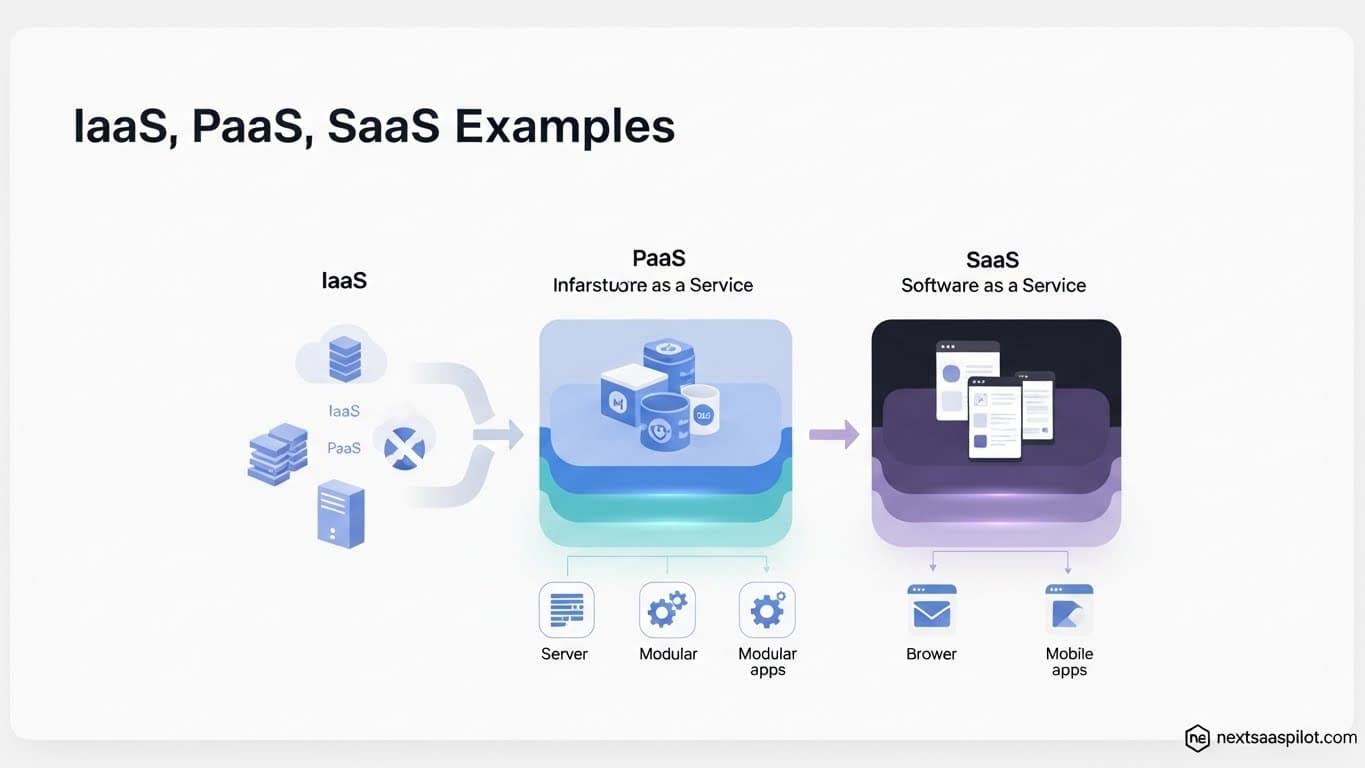
Understanding the distinct layers of cloud computing is vital for any CTO, and looking for specific iaas paas y saas ejemplos helps clarify these complex concepts for global teams. The cloud is not a monolith; it is a tiered ecosystem where the responsibility shifts between the vendor and the customer. Choosing the right model dictates your control, cost, and development velocity.
I have architected solutions across all three layers, from managing raw EC2 instances (IaaS) to deploying serverless functions (PaaS) and integrating third-party CRMs (SaaS). The most common mistake I see is companies over-engineering their stack—using complex infrastructure when a managed platform would suffice. This guide breaks down the definitions, differences, and real-world examples of each model to help you make the right architectural choice.
What Are the Core Differences Between IaaS, PaaS, and SaaS?
IaaS (Infrastructure as a Service) provides raw computing resources like servers and storage, PaaS (Platform as a Service) offers a development environment with built-in tools, and SaaS (Software as a Service) delivers fully functional applications over the internet.
Think of cloud computing like a “Pizza as a Service” analogy.
- On-Premises: You make the pizza from scratch at home (you manage everything).
- IaaS: You buy a “Take and Bake” pizza. You rent the kitchen and oven, but you manage the cooking.
- PaaS: You order pizza delivery. You choose the toppings, but someone else cooks and delivers it.
- SaaS: You go to a restaurant. Everything is prepared and served to you; you just consume it.
The difference lies in “Who manages what?” In IaaS, you manage the OS and runtime. In PaaS, you manage only the data and application. In SaaS, you manage almost nothing.
Infrastructure as a Service (IaaS): Definition and Examples
IaaS provides virtualized computing resources over the internet, giving you the highest level of control over your hardware configuration, operating system, and network settings without the need to maintain a physical data center.
IaaS is the foundation. It is the “metal” of the cloud. When you use IaaS, you are essentially renting a virtual computer. You are responsible for patching the operating system, setting up firewalls, and installing libraries.
This model is ideal for teams that need complete control over their saas architecture. For example, if you are running legacy software that requires a specific version of Linux, or if you need to fine-tune the kernel for high-performance computing, IaaS is your only option.
Top IaaS Examples:
- Amazon Web Services (AWS) EC2: The industry standard for scalable virtual servers.
- Google Compute Engine (GCE): High-performance virtual machines running on Google’s network.
- Microsoft Azure Virtual Machines: Windows or Linux VMs integrated with enterprise tools.
- DigitalOcean Droplets: Simplified virtual private servers (VPS) for developers.
Platform as a Service (PaaS): Definition and Examples
PaaS abstracts away the infrastructure management, providing developers with a framework and environment to build, test, and deploy applications without worrying about operating system updates or server maintenance.
PaaS is the “sweet spot” for modern startups. It allows you to focus entirely on your code. When you push to a PaaS, the platform automatically detects your language (Node.js, Python, Go), installs dependencies, and configures the load balancer.
This model significantly accelerates time-to-market. I often advise seed-stage companies to stick to PaaS to avoid the overhead of cloud application management. You don’t need a DevOps engineer to deploy on Vercel; you just need a GitHub account.
Top PaaS Examples:
- Heroku: One of the pioneers of PaaS, famous for its ease of use.
- Vercel: Optimized for frontend frameworks like Next.js.
- Google App Engine: A fully managed serverless platform.
- AWS Elastic Beanstalk: Automates the deployment of applications on AWS.
For a deeper dive into the trade-offs between containers and platforms, review our guide on caas vs paas.
Software as a Service (SaaS): Definition and Examples
SaaS delivers software applications over the internet on a subscription basis, where the vendor manages all hardware, middleware, application software, and security, leaving the user responsible only for their data and settings.
SaaS is the most common form of cloud computing. If you log in via a web browser, it’s likely SaaS. This model has revolutionized the saas business model by moving IT costs from Capital Expenditure (CapEx) to Operational Expenditure (OpEx).
You don’t install SaaS. You subscribe to it. This shift enables the subscription based software model, where updates are instantaneous and universal.
Top SaaS Examples:
- Salesforce: The definitive CRM platform.
- Google Workspace: Docs, Sheets, and Gmail.
- Slack: Enterprise communication.
- HubSpot: Inbound marketing and sales software.
- Dropbox: Cloud file storage.
Comparison: IaaS vs PaaS vs SaaS Trade-offs
The choice between these models involves balancing flexibility (Control) against convenience (Speed). The table below compares the management responsibilities of the vendor versus the customer.
| Feature | IaaS | PaaS | SaaS |
| You Manage | Apps, Data, Runtime, Middleware, OS | Apps, Data | Data, Access |
| Vendor Manages | Virtualization, Servers, Storage, Networking | OS, Runtime, Virtualization, Servers, Storage, Networking | Everything (App code to Hardware) |
| Cost Model | Pay per second/hour (Compute) | Pay per resource/usage | Pay per user/month (Subscription) |
| Scalability | Manual / Configured Auto-scaling | Automatic / Serverless | Vendor Managed |
| Technical Skill | High (SysAdmin) | Medium (Developer) | Low (End User) |
When Should You Choose IaaS?
Choose IaaS when you require precise control over the operating system, need to run legacy applications that are not cloud-native, or want to optimize costs for massive, predictable workloads by managing the resources yourself.
IaaS acts as the raw clay. If you are building a specialized saas revenue model that relies on heavy GPU processing (like AI training) or complex networking rules that PaaS providers block, you must use IaaS. It is also essential for “Lift and Shift” migrations where you move on-premise servers to the cloud without rewriting code.
When Should You Choose PaaS?
Choose PaaS when your primary goal is development speed and you want to deploy code without managing servers; it is ideal for web applications, microservices, and APIs where the underlying OS configuration is irrelevant.
PaaS is the engine of the what is xaas revolution for developers. It removes the friction of operations. However, be aware of costs. PaaS providers charge a premium for their management layer. A robust saas financial model should track this spend carefully; scaling a PaaS to millions of users can sometimes be more expensive than managing IaaS clusters.
When Should You Choose SaaS?
Choose SaaS for generic business functions like email (Gmail), CRM (Salesforce), or collaboration (Slack) where building a custom internal tool would be a waste of engineering resources and distraction from your core product.
Never build what you can buy. If a tool exists that solves 80% of your problem for a monthly fee, buy it. Your engineering team should focus on your core IP, not on building an internal chat app. The saas subscription model allows you to offload maintenance risks to the vendor.
IaaS, PaaS y SaaS Ejemplos in a Hybrid Architecture
Modern enterprise architectures often use a hybrid approach, leveraging Software as a Service for non-core operations (like billing), PaaS for rapid feature development, and IaaS for data-heavy workloads that require specific security configurations.
You rarely pick just one. A modern startup might use:
- SaaS: Stripe for payments and Slack for communication.
- PaaS: Vercel for hosting the marketing website.
- IaaS: AWS EC2 instances to host a custom database cluster.
This mix requires a clear saas organizational structure to define who owns which vendor relationship. The IT team might manage the SaaS licenses, while the DevOps team manages the IaaS instances.
The Future: Serverless and XaaS
Serverless computing is the evolution of PaaS, where the abstraction goes even further—servers are completely invisible, and you pay only when your code executes—pushing the industry toward an “Everything as a Service” (XaaS) reality.
In Serverless (like AWS Lambda), the concept of “idle time” disappears. This is the ultimate efficiency for a subscription based software model because your COGS (Cost of Goods Sold) scales perfectly with your usage.
Conclusion
Whether you are looking for iaas paas y saas ejemplos to clarify your strategy or to explain the cloud to stakeholders, the takeaway is simple: Optimization.
- IaaS optimizes for Control.
- PaaS optimizes for Velocity.
- SaaS optimizes for Utility.
Successful digital transformation isn’t about picking the “best” model; it’s about assigning the right model to the right workload. Don’t build a CRM (SaaS). Don’t manage a server if you just want to host a blog (PaaS). But don’t use a restrictive platform if you need to recompile the Linux kernel (IaaS). Choose wisely, and your infrastructure will become an asset, not a liability.