
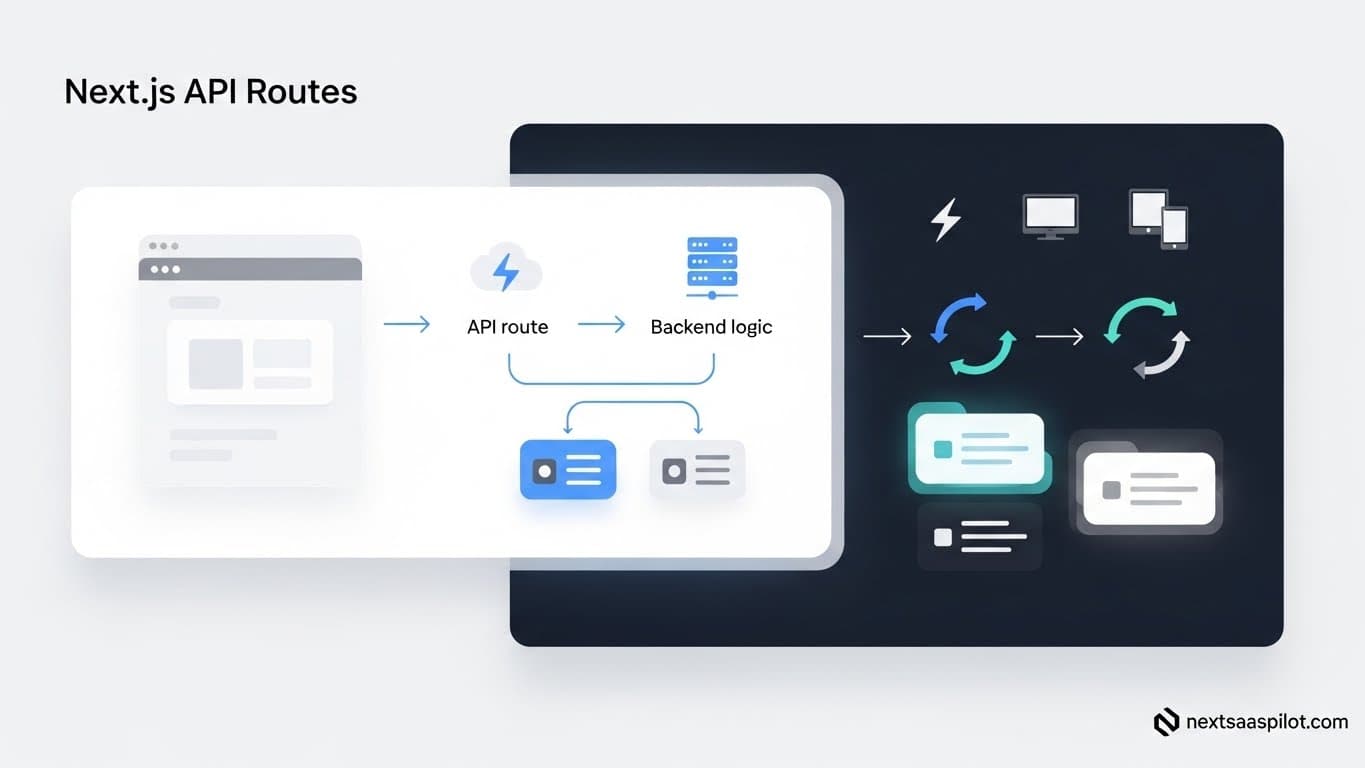
Understanding Next.js API routes is essential for creating powerful, server-side logic directly within your frontend framework. For SaaS applications, this means you can build a full-stack experience, from user authentication to database interactions, without managing a separate backend server. This guide breaks down exactly how to construct and manage API routes for your SaaS backend.
This approach simplifies the development process, speeds up your application’s performance, and allows for a more unified codebase. By the end of this article, you will have a clear understanding of how to create secure, scalable, and efficient serverless functions for your Next.js project. We will cover everything from basic route creation to advanced error handling and security practices.
What Are Next.js API Routes?
Next.js API routes are a feature that allows you to create backend API endpoints as serverless functions. These functions live inside the /pages/api directory (or /app/api for the App Router) of your Next.js project. Each file in this directory automatically maps to an API route, making it simple to build backend logic.
This functionality is built on top of Node.js, giving you full access to the Node.js ecosystem. You can handle incoming HTTP requests, connect to databases, manage user sessions, and perform any server-side task. This turns your Next.js application into a full-stack powerhouse, ideal for building complex SaaS platforms.
Why Should You Use API Routes for a SaaS Backend?
Using API routes for a SaaS backend centralizes your codebase and streamlines deployment. It eliminates the need to manage a separate server, reducing operational complexity and costs. This unified approach simplifies development workflows, improves performance through serverless functions, and scales automatically with demand, which is critical for growing SaaS products.
The Benefits of a Monorepo Approach
Building your API within your Next.js project creates a monorepo structure. This has several distinct advantages for a SaaS application:
- Simplified Development: You work within a single codebase. This makes it easier to share types, utilities, and logic between your frontend and backend. No more context switching between different repositories.
- Faster Iteration: Changes to both the frontend and API can be developed and deployed together. This speeds up feature development and bug fixing.
- Reduced Complexity: A single build process and deployment pipeline cover your entire application. This simplifies your CI/CD setup.
- Cost-Effectiveness: Serverless functions, which power API routes, are often more cost-effective than running a dedicated server 24/7. You only pay for the compute time you use.
For instance, at our Next.js development company, we frequently build SaaS products using this method. A recent project for an e-commerce analytics platform saw a 30% reduction in initial infrastructure costs by building the entire backend with API routes instead of a separate Express.js server.
How Do You Create Your First API Route?
Creating your first API route is straightforward. Navigate to the /pages directory in your Next.js project and create a new folder named api. Inside this api folder, create a file named hello.js. This file will automatically become an API endpoint accessible at the /api/hello URL.
Inside hello.js, you export a default function that handles incoming requests. This function receives two arguments: req (the request object) and res (the response object). You use these objects to process the request and send back a response.
Here is a basic “Hello, World!” example:
// pages/api/hello.js

export default function handler(req, res) {
  res.status(200).json({ message: 'Hello, World!' });
}
To test this:
- Run your Next.js development server (
npm run dev). - Open your browser and go to
http://localhost:3000/api/hello.
You should see a JSON response: { "message": "Hello, World!" }. You have just created and deployed your first serverless function.
How Do You Handle Different HTTP Methods?
You handle different HTTP methods (GET, POST, PUT, DELETE) by checking the req.method property inside your API route handler. This allows a single API route file to manage multiple actions based on the request type, following RESTful principles. It is a clean way to organize your logic.
A common pattern is to use a switch statement or an if/else block to direct the request to the appropriate logic. If a method is not supported, you should return a 405 Method Not Allowed status.
Example: Handling GET and POST Requests
Let’s expand our previous example to handle both GET and POST requests.
// pages/api/users.js

// This is a mock database for demonstration purposes.
const users = [{ id: 1, name: 'John Doe' }];

export default function handler(req, res) {
  const { method } = req;

  switch (method) {
    case 'GET':
      // Handle GET request - retrieve all users
      res.status(200).json(users);
      break;
    case 'POST':
      // Handle POST request - add a new user
      const newUser = req.body;
      newUser.id = users.length + 1;
      users.push(newUser);
      res.status(201).json(newUser);
      break;
    default:
      // Handle any other HTTP method
      res.setHeader('Allow', ['GET', 'POST']);
      res.status(405).end(`Method ${method} Not Allowed`);
  }
}
In this example:
- A
GETrequest to/api/usersreturns the list of users. - A
POSTrequest to/api/userswith a JSON body (e.g.,{ "name": "Jane Smith" }) adds a new user to the list and returns the newly created user. - Any other request method (like
PUTorDELETE) will receive a405error.
What Are Dynamic API Routes?
Dynamic API routes allow you to handle requests for endpoints that are not predefined. You create them by naming your file with square brackets, like [id].js. This lets you capture parts of the URL as parameters, which is essential for building RESTful APIs for things like fetching a specific user or product.
For example, a file named pages/api/users/[id].js will handle requests to /api/users/1, /api/users/abc, and so on. The value in the URL is available in the req.query object.
How to Implement a Dynamic Route
Let’s create a dynamic route to fetch a single user by their ID.
- Create a file at
pages/api/users/[id].js. - Add the following code:
// pages/api/users/[id].js

const users = [
  { id: '1', name: 'John Doe' },
  { id: '2', name: 'Jane Smith' },
];

export default function handler(req, res) {
  const { id } = req.query;
  const user = users.find(user => user.id === id);

  if (req.method === 'GET') {
    if (user) {
      res.status(200).json(user);
    } else {
      res.status(404).json({ message: `User with id: ${id} not found.` });
    }
  } else {
    res.setHeader('Allow', ['GET']);
    res.status(405).end(`Method ${req.method} Not Allowed`);
  }
}
Now, if you make a GET request to /api/users/1, you will get the John Doe user object. If you request /api/users/3, you will receive a 404 Not Found error. This pattern is fundamental for building SaaS backends that manage specific resources. Using a robust routing system is key to a well-structured application.
Catch-all API Routes
You can also create “catch-all” routes to capture multiple segments of a URL. This is useful for more complex routing scenarios.
pages/api/posts/[...slug].jsmatches/api/posts/a,/api/posts/a/b, and so on. Theslugparameter will be an array of the path segments (e.g.,['a', 'b']).
How Do You Handle Data and Connect to a Database?
You connect to a database within an API route just as you would in a standard Node.js application. You can use any database driver or ORM (Object-Relational Mapper) like Prisma, Drizzle, or Mongoose. The key is to manage database connections efficiently to avoid performance bottlenecks in a serverless environment.
Because API routes are serverless functions, they can be spun up and torn down for each request. Establishing a new database connection on every single request is inefficient. A common practice is to cache the database connection instance in a global variable.
Example: Connecting to MongoDB with Mongoose
Here’s how you can set up a cached connection to a MongoDB database.
- Create a utility file for the database connection:
// lib/dbConnect.js
import mongoose from 'mongoose';

const MONGODB_URI = process.env.MONGODB_URI;

if (!MONGODB_URI) {
  throw new Error('Please define the MONGODB_URI environment variable inside .env.local');
}

/**
 * Global is used here to maintain a cached connection across hot reloads
 * in development. This prevents connections from growing exponentially
 * during API Route usage.
 */
let cached = global.mongoose;

if (!cached) {
  cached = global.mongoose = { conn: null, promise: null };
}

async function dbConnect() {
  if (cached.conn) {
    return cached.conn;
  }

  if (!cached.promise) {
    const opts = {
      bufferCommands: false,
    };

    cached.promise = mongoose.connect(MONGODB_URI, opts).then((mongoose) => {
      return mongoose;
    });
  }
  cached.conn = await cached.promise;
  return cached.conn;
}

export default dbConnect;
- Use the connection in your API route:
Now, you can import and use dbConnect in any API route to ensure you have a database connection.
// pages/api/products.js
import dbConnect from '../../lib/dbConnect';
import Product from '../../models/Product'; // Assuming you have a Mongoose model

export default async function handler(req, res) {
  const { method } = req;

  await dbConnect();

  switch (method) {
    case 'GET':
      try {
        const products = await Product.find({}); // Find all products
        res.status(200).json({ success: true, data: products });
      } catch (error) {
        res.status(400).json({ success: false });
      }
      break;
    case 'POST':
      try {
        const product = await Product.create(req.body); // Create a new product
        res.status(201).json({ success: true, data: product });
      } catch (error) {
        res.status(400).json({ success: false, error: error.message });
      }
      break;
    default:
      res.setHeader('Allow', ['GET', 'POST']);
      res.status(405).end(`Method ${method} Not Allowed`);
      break;
  }
}
This pattern ensures that you reuse existing database connections across multiple function invocations, which is critical for performance. Using a Next.js SaaS template can often provide this database connection logic out of the box.
How Do You Implement Authentication and Authorization?
Implementing authentication in Next.js API routes is crucial for securing your SaaS backend. You can use popular libraries like NextAuth.js or Clerk, or roll your own solution using JSON Web Tokens (JWT). The goal is to protect routes so only authenticated and authorized users can access them.
NextAuth.js is a popular choice because it integrates seamlessly with Next.js and supports many authentication providers (Google, GitHub, email/password, etc.).
Protecting API Routes with NextAuth.js
Let’s see how you can protect an API route using NextAuth.js.
- Set up NextAuth.js: First, you need to configure NextAuth.js. This involves creating a dynamic API route at
pages/api/auth/[...nextauth].jsand configuring your providers. - Get the User Session in an API Route: Inside any API route, you can use the
unstable_getServerSessionfunction (orgetSessionfor client-side) to get the user’s session object. If the session object doesn’t exist, the user is not authenticated.
Here’s an example of a protected API route that only returns data to authenticated users:
// pages/api/me.js
import { unstable_getServerSession } from 'next-auth/next';
import { authOptions } from './auth/[...nextauth]'; // Import your auth options

export default async function handler(req, res) {
  const session = await unstable_getServerSession(req, res, authOptions);

  if (session) {
    // The user is authenticated, return their session data
    res.status(200).json({
      message: 'You are authenticated!',
      user: session.user,
    });
  } else {
    // The user is not authenticated
    res.status(401).json({ error: 'Unauthorized' });
  }
}
Role-Based Authorization
For many SaaS applications, you also need role-based access control (RBAC). You can extend the NextAuth.js session object to include a user’s role.
- Add role to the session token: In your
[...nextauth].jsconfiguration, use thecallbacksobject to add the user’s role (which you’d typically retrieve from your database) to the session. - Check for the role in your API route:
// pages/api/admin/dashboard.js
import { unstable_getServerSession } from 'next-auth/next';
import { authOptions } from '../auth/[...nextauth]';

export default async function handler(req, res) {
  const session = await unstable_getServerSession(req, res, authOptions);

  if (session && session.user.role === 'admin') {
    // User is an admin, return admin-specific data
    res.status(200).json({ data: 'Admin dashboard data' });
  } else if (session) {
    // User is authenticated but not an admin
    res.status(403).json({ error: 'Forbidden' });
  } else {
    // User is not authenticated
    res.status(401).json({ error: 'Unauthorized' });
  }
}
This ensures that not only is the user logged in, but they also have the correct permissions to access the resource. Securing your backend properly with technologies like Next.js HTTPS enforcement is non-negotiable.
What Are Some Best Practices for API Routes?
Following best practices for API routes ensures your SaaS backend is secure, scalable, and maintainable. This includes proper error handling, input validation, managing environment variables, and organizing your code. Adhering to these principles will save you headaches as your application grows in complexity.
Here are some key best practices to follow.
1. Centralized Error Handling
Instead of littering your code with try/catch blocks, create a higher-order function or middleware to handle errors centrally. This keeps your API route logic clean and focused on the happy path.
Example using a higher-order function:
// utils/withErrorHandler.js
export function withErrorHandler(handler) {
  return async (req, res) => {
    try {
      await handler(req, res);
    } catch (error) {
      console.error(error); // Log the error for debugging
      res.status(500).json({ error: 'An internal server error occurred.' });
    }
  };
}

// pages/api/some-route.js
import { withErrorHandler } from '../../utils/withErrorHandler';

function myApiHandler(req, res) {
  // Potentially error-prone logic here
  if (Math.random() > 0.5) {
    throw new Error('Something went wrong!');
  }
  res.status(200).json({ success: true });
}

export default withErrorHandler(myApiHandler);
2. Input Validation
Never trust data coming from the client. Always validate request bodies, query parameters, and URL segments before processing them. Libraries like zod or joi are excellent for this. Input validation prevents a wide range of security vulnerabilities and bugs.
Example with zod:
import { z } from 'zod';

// Define a schema for the expected request body
const userSchema = z.object({
  email: z.string().email(),
  name: z.string().min(2),
});

export default async function handler(req, res) {
  if (req.method !== 'POST') {
    return res.status(405).end();
  }

  const validationResult = userSchema.safeParse(req.body);

  if (!validationResult.success) {
    return res.status(400).json({ errors: validationResult.error.flatten() });
  }

  // At this point, you know req.body is safe to use
  const { email, name } = validationResult.data;

  // ... proceed to create the user
  res.status(201).json({ message: 'User created' });
}
3. Use Environment Variables for Secrets
Never hardcode sensitive information like API keys, database credentials, or JWT secrets directly in your code. Use environment variables. Next.js has built-in support for .env.local files.
Prefix variables with NEXT_PUBLIC_ to expose them to the browser. For server-side-only variables (like database credentials), do not use the prefix.
Example .env.local:
DATABASE_URL="mongodb+srv://..."
STRIPE_SECRET_KEY="sk_test_..."
NEXT_PUBLIC_STRIPE_PUBLISHABLE_KEY="pk_test_..."
Access them in your API routes via process.env:
const stripeSecret = process.env.STRIPE_SECRET_KEY;
4. Code Organization
As your SaaS application grows, your /pages/api directory can become crowded. Organize your API routes logically.
- Group by resource: Create subdirectories for related endpoints. For example:
/api/users/index.js(forGETall users,POSTnew user)/api/users/[id].js(forGET,PUT,DELETEa single user)
- Separate logic: For complex endpoints, move the business logic into separate service files in a
/servicesor/libdirectory. Your API route handler should only be responsible for handling the HTTP request and response.
This separation of concerns makes your code much easier to test and maintain. While Next.js is powerful, it’s worth exploring Next.js alternatives to understand the broader ecosystem of full-stack frameworks.
5. CORS Configuration
If your API needs to be accessed from a different domain (e.g., a mobile app or a separate frontend application), you will need to configure Cross-Origin Resource Sharing (CORS). You can set CORS headers manually or use the nextjs-cors package to simplify the process.
Manual CORS example:
export default async function handler(req, res) {
  res.setHeader('Access-Control-Allow-Origin', 'https://your-frontend-domain.com');
  res.setHeader('Access-Control-Allow-Methods', 'GET, POST, OPTIONS');
  res.setHeader('Access-Control-Allow-Headers', 'Content-Type, Authorization');

  if (req.method === 'OPTIONS') {
    return res.status(200).end();
  }

  // Your API logic here...
}
How Does the App Router Change API Routes?
The Next.js App Router, introduced in version 13, changes how you create API endpoints. Instead of using the /pages/api directory, you create API endpoints, now called Route Handlers, inside your /app directory. This aligns with the App Router’s convention-over-configuration approach and provides a more flexible system.
Route Handlers are defined in a route.js file. Instead of a single default export, you export named functions corresponding to HTTP methods (e.g., GET, POST). This makes the code more explicit and easier to read.
Creating a Route Handler in the App Router
- Create a directory structure in
/app. For example, to create an endpoint at/api/products, you would create the file/app/api/products/route.js. - Export functions for the HTTP methods you want to support.
Example route.js file:
// app/api/products/route.js
import { NextResponse } from 'next/server';

// Mock data
const products = [{ id: 1, name: 'Laptop' }];

// Handles GET requests to /api/products
export async function GET(request) {
  return NextResponse.json(products);
}

// Handles POST requests to /api/products
export async function POST(request) {
  const newProduct = await request.json();
  newProduct.id = products.length + 1;
  products.push(newProduct);
  return NextResponse.json(newProduct, { status: 201 });
}
Key differences from Pages Router API Routes:
- File Name: You use
route.jsinstead of custom-named files. - Export Style: Named exports (
GET,POST) instead of a single default export. - Request & Response: You use the standard Web API
RequestandResponseobjects (polyfilled by Next.js).NextResponseis a subclass ofResponsewith helpful utilities.
The overall concepts of routing, database connections, and authentication remain the same, but the implementation details are updated to fit the App Router’s paradigm. The final Next build process optimizes these routes into serverless functions, just like with the Pages Router. This new API is built on the foundation of JavaScript, a versatile language with a rich history.