
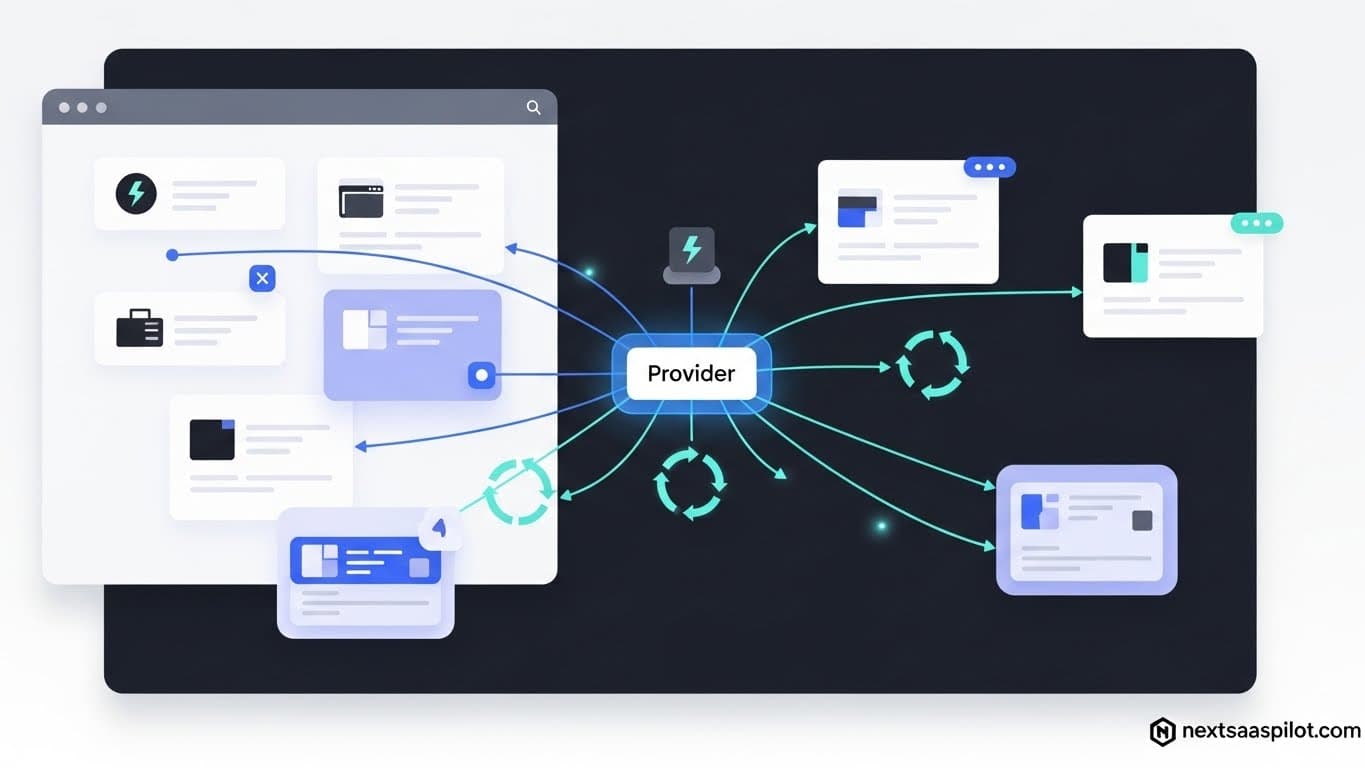
Mastering the next js provider pattern is the single most important step in moving from a beginner React developer to a proficient Next.js architect. If you have recently migrated to the App Router, you have likely hit the dreaded “React Context is unavailable in Server Components” error. This article explains why that happens and how to fix it.
Managing global state in a server-first framework requires a mental shift. You cannot simply wrap your entire application in a provider without understanding the boundary between the server and the client. Let’s dismantle the complexity and build a robust state management strategy.
What Exactly Is a Next.js Provider?
A Next.js provider is a design pattern that utilizes React’s Context API to pass data through the component tree without having to pass props down manually at every level. It acts as a broadcaster, allowing any component within its scope to listen for state changes, user authentication details, or theme preferences.
In the context of a library like React, this is standard business. However, Next.js introduces a layer of complexity because it renders on the server. A provider effectively creates a “boundary” where data becomes accessible.
Think of your application like a multi-story office building. Without a provider (the intercom system), the CEO on the top floor has to pass a message to the VP, who passes it to the manager, who passes it to the intern (Prop Drilling). With a provider, the CEO speaks into the intercom, and anyone in the building with a speaker can hear the message instantly.
Why Does the App Router Change How We Use Providers?
The App Router defaults to Server Components, which cannot hold state or use React hooks like useContext, meaning providers must be explicitly defined as Client Components. You cannot directly define a Context in a file that runs on the server; you must create a separate wrapper file marked with the “use client” directive.
This is where 90% of developers get stuck when upgrading to a newer next version. In the old Pages Router (_app.js), everything was client-side by default, so you could wrap your app blindly.
In the modern App Router (app directory), the root layout is a Server Component. If you try to import createContext directly there, the build fails. You are forcing a server-side entity to behave like a browser entity. To fix this, we have to push the provider to the “leaves” of the rendering tree, or create a dedicated client-side wrapper.
How Do You Implement a Global Provider in the Root Layout?
To implement a global provider, create a separate file (e.g., Providers.tsx) with the 'use client' directive at the top, export your provider component there, and then import this wrapper into your server-rendered layout.tsx file. This allows the layout to remain a Server Component while injecting client-side context into the tree.
Here is the architecture that solves the issue. I call this the “Context Bridge.”
- Create the wrapper:TypeScript
// app/providers.tsx 'use client' import { ThemeProvider } from 'next-themes' export function Providers({ children }: { children: React.ReactNode }) { return{children} } - Import into Layout:TypeScript
// app/layout.tsx import { Providers } from './providers' export default function RootLayout({ children }) { return ({children} ) }
By doing this, you maintain the performance benefits of Server Components for the initial HTML payload, while activating the interactive context logic only where necessary. This is a standard pattern found in a robust nextjs saas template.
What Are the Most Common Use Cases for Providers?
Providers are essential for managing global concerns such as user authentication sessions, UI themes (dark/light mode), toast notifications, and complex client-side state management libraries. They ensure that data requiring persistence across navigation remains available without re-fetching.
Common scenarios include:
- Authentication: Wrapping the app in a SessionProvider to check if a user is logged in.
- Styling: Using libraries like
styled-componentsornext-themesto inject CSS logic. - State Management: Initializing Redux or Zustand stores.
- Remote Data: caching data from a nextjs backend (like React Query).
If you are building a dashboard, you likely need a Toast Provider to pop up success messages when a user saves a form. Without a provider at the root, you would have to instantiate a notification instance on every single page.
How Do Providers Interact with Server Components?
Providers are Client Components, but they can render Server Components as children via the children prop without forcing those children to become client-side. This pattern, often called the “hole in the donut,” allows you to wrap your entire app in context while keeping the inner pages server-rendered.
This is the most counter-intuitive part of Next.js.
- Incorrect: Importing a Server Component into a Client Component file. (This converts the Server Component to Client).
- Correct: Passing a Server Component through a Client Component as a
childrenprop.
When you wrap {children} in your Providers.tsx, Next.js sees that the content inside children (your pages) was already rendered on the server. The Provider simply wraps that pre-rendered HTML with the necessary React Context logic in the browser. This ensures you don’t lose the SEO and performance nextjs benefits of the App Router.
Comparison: React Context vs. External State Libraries
React Context is designed for low-frequency updates like themes or user sessions, whereas external libraries like Redux or Zustand are optimized for high-frequency state changes. The table below helps you decide which provider type matches your specific requirements.
| Feature | React Context API | Zustand / Redux |
| Best For | Themes, Auth User, Static Settings | Shopping Carts, Real-time Data, Forms |
| Re-renders | Triggers re-render on all consumers | optimized to re-render only specific selectors |
| Setup | Native (No extra install) | Requires external packages |
| Complexity | Low | Medium/High |
| Next.js Compat | Requires use client wrapper | Requires use client wrapper & Store hydration |
How Do You Handle “Provider Hell”?
“Provider Hell” occurs when you stack too many providers in your root layout, making the code unreadable; you can solve this by creating a single “Master Provider” component that composes all your individual providers into one clean wrapper.
We have all seen code that looks like a sideways pyramid:
TypeScript
{children}
This is hard to read. I recommend creating a composed provider. It keeps your layout.tsx clean and makes it easier to manage dependencies between providers (e.g., if the Query Provider needs the Auth token).
Can Providers Affect Application Performance?
Yes, improper use of providers can cause unnecessary re-renders across your entire application if the context value is a new object reference on every render. You must memoize the values passed to the provider using useMemo to ensure consumers only update when data actually changes.
If your Context Provider looks like this:
value={{ user, setUser }}
…you are creating a new object {} every time the parent renders. This forces every component listening to that context to re-render, even if the user data hasn’t changed.
Always wrap your context values:
TypeScript
const value = useMemo(() => ({ user, setUser }), [user]);
This is especially critical when dealing with real-time data or frequent updates, such as those you might encounter when handling a complex nextjs express integration where data streams in rapidly.
Advanced: Hydrating Client Stores with Server Data
You can fetch data in a Server Component and pass it as a prop to your Client Provider, which then uses that data to initialize its state. This technique, known as “store hydration,” prevents content layout shift and ensures the client has the correct data immediately upon load.
Imagine you have a user profile. You want it available in a global store.
- Server: Fetch the user in
layout.tsx(Server Component). - Pass: Pass it to
- Client: Inside
AuthProvider, set the state usinguseState(initialSession).
This bridges the gap. You aren’t making an API call from the browser (which is slower and requires managing loading states). You are handing off the baton from the server to the client. This is often required when doing a nextjs port from an older codebase to the modern stack.
Troubleshooting: Common Provider Errors
When a component returns undefined from a context hook, it almost always means the component trying to access the context is located outside the provider’s tree in the hierarchy. You must ensure the Provider wraps the specific component or the entire application root.
Another common issue involves nextjs cors errors when the provider attempts to fetch initial data from an external API that hasn’t been whitelisted. Always check your console.
If you see Error: useContext context is undefined, check your layout.tsx. Did you accidentally put the
Wrong:
TypeScript
{children}
Right:
TypeScript
Conclusion
The Next.js Provider pattern is the glue that holds your application together. It allows you to escape the rigid hierarchy of the component tree and access data where it is needed.
While the shift to Server Components in the App Router complicates the setup initially, the pattern of separating your “Providers” into a dedicated client entry point creates a cleaner, more performant architecture. You get the speed of the server with the interactivity of the client.
Whether you are building a simple blog or a complex SaaS platform, getting your provider structure right at the beginning will save you from painful refactors down the road.