
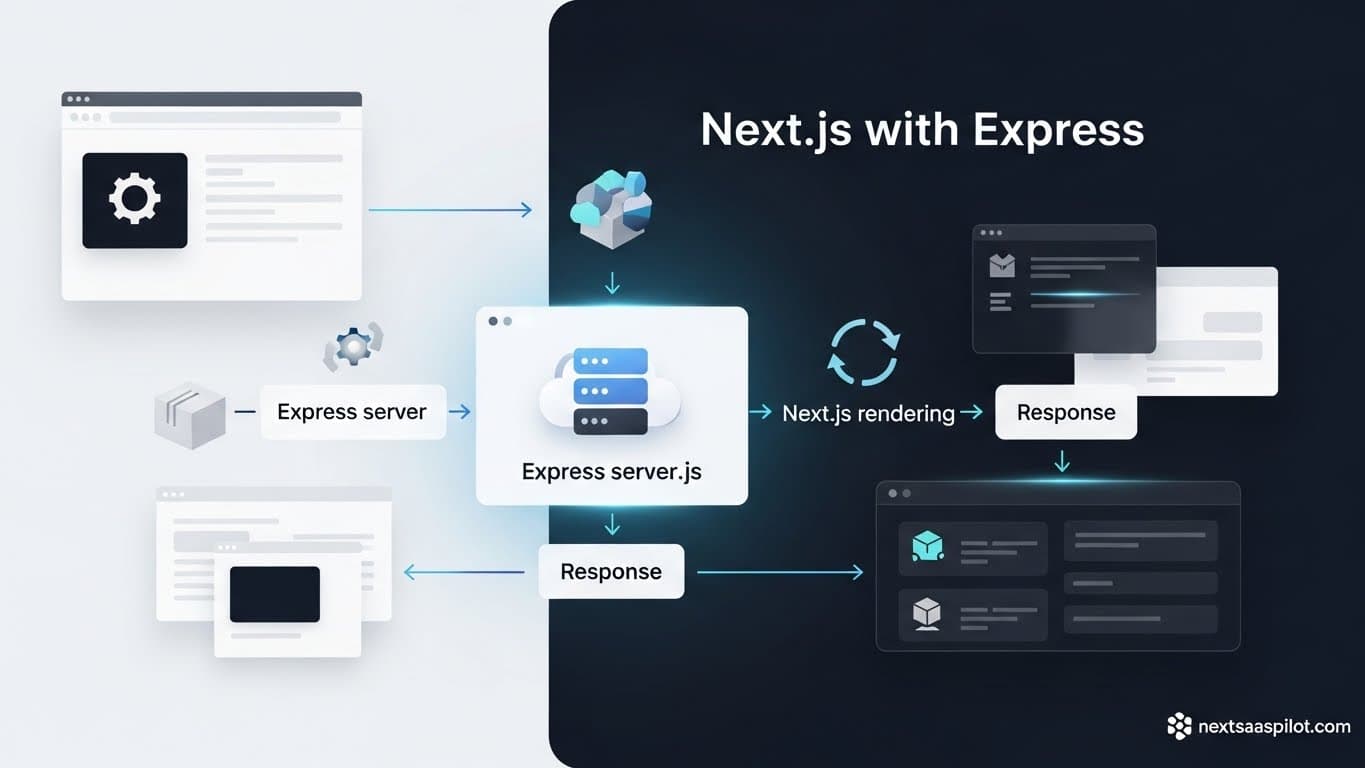
Integrating a nextjs express backend is a foundational architectural decision that splits the React community. For years, the “MERN Stack” (MongoDB, Express, React, Node) was the gold standard for full-stack development. However, the rapid evolution of Next.js has blurred the lines between the frontend and the backend, leaving many CTOs wondering if a standalone Express server is redundant.
I have architected systems for high-throughput SaaS platforms, and the answer is rarely black and white. While Next.js can handle API routes natively, there are specific scenarios—like WebSockets or heavy middleware chains—where Express remains king. This guide dissects how to merge these technologies effectively without creating a maintenance nightmare.
Do You Really Need Express with Modern Next.js?
For 90% of modern SaaS applications, you do not need a separate Express server because Next.js API Routes and Server Actions utilize the standard Web Request/Response API to handle backend logic securely and efficiently. Adding Express often adds unnecessary complexity, deployment overhead, and latency.
In the early days of js development, we needed Express to handle routing, middleware, and database connections. Today, Next.js handles routing via the file system (app/api/route.ts). It handles middleware via middleware.ts.
If you are building a standard CRUD application—like a project management tool or an e-commerce store—using the native Next.js backend is superior. It allows you to share TypeScript types between your frontend and backend instantly. You lose this strict type safety the moment you separate your API into an external Express repo.
What Is the “Custom Server” Pattern in Next.js?
A Next.js “Custom Server” allows you to programmatically start the Next.js app inside an Express (or Node.js) server, giving you 100% control over the request lifecycle before Next.js even sees the incoming traffic. This is useful for advanced routing patterns or integrating with legacy middleware.
The code usually looks like this:
JavaScript
const express = require('express')
const next = require('next')

const app = next({ dev: process.env.NODE_ENV !== 'production' })
const handle = app.getRequestHandler()

app.prepare().then(() => {
  const server = express()

  server.get('/custom-route', (req, res) => {
    return res.send('This is Express taking over!')
  })

  server.all('*', (req, res) => {
    return handle(req, res)
  })

  server.listen(3000)
})
In this setup, Express is the boss. It decides which requests go to Next.js (via handle) and which ones it keeps for itself. While powerful, this approach disables key Vercel optimizations like Automatic Static Optimization.
When Should You Use a Separate Express Backend?
You should use a separate Express backend when your application requires persistent connections (WebSockets), complex cron jobs, or heavy computational tasks that exceed the execution time limits of serverless functions. This architecture decouples your UI from your heavy processing logic, allowing them to scale independently.
Consider a real-time chat application. Next.js is stateless. It spins up, serves a request, and dies. It cannot easily hold a WebSocket connection open for an hour.
In this case, a hybrid approach works best:
- Next.js: Handles the UI, Authentication, and initial page load.
- Express: Handles the
socket.ioserver and real-time data streams.
This is often necessary when building a robust next js mobile app that relies on constant real-time updates, as the mobile client needs a persistent connection that serverless functions cannot provide.
Comparison: Next.js Native API vs. Express Server
Understanding the trade-offs between a native setup and an Express integration is crucial for long-term maintainability. The table below outlines the operational differences.
| Feature | Next.js Native API | Express.js (Custom Server) | Separate Express Repo |
| Routing | File-system based | Code-based (Router) | Code-based (Router) |
| Deployment | Serverless / Edge | Long-running Node Process | Long-running Node Process |
| WebSockets | Difficult (Requires external services) | Native Support | Native Support |
| Middleware | Edge Middleware | Express Middleware | Express Middleware |
| Cold Starts | Yes (Serverless) | No (Always on) | No (Always on) |
| Type Safety | Integrated (tRPC/Zod) | Manual (Shared packages) | Manual (Shared packages) |
How Does Using Express Impact Deployment?
Using a custom Express server with Next.js removes the ability to deploy to serverless platforms like Vercel or Netlify easily; you must deploy your application as a Docker container or a standard Node.js process on platforms like Railway, AWS EC2, or DigitalOcean.
This is the hidden cost of the “Custom Server.” You lose the “git push to deploy” magic that makes Next.js so popular. You become responsible for:
- Health checks.
- Process management (using tools like PM2).
- Scaling rules (spinning up more containers when CPU hits 80%).
If you are using a nextjs saas template, check if it assumes a Vercel deployment. If it does, adding a custom Express server will break the build pipeline immediately.
Can You Share Authentication Between Next.js and Express?
Yes, you can share authentication by using JSON Web Tokens (JWT) stored in HTTP-only cookies; Next.js reads the cookie to render the UI, while Express validates the same token to authorize API requests.
This “Stateless Auth” pattern is the glue that holds the hybrid architecture together.
- User logs in via Next.js.
- Next.js sets a
tokencookie. - User’s browser requests data from the Express API.
- Express middleware reads the cookie, verifies the signature, and grants access.
You can manage the global session state on the client using a next js provider context, ensuring that the UI updates immediately when the auth state changes, regardless of which backend served the data.
How to Migrate from Express to Next.js App Router?
To migrate from Express to Next.js, gradually move your route handlers into the app/api directory, replacing Express-specific objects (req, res) with standard Web Request and Response objects. This allows you to decommission your Express server route by route without a total rewrite.
Many teams are stuck on older stacks. They want the benefits of the new next version but have 50,000 lines of Express code.
The Strangler Pattern:
- Keep Express running.
- Build new features in Next.js API routes.
- Use Next.js
rewritesinnext.config.jsto proxy legacy requests to the Express server. - One by one, rewrite Express routes into Next.js.
- Eventually, shut down Express.
Handling Legacy Middleware in Next.js
Next.js Middleware runs at the edge and does not support standard Node.js Express middleware libraries (like cors or helmet) directly; you must rewrite these logic flows using standard Web APIs or use a compatibility wrapper if running in a Node.js environment.
This is a common pain point. You cannot just app.use(passport.initialize()) in Next.js. The architecture is fundamentally different.
However, for specific tasks like complex logging or rate limiting, the Next.js Middleware is actually more performant because it runs before the cache. If you are migrating, treat this as an opportunity to clean up your middleware chain.
Is Performance Better with Express or Serverless?
For sporadic traffic and predictable workloads, Next.js serverless functions are more cost-effective and performant due to auto-scaling; for constant, high-throughput connections, a dedicated Express server (long-running process) often offers lower latency by eliminating cold starts.
“Cold starts” occur when a serverless function wakes up after being idle. This can add 500ms to a request. An Express server is always awake (listening).
If you are building a next js ui library documentation site, serverless is perfect. If you are building a high-frequency trading dashboard, the consistent latency of Express is better.
How to Structure a Monorepo with Next.js and Express?
The best way to manage both frameworks is a Monorepo (using TurboRepo or Nx) where the Next.js frontend and Express backend live in separate folders but share valid TypeScript types and utility packages.
Folder Structure:
apps/web(Next.js)apps/api(Express)packages/database(Prisma/Shared DB logic)packages/types(Zod schemas used by both)
This setup prevents code duplication. When you update the User model in packages/database, both your frontend and backend get the update immediately. This is critical for maintaining large-scale SaaS applications, similar to the strategies used in next js react native development.
The Role of WebSockets and Express
If your SaaS relies on features like live cursors, chat, or collaborative editing, Express with socket.io is the standard solution, as Next.js does not natively support stateful WebSocket servers in a serverless environment.
While there are workarounds (like using Pusher or PartyKit), owning your infrastructure often requires a Node server. You can host this Express instance on a subdomain (e.g., ws.yoursite.com).
Your Next.js app can then connect to this WebSocket server. You might even use next js page transitions and animation to smooth out the UI updates receiving data from the Express socket, creating a fluid, app-like feel.
Conclusion
Integrating nextjs express is a trade-off between control and convenience.
- Choose Next.js Native (No Express): If you are building a standard SaaS, e-commerce, or content site. The operational simplicity of Vercel/Serverless is unmatched.
- Choose Custom Server: Only if you strictly need to intercept the Next.js request lifecycle (rare).
- Choose Separate Express Backend: If you have a dedicated backend team, require heavy WebSockets, or are migrating a massive legacy API.
The industry is trending heavily toward the native Next.js backend. The developer experience of having your database, API, and UI in one cohesive unit allows for faster iteration cycles—the lifeblood of any next js website template or startup. For more details on the underlying server technology, Express.js.