
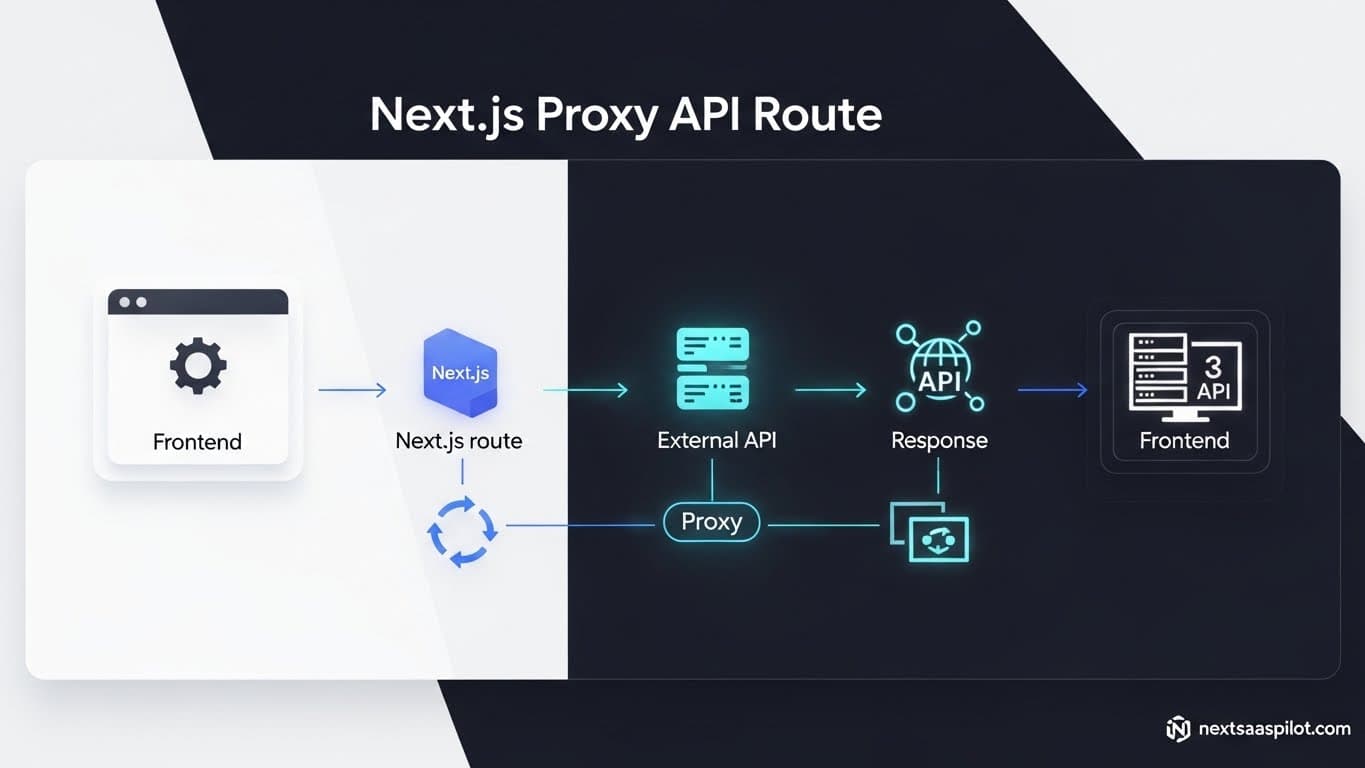
Configuring a nextjs proxy api route is the secret weapon for solving CORS errors, hiding API keys, and handling legacy backend migrations without rewriting your entire frontend. As full-stack architectures evolve, the need to act as a “middleman” between your client-side code and external services becomes critical.
I remember debugging a production issue where our frontend was getting blocked by a third-party payments API due to Cross-Origin Resource Sharing (CORS) restrictions. We didn’t control the external server headers. The solution wasn’t a complex backend rewrite; it was a simple ten-line proxy route in Next.js. This guide walks you through exactly how to implement these proxies using Rewrites, Route Handlers, and Middleware.
What Is a Proxy API Route and Why Do You Need One?
A proxy API route is a server-side endpoint in your Next.js application that receives requests from your client and forwards them to another server, effectively masking the destination and bypassing browser security restrictions like CORS. It acts as a gateway, ensuring your private API keys remain on the server and never leak to the client browser.
In a typical next application, your React components run in the user’s browser. If you try to fetch data directly from a service like api.weather.com that doesn’t allow requests from your domain, fetch fails.
By creating a proxy at /api/weather, your browser talks to your Next.js server (same domain, so no CORS issues). Your Next.js server then talks to api.weather.com (server-to-server communication, so no CORS issues). The proxy relays the data back. It solves security and connectivity problems simultaneously.

How Do You Configure Proxies Using next.config.js Rewrites?
The simplest way to set up a proxy is by adding a rewrites async function to your next.config.js file, which maps incoming request paths to external destination URLs automatically at the network layer. This method requires zero code in your API routes and is best for simple passthrough requirements.
This is the “infrastructure-as-code” approach. You aren’t writing a function; you are configuring the routing rules.
Example Configuration:
JavaScript
// next.config.js
module.exports = {
  async rewrites() {
    return [
      {
        source: '/api/external/:path*',
        destination: 'https://api.thirdparty.com/:path*',
      },
    ]
  },
}
With this code, fetching /api/external/users from your frontend actually hits https://api.thirdparty.com/users. The browser never sees the real URL. This is incredibly useful when migrating from a legacy nextjs express backend to a modern setup, as you can route traffic incrementally.
How to Build a Custom Proxy with Route Handlers (App Router)?
To build a custom proxy in the App Router, create a route.ts file that accepts the request, modifies headers (like adding API keys), fetches the external data, and returns the response. This gives you granular control over the request lifecycle, allowing you to log traffic or cache responses.
While next.config.js rewrites are fast, they are dumb. They just forward data. Often, you need to inject a secret key.
Implementation:
TypeScript
// app/api/proxy/route.ts
import { NextRequest, NextResponse } from 'next/server';

export async function GET(request: NextRequest) {
  const externalUrl = 'https://api.secret-service.com/data';

  const res = await fetch(externalUrl, {
    headers: {
      'Authorization': `Bearer ${process.env.API_SECRET_KEY}`,
      'Content-Type': 'application/json',
    },
  });

  const data = await res.json();

  return NextResponse.json(data);
}
Now, your client simply calls /api/proxy. The secret key stays safe on the server. This pattern is a staple in any secure nextjs saas template.
Comparison: Rewrites vs. Custom Route Handlers
Understanding when to use configuration versus code is vital for performance and maintainability. The table below outlines the trade-offs between these two proxy methods.
| Feature | next.config.js Rewrites | Custom Route Handler |
| Complexity | Low (Config only) | Medium (Code required) |
| Flexibility | Limited (Path mapping only) | High (Modify body, headers, logic) |
| Performance | Fastest (handled by edge/server) | Standard (Function execution time) |
| Secret Injection | No (Cannot add headers easily) | Yes (Perfect for API keys) |
| Debugging | Harder (Happens internally) | Easier (Console logs available) |
| Middleware | Bypasses Middleware sometimes | Runs after Middleware |
Can You Use Middleware as a Dynamic Proxy?
Yes, Next.js Middleware can act as a dynamic proxy by intercepting requests and using NextResponse.rewrite() to forward traffic based on logic like user geolocation, authentication status, or A/B testing cookies. This allows for conditional routing that static configuration cannot handle.
Middleware sits before your cached content. This makes it powerful.
Imagine you want to route users to a US server or a EU server based on their IP.
- Check
request.geo.country. - If ‘US’, rewrite to
api-us.service.com. - If ‘DE’, rewrite to
api-eu.service.com.
This happens instantly at the edge. It is heavily utilized in multi-tenant applications found in complex next js website template architectures where different customers live on different backend clusters.
How to Handle POST Requests and Body Parsing in Proxies?
When proxying POST requests in a custom Route Handler, you must read the request body from the incoming stream and forward it explicitly to the destination; simply passing the request object often fails because the body stream has already been consumed.
This is the most common “gotcha” I see. You try to forward the request, and the external API returns “Body is missing.”
The Fix:
TypeScript
export async function POST(req: NextRequest) {
  const body = await req.json(); // Parse the incoming body

  const response = await fetch('https://external-api.com/submit', {
    method: 'POST',
    headers: { 'Content-Type': 'application/json' },
    body: JSON.stringify(body) // Re-stringify and send
  });

  return response;
}
By explicitly parsing and re-sending, you ensure the payload arrives correctly.
Security Risks: Is Your Proxy an Open Relay?
If you do not secure your proxy route, anyone on the internet can use your server to mask their IP address or abuse your paid API quotas; you must implement rate limiting and origin checks to ensure only your frontend can call your proxy.
I once saw a developer leave an OpenAI proxy wide open. A bot found it and drained $500 of API credits in an hour.
How to Secure It:
- Check Origin: Ensure
request.headers.get('origin')matches your domain. - Authentication: Check for a session cookie (using NextAuth/Auth.js) before fetching the external API.
- Rate Limiting: Use Upstash or similar Redis logic to limit calls per IP.
Solving “Self-Signed Certificate” Errors in Development
When proxying to a local backend using HTTPS during development, you may encounter certificate errors; to fix this, you can set the NODE_TLS_REJECT_UNAUTHORIZED environment variable to 0 temporarily or configure a custom HTTPS agent.
If you are working with a legacy backend or a local container that uses a self-signed cert, Next.js will refuse to connect by default.
Dev-only fix: In your .env.local:
Bash
NODE_TLS_REJECT_UNAUTHORIZED=0
Warning: Never use this in production. This tells Node.js to trust any certificate, allowing you to continue development without fighting OpenSSL.
Integrating Third-Party Libraries: Http Proxy Middleware
For advanced proxy needs like WebSocket support or complex path rewriting, you can use the http-proxy-middleware package, although this is typically reserved for custom server setups (Express) rather than the standard Next.js App Router environment.
If you are migrating from vite nextjs or a standard React app, you might be used to setupProxy.js. In Next.js, we try to avoid external libraries if native Route Handlers can do the job.
However, if you need to proxy a WebSocket connection (e.g., for a chat app), standard Next.js API routes struggle because they are serverless (short-lived). In that specific case, creating a custom server file using http-proxy-middleware is the correct architectural choice.
Does Proxying Affect Caching and Performance?
Proxying adds a “hop” to your network request, which inherently adds latency; however, you can mitigate this by implementing caching headers (Cache-Control) in your proxy response, effectively turning your Next.js route into a caching layer for the external API.
If the external API is slow, your proxy will be slow. But your proxy can be smarter.
Caching Strategy:
TypeScript
const res = await fetch(externalUrl);
const data = await res.json();

return NextResponse.json(data, {
  headers: {
    'Cache-Control': 's-maxage=60, stale-while-revalidate=30',
  },
});
Now, even if the external API takes 2 seconds, your Next.js server will serve the cached version instantly for the next 60 seconds. This allows you to build highly performant interfaces using themes next that feel instantaneous even with slow backends.
Conclusion
Mastering the nextjs proxy api route pattern gives you total control over your data flow. It decouples your frontend from the quirks of external backends, secures your sensitive keys, and solves CORS headaches permanently.
Whether you choose a simple configuration rewrite or a robust custom route handler, the ability to proxy requests is what separates a basic website from a professional web architecture.