
The cloud computing landscape of 2025 is no longer just about “moving to the cloud”—it is about choosing the right layer of abstraction to maximize velocity and minimize technical debt. Whether you are a startup CTO choosing a tech stack or a legacy enterprise architect plotting a migration, understanding the nuances between IaaS, PaaS, SaaS, and CaaS is the difference between a scalable infrastructure and a maintenance nightmare.
This definitive guide breaks down the four pillars of cloud computing, comparing their control, cost, and complexity to help you make the right architectural decision.
What Are the Core Differences Between IaaS, PaaS, SaaS, and CaaS?
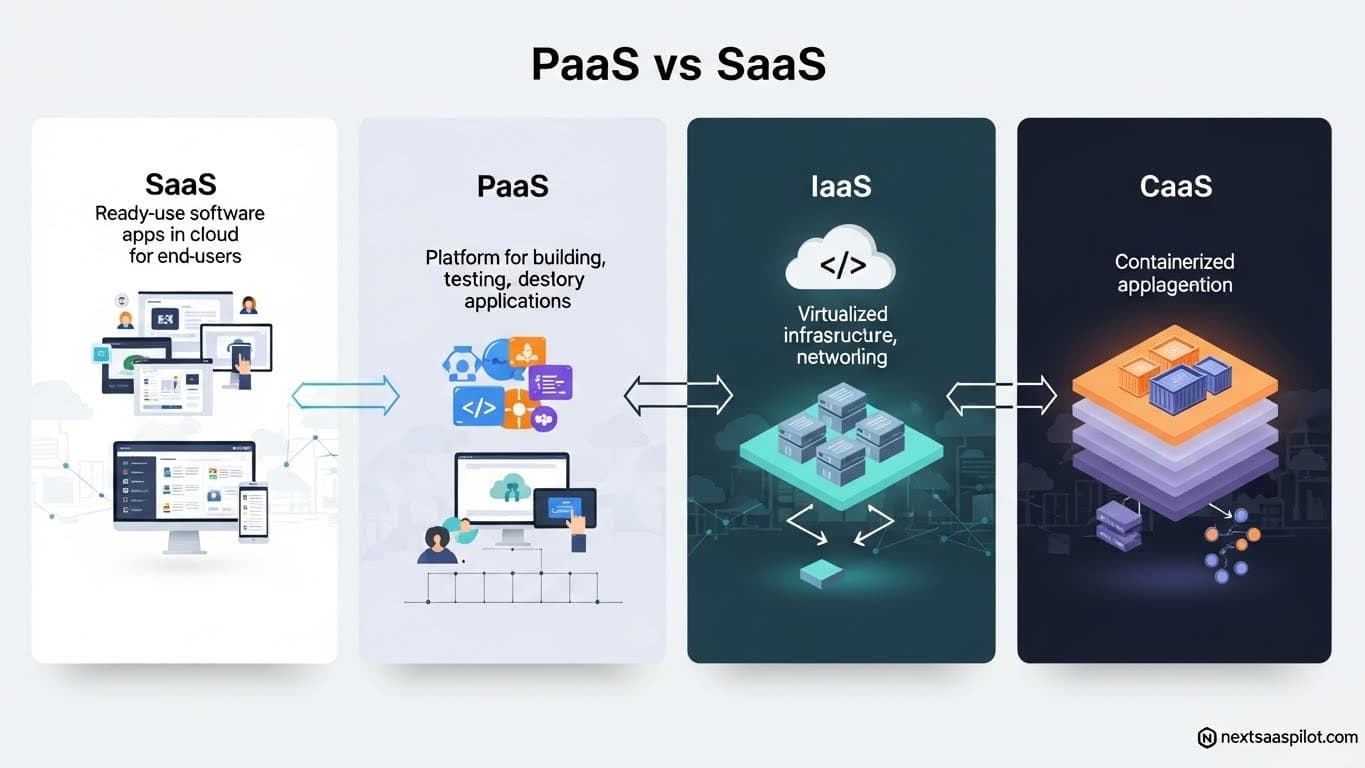
The core difference lies in the “Shared Responsibility Model”—specifically, how much of the IT stack you manage versus how much the provider manages. IaaS offers raw infrastructure control (Hardware), CaaS abstracts the OS for container orchestration (Kubernetes), PaaS provides a runtime environment for code (Middleware), and SaaS delivers fully managed software for end-users.
To visualize this, imagine you want a place to live:
- IaaS (Infrastructure as a Service): You lease a plot of land. You pour the foundation, build the house, and maintain the plumbing. You have total freedom but total responsibility.
- CaaS (Containers as a Service): You rent a modular, pre-fabricated home. The structure is standard and portable, but you furnish the inside and decide where to place it.
- PaaS (Platform as a Service): You rent a furnished hotel suite. The bed, lights, and water are managed by the hotel. You just live there (deploy code).
- SaaS (Software as a Service): You visit a fully staffed resort. You don’t even make your own bed; you just consume the service (enjoy the vacation).

What Is IaaS (Infrastructure as a Service)?
IaaS is the foundational layer of cloud computing where businesses rent virtualized computing resources—servers, storage, and networking—over the internet. It provides the highest level of flexibility and management control, making it ideal for organizations that need to replicate on-premise infrastructure or run specialized legacy applications.
In the IaaS model, the vendor manages the physical data centers, cooling, and power. You manage everything else: the operating system (OS), database patching, firewalls, and application runtime.
Key Characteristics:
- Raw Compute: Access to virtual machines (like AWS EC2 or Azure VM).
- Network Control: You define your own Virtual Private Cloud (VPC), subnets, and IP ranges.
- CapEx to OpEx: Shifts costs from buying hardware to paying for seconds of usage.
Best Use Cases:
- Lift and Shift: Migrating a legacy 1990s application that requires a specific OS version.
- High-Performance Computing (HPC): Training AI models where you need direct control over GPU clusters.
- Disaster Recovery: Keeping a “cold” backup of your infrastructure that you can spin up instantly.
For a deeper dive into the major players, review our guide on IaaS cloud service providers.
What Is CaaS (Containers as a Service)?
CaaS is a cloud service model that allows users to upload, organize, run, scale, and manage containers using container-based virtualization. Situated between IaaS and PaaS, CaaS provides a container orchestration engine (like Kubernetes) as a managed service, allowing developers to deploy portable microservices without managing the underlying cluster hardware.
CaaS has exploded in popularity because of Docker and Kubernetes. It solves the “it works on my machine” problem. By packaging code with all its dependencies into a “container,” it runs exactly the same on a developer’s laptop as it does on a massive server farm.
Why CaaS Matters in 2025:
- Portability: You can move containers from AWS to Google Cloud to Azure without rewriting code.
- Scalability: CaaS platforms can auto-scale “Pods” (groups of containers) in seconds to handle traffic spikes.
- DevOps Speed: It forces a clean separation between “Ops” (who manage the Kubernetes cluster) and “Devs” (who just push containers).
Top CaaS Examples:
- Amazon EKS (Elastic Kubernetes Service)
- Google GKE (Google Kubernetes Engine)
- Azure AKS (Azure Kubernetes Service)
What Is PaaS (Platform as a Service)?
PaaS is a complete development and deployment environment in the cloud that allows developers to build applications without worrying about the underlying operating system, software updates, or hardware maintenance. It abstracts away the server management entirely, letting teams focus 100% on writing business logic and code.
If you are a startup founder who wants to launch an app next week, you want PaaS. You connect your GitHub repository, and the platform builds, deploys, and scales your app automatically.
Pros vs. Cons:
- Pros: Incredible velocity. “Heroku” and “Vercel” are famous for letting a single developer do the work of an entire Ops team.
- Cons: Vendor Lock-in. Code written for Google App Engine might rely on Google-specific APIs, making it hard to move later.
Real-World Anecdote:
I once worked with a team building a fintech app. They started on IaaS (AWS EC2) and spent 3 months configuring load balancers and security groups. They scrapped it, moved to a PaaS (Heroku), and launched the MVP in 2 weeks. They paid a premium for the PaaS, but the speed was worth the cost.
What Is SaaS (Software as a Service)?
SaaS is the most common cloud model where software is hosted by a third-party provider and delivered to users over the internet via a web browser. It removes the need for any installation or maintenance on the client side, offering a “pay-as-you-go” subscription model for ready-made applications.
SaaS is the “business layer.” It’s what your sales team, HR, and marketing departments use every day.
Key Shifts in 2025:
- Verticalization: Moving from generic tools to industry-specific clouds (e.g., Horizontal SaaS vs. Vertical SaaS).
- AI Integration: Modern SaaS isn’t just a database; it’s an agent. It doesn’t just store your email; it writes it.
Top Examples:
- Collaboration: Slack, Zoom.
- Productivity: SaaS examples like Google Workspace or Microsoft 365.
- Security: Tools discussed in our SaaS security risks guide.
Comparison Matrix: IaaS vs CaaS vs PaaS vs SaaS
The main difference between these models is the level of control versus convenience. IaaS offers maximum control with high management overhead, while SaaS offers maximum convenience with zero control. CaaS and PaaS sit in the middle, balancing developer speed with architectural flexibility.
| Feature | IaaS (Infrastructure) | CaaS (Containers) | PaaS (Platform) | SaaS (Software) |
| Analogy | Renting Land | Modular Home | Hotel Room | Resort Vacation |
| Unit of Scale | Virtual Machine (VM) | Container / Pod | Application / Function | User / Seat |
| You Manage | OS, Runtime, Data, App | Containers, Data, App | Data, Application | Nothing (Data Access only) |
| Target User | SysAdmins / Network Engineers | DevOps / Cloud Architects | Developers | End Users / Business |
| Setup Time | Weeks / Months | Days | Minutes | Seconds |
| Cost Model | Pay per Second/Hour | Pay per Node/Pod | Pay per Build/Request | Monthly Subscription |
| Example | AWS EC2 | Google GKE | Heroku, Vercel | Salesforce, Gmail |
How to Choose the Right Model for Your Business?
Choose IaaS if you need total control over the operating system or have legacy compliance needs. Choose CaaS if you are building modern microservices and need portability. Choose PaaS if you are a startup prioritizing speed to market. Choose SaaS for any non-core business function like email, CRM, or HR.
Decision Framework:
- Is this your core product?
- No (e.g., Email, Payroll): Buy SaaS. Do not build your own CRM.
- Yes (e.g., You are building a fintech app): Continue to step 2.
- Do you have a DevOps team?
- No: Use PaaS. Focus on code.
- Yes: Continue to step 3.
- Do you need to control the OS kernel or GPU drivers?
- Yes: Use IaaS.
- No: Use CaaS (Kubernetes). It is the modern standard for scalable tech companies.
Security Consideration:
Remember, as you move “down” the stack (towards IaaS), you assume more security liability. In SaaS, the vendor secures the app. In IaaS, you must secure the OS. Failure to patch a server in IaaS is a common vector for breaches. Always audit your secure cloud provider choice against your internal capabilities.
Is On-Premise Dead?
No, On-Premise is not dead; it is evolving into “Private Cloud” or Hybrid deployments. While SaaS and public cloud IaaS are dominant, highly regulated industries still utilize on-premise infrastructure for data sovereignty, often connecting it to the cloud via hybrid architectures.
For a detailed breakdown of this decision, refer to our guide on SaaS vs On-Premise.
Final Thoughts
The lines between these categories are blurring. AWS (an IaaS giant) now offers over 200 PaaS and SaaS services. The key is not to religiously stick to one model, but to build a Composable Enterprise.
Use SaaS for your email. Use PaaS for your internal tools. Use CaaS for your customer-facing product. And use IaaS only when you absolutely have to.